
Gemini Omni Price: Is It Free or Paid?
Gemini Omni pricing explained: free access, Google AI Plus, Pro and Ultra plans, Flow credits, limits, and what is not officially confirmed yet.
Emma Chen · 13 min read · May 20, 2026

Short answer (updated July 20, 2026): Gemini Omni pricing depends on the product surface. Gemini app and Google Flow access follow Google AI plans and Flow credits. For developers, Gemini Omni Flash is now available in public preview through Google AI Studio and the Gemini API at $0.10 per second of video output, the same published rate as Veo 3.1 Fast. That does not mean unlimited free API use, and preview quotas, regions and billing settings still matter.
This guide separates Gemini app plans, Flow credits, YouTube surfaces and the now-confirmed Gemini API preview price so users do not mix incompatible billing models.
Official sources checked for this guide:
- Google Gemini video generation page, which says Gemini Omni will replace Veo in the Gemini app and describes availability for Google AI Plus, Pro and Ultra users where Gemini app is available.
- Google Blog: Introducing Gemini Omni, the May 2026 launch context for Gemini Omni Flash across Gemini, Flow and YouTube surfaces.
- Google Blog: Gemini Omni Flash for developers, updated June 30, 2026, confirming public-preview access in Google AI Studio and the Gemini API, model ID
gemini-omni-flash-preview, and pricing of $0.10 per second of video output. - Google AI subscriptions page, which lists Free, Google AI Plus, Google AI Pro and Google AI Ultra plan access, Flow credits and Gemini Omni Flash availability by plan.
- Google DeepMind: Gemini Omni, which documents Omni's multimodal video creation, editing, SynthID and C2PA context.
- Google DeepMind: Veo 3.1, which remains live; therefore this article does not claim that Veo is globally discontinued.
Related veo3ai.io guides:
- Gemini Omni hub
- What Happened to Veo? Gemini Omni Replaces Veo in the Gemini App
- Gemini Omni vs Veo 3.1: What Changed?
- Best Gemini Omni Alternatives: Veo Replacement Guide
- Veo 3 pricing
- Google Veo 3 pricing and free access
- Best free AI video generators
- Image-to-video tools
- Text-to-video AI tools
The simple pricing answer
For Gemini app video generation, the official Gemini video generation page ties Gemini Omni to Google AI Plus, Pro or Ultra. That means users should not assume the full Gemini Omni app experience is available on the free Gemini plan. Availability also depends on region, age and feature restrictions.
For Google Flow, Google's subscription page lists Flow credits by plan and mentions access to Gemini Omni Flash in Flow for paid plans. Plus gets fewer credits than Pro, and Ultra gets far more credits. Exact currency amounts differ by country, and the page may localize prices. The important SEO-safe wording is: Gemini Omni access is plan-based, and limits vary by plan and geography.
For YouTube Shorts and YouTube Create, Google's Omni announcement says rollout is happening at no cost to users starting that week. That statement should be kept separate from Gemini app subscription access. A no-cost Shorts rollout does not mean every Gemini Omni feature is free everywhere.
For developers, Gemini Omni Flash is available in public preview through Google AI Studio and the Gemini API at $0.10 per second of video output. This API price is separate from consumer plan fees and Flow credits.
Plan comparison from official pages
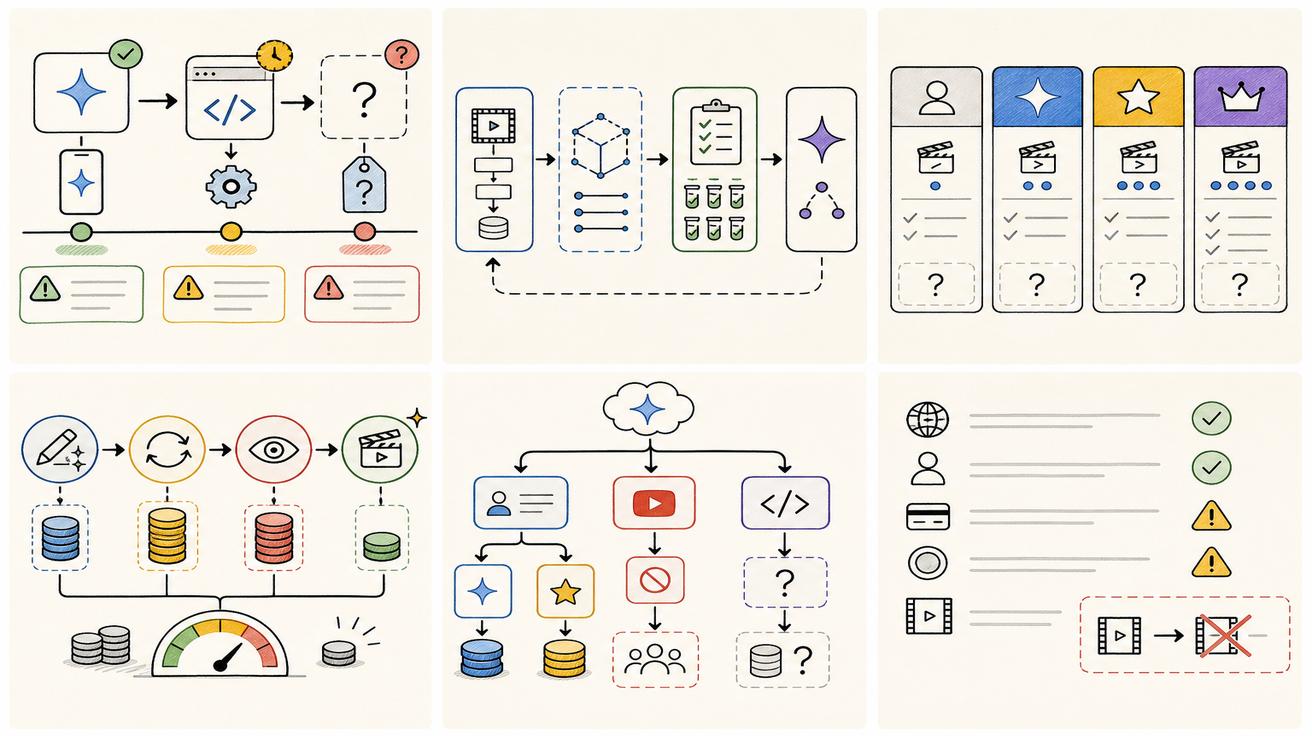
| Surface | Free | Google AI Plus | Google AI Pro | Google AI Ultra |
|---|---|---|---|---|
| Gemini app general AI | Available with Free features | Higher usage than Free | Higher usage than Free | Highest access |
| Gemini Omni in Gemini app | Not listed as full Omni access in the video page | Listed as eligible | Listed as eligible | Listed as eligible |
| Google Flow credits | Limited Flow access listed | 200 Flow credits shown in fetched page | 1,000 Flow credits shown in fetched page | 10,000 or 25,000 Flow credits shown in fetched page |
| API access | Check current AI Studio quota | Public preview; $0.10/output second | Public preview; $0.10/output second | Public preview; $0.10/output second |
| Best fit | General Gemini use | Entry paid creative access | Heavier creative workflows | Highest usage and early access features |
Plan details can change by region and date, so always check Google's live subscription page before making a purchase decision.
Why users are confused about price
The confusion comes from the fact that Gemini Omni appears across several Google surfaces. A person may see Omni in a Gemini app page, a Flow page, a YouTube announcement or a Google AI plan comparison. Each surface has different access rules.
A creator asking "is Gemini Omni free" may care about whether they can try it today. A developer asking the same question may care about API pricing. A marketer may care about Flow credits. A student may care about local promotions. Those are different pricing questions.
That is why this page uses four buckets: Gemini app, Google Flow, YouTube surfaces and API/enterprise. Mixing them creates false answers.
Gemini app pricing
The Gemini video generation page is the clearest source for app access. It says Gemini Omni is available to users 18 and older with Google AI Plus, Pro or Ultra in markets where Gemini app is available. It also notes that some features such as video-to-video editing may be restricted in some countries.
That means the safest answer for app users is: check whether you have Plus, Pro or Ultra, whether your region supports the feature, and whether your account is eligible. If you are on Free and do not see Omni video generation, that is consistent with the official plan language.
Google Flow pricing and credits
The subscriptions page lists Flow credits for paid Google AI tiers. In the fetched version, Google AI Plus shows 200 Flow credits, Google AI Pro shows 1,000 Flow credits, and Google AI Ultra shows 10,000 or 25,000 Flow credits depending on tier. It also mentions Gemini Omni Flash access in Flow.
Credits matter because video generation is compute-heavy. A plan may provide access, but usage limits determine how much you can create. Teams should track not only monthly plan price but also credits, output length, retries, export quality and failed generations.
YouTube rollout
Google's Omni announcement says Gemini Omni Flash is rolling out at no cost to users on YouTube Shorts and YouTube Create App starting that week. That is a real official statement, but it is limited to those YouTube surfaces. It should not be generalized into "Gemini Omni is free everywhere."
If your use case is quick social creation inside YouTube, watch YouTube-specific docs and app availability. If your use case is Gemini app editing or API automation, the YouTube statement is not enough.
Gemini API public-preview pricing
Google’s June 30 developer release confirms Gemini Omni Flash in public preview through Google AI Studio and the Gemini API. The documented model ID is gemini-omni-flash-preview, and Google lists pricing at $0.10 per second of generated video output.
A 10-second output therefore has a published generation price of $1.00 before retries or other workflow costs. Teams should still verify billing, quota, region support and failed-generation behavior before setting customer prices.
See Gemini Omni API: Availability, Pricing, and Developer Access for a developer-specific breakdown.
Cost factors beyond the plan price
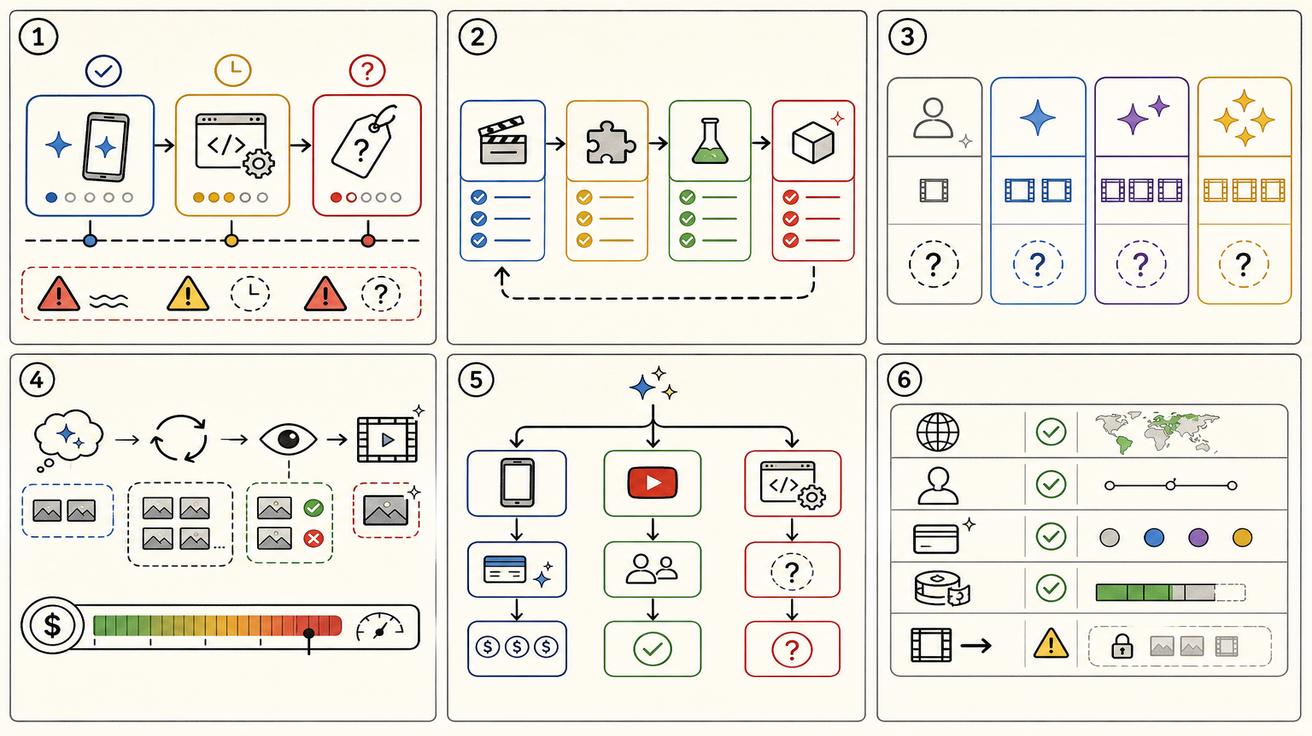
The monthly plan is only one part of cost. Video generation cost also depends on how many attempts it takes to get a usable clip. A tool with a higher monthly price but fewer failed generations can be cheaper in practice. A cheaper plan with low limits may be too restrictive for teams.
Track these factors:
- Credits or usage limits per plan.
- Output duration and resolution.
- Whether audio is included.
- Whether video-to-video editing consumes more credits.
- Retry rate.
- Whether outputs have watermarks or content credentials.
- Team review time.
- Commercial rights and policy restrictions.
- API availability if you need automation.
- Region and age eligibility.
Recommendation by user type
Casual users should start by checking whether Gemini Omni is visible in their Gemini app and whether their plan is eligible. If not, do not assume the feature is broken; it may be tied to paid plans, region or rollout timing.
Creators should compare Plus, Pro and Ultra based on usage volume. If you only need a few clips, Plus or Pro may be enough. If you need heavy Flow usage, Ultra's credit allocation may matter.
Developers can now budget against the published preview rate of $0.10 per output second, while keeping contingency for retries and preview changes. Consumer plan pricing is not a substitute for API billing.
SEO and content teams should answer price queries by separating plan-based app/Flow access from the API’s $0.10-per-output-second preview price.
Bottom line
Gemini Omni is plan-based in the Gemini app, Google Flow uses credits by plan, and some YouTube surfaces may offer no-cost access. For developers, Gemini Omni Flash is available in public preview at $0.10 per second of video output.
Region and currency caveats
Google plan pages localize prices, currency and availability. A page fetched from one region may show KRW, USD or another currency depending on location and account context. That means an SEO article should avoid hardcoding one global price unless the official page provides a universal figure. Instead, say that users should check the live Google AI subscriptions page for their country.
Regional availability also affects price perception. A user may see Omni mentioned in a blog post but not available in the Gemini app yet. Another user may have access to Flow credits but not the same video-to-video editing features. A third user may see a YouTube surface before Gemini app access. These differences can make people think pricing information is contradictory when the real issue is product surface and rollout stage.
Pricing scenarios
For a casual creator, the effective price is the lowest plan that allows enough video generations to test ideas. If Plus provides access in the user's region and the user only needs occasional clips, it may be enough. If the user burns through credits quickly because each usable video requires several retries, a higher plan may be cheaper per usable output.
For a marketing team, the price calculation should include staff time. If a plan provides better editing control and fewer retries, the team may save hours even if the subscription is more expensive. Video generation is rarely a one-shot process; a final ad may require prompt testing, editing, review and export.
For developers, consumer plan prices remain separate. The API now has a published preview rate of $0.10 per output second; Flow credits are not an API billing unit.
Price comparison checklist
When comparing Gemini Omni plans against alternatives, track plan price, included credits, output length, output resolution, audio support, editing support, region restrictions, commercial-use rules, watermarking, team collaboration and API availability. A tool that seems cheaper can become expensive if it requires many retries or does not support the input type you need.
Also compare opportunity cost. Gemini Omni Flash can be prototyped through the API today, but a preview model can change. Measure cost per usable clip and preserve a fallback.
How to explain price to users
A concise user-facing answer could be: “Gemini Omni pricing depends on where you use it. Gemini app and Flow access follow Google AI plans and credits; YouTube access may be no-cost in specific surfaces; and Gemini Omni Flash API public preview is priced at $0.10 per second of video output.”
That answer is longer than "free" or "paid," but it is much more accurate. It prevents misleading users who only care about the Gemini app, while still acknowledging that some YouTube access may be no-cost.
What could change next
Pricing may change as Google expands Omni access. Google has published an API preview price, but could adjust it, Flow credits, plan limits or regional availability at general availability.
Stable as of July 20: public-preview API access, model ID gemini-omni-flash-preview, $0.10 per output second and 10-second generations. Provisional: long-term quotas, GA terms and future packaging.
Gemini Omni API cost examples
The developer price becomes clearer when converted into workload examples. At $0.10 per output second, one 10-second generation has a published output cost of $1.00. Ten successful clips would cost $10 in output generation, while 100 successful clips would cost $100. Those figures are useful starting points, but they are not complete production budgets.
Retries change the effective cost quickly. If a team needs three attempts for each accepted 10-second clip, the generation cost becomes roughly $3 per usable clip. One hundred accepted clips could then require about $300 of generated output. Add staff review, storage, editing, rejected jobs and any downstream delivery costs separately. Google’s public announcement gives the output-second rate; it does not guarantee that every request will produce an acceptable result on the first attempt.
Use a simple budgeting formula: output seconds × $0.10 × average attempts per accepted clip. Then add a contingency for preview changes and operational costs. Keep app subscriptions and Flow credits out of this calculation unless the workflow actually runs through those surfaces. A Google AI plan may be valuable for a creator using the Gemini app or Flow, but it is not evidence that API calls are included.
For a fair comparison with Veo 3.1 Fast, measure both models on the same prompts and acceptance checklist. The published output rate is the same, so retry rate, latency, reference fidelity, editing success and human review time determine the better economic choice. Recalculate after Google changes preview status, limits or pricing.
Editorial note for fast-moving Google launches
This page was factually refreshed on July 20, 2026 after Google’s June 30 developer release. Check official plan and API pricing pages because preview terms can change.
For users comparing plans today, the practical next step is to open the official subscription page in the same country and Google account they plan to use. Screenshots from another region may not match local currency, feature rollout, taxes, trial offers or account eligibility. If a feature is missing, check again after rollout updates rather than assuming the page is wrong.
<script type="application/ld+json"> { "@context": "https://schema.org", "@type": "Article", "headline": "Gemini Omni Price: Is It Free or Paid?", "description": "Gemini Omni pricing explained across Google AI plans, Flow credits, YouTube surfaces, and the $0.10-per-second Gemini API public preview.", "author": { "@type": "Person", "name": "Emma Chen" }, "publisher": { "@type": "Organization", "name": "Veo3AI", "url": "https://www.veo3ai.io" }, "mainEntityOfPage": { "@type": "WebPage", "@id": "https://www.veo3ai.io/blog/gemini-omni-price-free-paid-plans" }, "datePublished": "2026-05-20", "dateModified": "2026-07-20" } </script>
<script type="application/ld+json"> { "@context": "https://schema.org", "@type": "FAQPage", "mainEntity": [ { "@type": "Question", "name": "How much does Gemini Omni cost?", "acceptedAnswer": { "@type": "Answer", "text": "Official pages connect Gemini Omni access to Google AI Plus, Pro and Ultra plans for the Gemini app and Flow, but exact pricing depends on country, plan and product surface." } }, { "@type": "Question", "name": "Is Gemini Omni free?", "acceptedAnswer": { "@type": "Answer", "text": "The official Gemini video page says Gemini Omni is available to Google AI Plus, Pro or Ultra users. Google also says YouTube Shorts/Create rollout may be at no cost for users, but app access is tied to paid plans in the pages checked." } }, { "@type": "Question", "name": "What plans include Gemini Omni Flash?", "acceptedAnswer": { "@type": "Answer", "text": "Google subscription pages mention Gemini Omni Flash access through Flow credits for Google AI Plus, Pro and Ultra, with different usage levels." } }, { "@type": "Question", "name": "Does Free plan include Gemini Omni?", "acceptedAnswer": { "@type": "Answer", "text": "The subscriptions page lists Free access to Gemini app and Google Flow with limited capabilities, but the Gemini video generation page ties Gemini Omni to Plus, Pro or Ultra." } }, { "@type": "Question", "name": "Is API pricing available?", "acceptedAnswer": { "@type": "Answer", "text": "Yes. Google lists Gemini Omni Flash public-preview API pricing at $0.10 per second of video output under model ID gemini-omni-flash-preview." } } ] } </script>
Related Articles
Continue with more blog posts in the same locale.

How to Make Sports Highlight Videos with Veo 3 AI (2026)
Create stunning sports highlight videos with Veo 3 AI. Generate dynamic action shots, slow-motion sequences, and dramatic replays using AI prompts.
Read article
How to Make a Short Film with Veo 3 AI (2026 Guide)
Learn how to create professional short films using Veo 3 AI. Step-by-step guide with prompts, workflow tips, and cinematic techniques.
Read article
How to Make Documentary Videos with Veo 3 AI (2026 Guide)
Create compelling documentary videos with Veo 3 AI. Learn prompting techniques, narrative structure, realistic footage generation, and post-production tips.
Read article