
Veo 3 TikTok Ad Videos 2026: Creator-Style Product Clips and Hooks
A practical Veo 3 TikTok ads workflow for creator-style product clips, hooks, prompts, editing, safety review, and creative testing.
Emma Chen · 23 min read · May 9, 2026
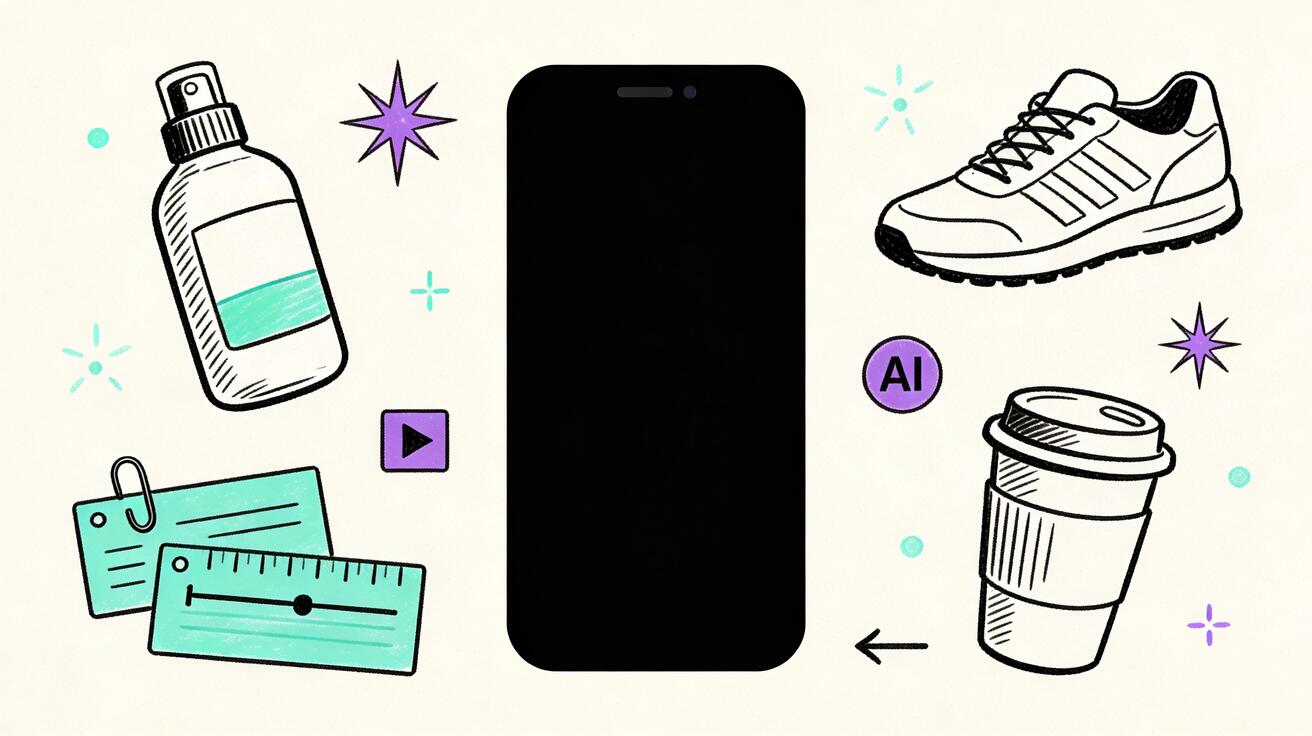
TikTok ad creative moves faster than most production calendars. A product team can have a strong offer, a polished landing page, and enough proof to sell, but the ad still fails if the first two seconds feel like a generic commercial. The feed rewards creator-style rhythm: a sharp hook, a relatable problem, a quick product moment, a visual proof point, and a reason to keep watching. That is why many marketers are now testing Veo 3 TikTok ads as a faster way to turn product ideas, photos, demos, and founder notes into short vertical clips.
Veo 3 is useful for this job because TikTok ads are not only about cinematic quality. They need motion, texture, fast scene changes, and enough realism to feel native in a creator feed. A static product photo can become a desk demo. A feature screenshot can become a quick benefit scene. A customer pain point can become a visual hook. A set of landing-page claims can become several testable video concepts. The goal is not to replace the marketer, media buyer, or editor. The goal is to shorten the distance between a creative hypothesis and a usable video draft.
This guide explains how to create TikTok ad videos with Veo 3 in 2026 without making the common mistake of asking for one big generic commercial. It covers hook planning, creator-style scene structure, product clips, prompt templates, internal review, safe claims, editing, testing, and iteration. If you are building a wider AI ad workflow, compare this article with our guides to Veo 3 UGC ad generation, Veo 3 product ad prompts, and AI video generation for TikTok. For the broader tool, you can also start from Veo3AI and connect TikTok clips to ecommerce, SaaS, creator, and launch campaigns.
Why Veo 3 fits TikTok ad creative
TikTok ads are judged in a different environment from landing-page videos or YouTube pre-roll. The viewer is scrolling, the sound may be off, and the creative is competing with people who know how to make a moment feel immediate. A perfect product render is less important than an opening frame that earns attention. A polished brand film can underperform a rougher clip if the rough clip shows the problem faster and feels closer to the viewer's real context.
Veo 3 helps because it can generate short motion scenes that match a specific creative beat. Instead of waiting for a full shoot, a marketer can test whether a problem-first hook, a product-in-hand demo, a before-after visual, a founder-style explanation, or a lifestyle reveal deserves more budget. The best use case is not one finished ad from one prompt. The best use case is a system for creating many controlled ad scenes, then editing the strongest scenes into TikTok-ready variations.
That distinction matters. TikTok creative is modular. A working ad often combines a hook from one idea, a demo from another idea, and a CTA from a third. Veo 3 should be used the same way. Generate scenes, not miracles. Ask for one opening moment, one product motion, one proof visual, or one objection scene at a time. Then assemble the final ad in an editor where captions, offer text, disclaimers, music, and brand assets can be controlled precisely.
What makes a TikTok ad different from a normal product video
A normal product video often starts with the brand, shows a clean product shot, explains features, and ends with a CTA. A TikTok ad usually needs to start with the viewer. The first frame should create a reason to stop: a familiar pain, a surprising result, a visual contrast, a direct question, a mistake, or a product moment that implies a clear benefit.
The pacing is also different. TikTok ads often need several micro-beats within the first ten seconds. A single slow camera move may look premium, but it can feel slow in the feed. Veo 3 prompts should therefore describe beat changes: close-up of the messy desk, hand reaches for the product, quick transformation, reaction shot, screen overlay added later, final product frame. The model creates the motion base; the editor adds readable captions and platform-safe information.
The third difference is authenticity. Creator-style does not mean pretending that a real person endorsed the product. It means using the grammar of creator content: handheld energy, natural settings, desk-level framing, quick cuts, direct problem framing, product use, and human-scale scenes. Use fictional actors or generic hands when needed. Avoid implying a real creator, customer, celebrity, or employee appeared unless you have consent and source footage.
Veo 3 TikTok ad planning table
| Ad angle | Best opening hook | Veo 3 scene to generate | Editor adds later | Main risk to review |
|---|---|---|---|---|
| Problem-solution | Show the annoying before state | Messy desk, wasted time, product enters frame | Caption with exact pain and claim | Overstating the result |
| Product demo | Start with the product in action | Close-up hands using product or app flow | UI labels, offer, CTA | Invented feature details |
| Before-after | Visual contrast in first second | Split routine, old way versus new way | Before/after text and disclaimer | Unrealistic transformation |
| Founder tip | Direct useful advice | Founder-style desk scene, notebook, product prop | Real founder voice or approved script | Fake identity or fake quote |
| Social proof | Lead with outcome evidence | Reviews, packages, dashboard-like proof concept | Real review copy and source | Fabricated testimonials |
| Offer clip | Start with urgency or bundle | Product stack, checkout moment, package reveal | Price, deadline, terms | Wrong price or false scarcity |
Use this table as a production map, not a promise that every scene will work. The strongest media teams treat Veo 3 as a creative testing engine. They generate controlled options, reject weak outputs quickly, and only scale the angles that survive review.
Step 1: define the hook before you prompt
A Veo 3 TikTok ad should begin with a written hook, not a visual prompt. If the hook is weak, the video will be weak even when the image quality is strong. Write five to ten hooks before generating anything. Keep each hook specific enough that a viewer can immediately understand the situation.
Weak hooks sound like "This product changes everything" or "You need this tool." Stronger hooks sound like "Your product page has no video because the shoot keeps getting delayed" or "The first three seconds of your ad are explaining the brand instead of the problem." The stronger hook gives Veo 3 a scene to visualize: delayed shoot, blank asset folder, product photo, fast creative board, editor timeline, or marketer reviewing versions.
For ecommerce, useful hooks often come from friction: product confusion, setup time, messy routines, poor lighting, hard comparisons, ignored features, or slow content production. For SaaS, hooks often come from workflow pain: too many screenshots, unclear demo videos, slow launch assets, low-performing ad variants, or sales teams needing more visual explainers. For creator products, hooks often come from identity: the viewer wants to look more consistent, more professional, more prepared, or more confident.
Write the hook as a video beat: "Opening frame shows a small team staring at a folder of static product photos while a TikTok ad deadline approaches." That is much more useful than "make a viral TikTok ad." Veo 3 responds better when the situation, subject, camera, mood, and final frame are clear.
Step 2: choose the product truth you can safely show
Every TikTok ad needs a product truth. This is the specific thing the product does, solves, improves, simplifies, or enables. Do not ask Veo 3 to invent that truth. Use your real product page, approved claims, demos, screenshots, packaging, customer language, and offer details.
For physical products, the product truth might be texture, size, use case, routine, durability, portability, or giftability. For software, it might be a workflow, a screen transformation, a time-saving step, a template, a result preview, or a collaboration moment. For a marketplace or service, it might be speed, selection, trust, convenience, or expert support.
Veo 3 should visualize the truth, not create the evidence. If the claim is "set up a campaign in minutes," the generated scene can show a fast workflow and organized dashboard, but the exact claim should be added later with approved wording. If the claim is "customers love the new texture," the generated scene can show product use and reaction, but the real review must come from a verified source. This protects both conversion quality and brand safety.
Step 3: use modular Veo 3 prompts
One prompt that asks for a complete thirty-second TikTok ad will usually be too broad. A better workflow uses modular prompts for separate scenes. Create one prompt for the hook, one for the product demo, one for the proof beat, one for the offer frame, and one for the CTA background. Then edit the best pieces together.
A strong modular prompt includes the target viewer, scene, camera, motion, product role, mood, aspect ratio, and negative constraints. For example:
Create a vertical 9:16 creator-style TikTok ad scene for a small ecommerce brand using Veo 3. Opening frame: a marketer at a desk looks at a folder of static product photos and an empty ad timeline. A generic skincare bottle sits beside a laptop. Camera is handheld but stable, close desk-level framing, fast push-in during the first second, natural daylight, realistic but not glossy. No readable text, no logos, no celebrity, no exaggerated claims. End frame leaves space at the top for a caption added later.
That prompt is specific enough to generate a useful hook scene. It does not demand text accuracy. It does not require a real brand logo. It leaves space for editing. It also gives the model a clear final frame, which makes the output easier to use.
For product demos, switch the prompt to the product action:
Create a vertical 9:16 creator-style product demo scene. A pair of hands places a generic reusable coffee cup into a work bag, then sets it on a clean desk beside a laptop and notebook. The camera follows the cup with a quick close-up, natural morning light, realistic creator video style, soft background, no logos, no readable text, no claims. Leave empty space in the lower third for captions.
For SaaS, avoid asking the model to generate exact UI. Use sanitized screenshots or image-to-video when available. If you only use text-to-video, prompt for dashboard-like shapes and add the real interface later in editing.
Step 4: design TikTok ad structure around retention
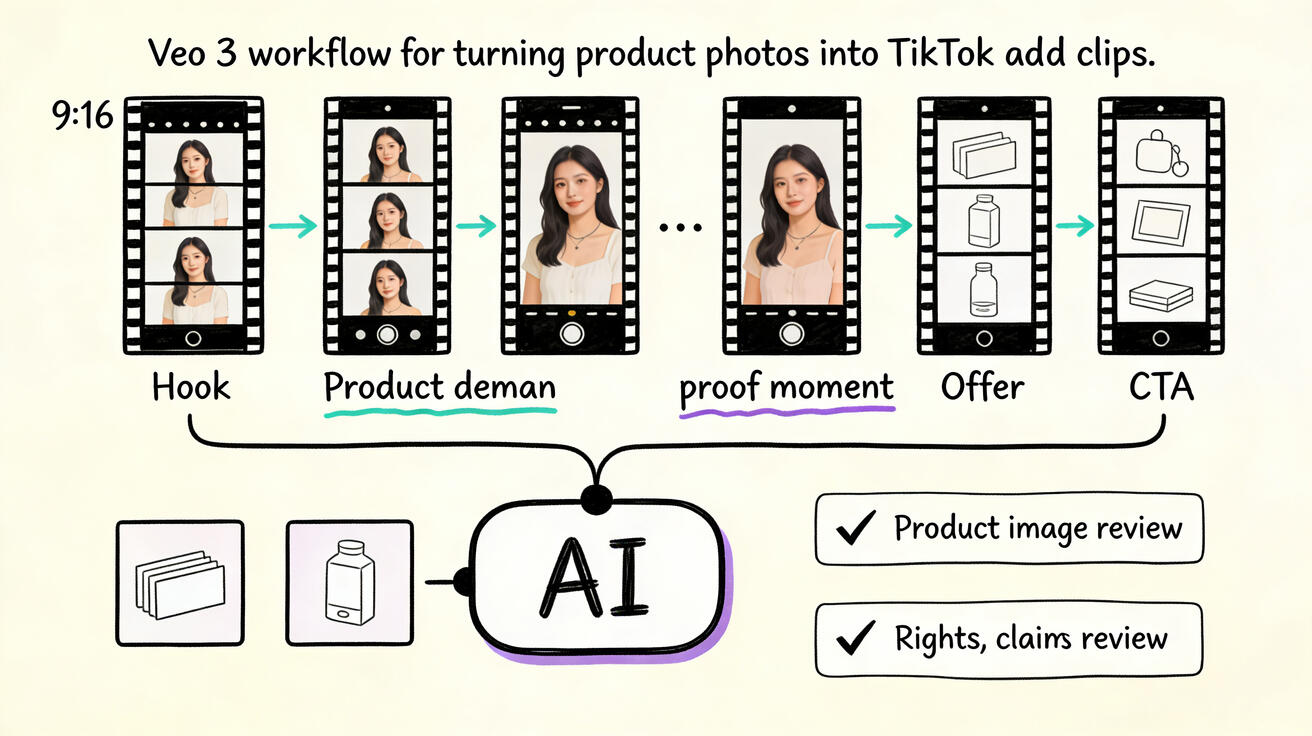
A useful structure for Veo 3 TikTok ads is Hook, Context, Demo, Proof, Offer, CTA. Not every ad needs all six parts, but every part should have a job.
The hook stops the scroll. The context tells the viewer why the moment matters. The demo shows the product or workflow. The proof reduces doubt. The offer gives the viewer a reason to act now. The CTA tells the viewer exactly what to do. When a clip underperforms, identify which job failed instead of blaming the whole concept.
Veo 3 is strongest when each part is visual. A hook can show the painful before state. Context can show the target user's environment. Demo can show the product in use. Proof can show a real source asset inside the edit, such as a verified review screenshot, approved metric, or product result. Offer can show a product bundle or checkout moment. CTA can show the final product frame with clean space for text.
The editor should handle the precision layer: captions, voiceover, price, dates, product names, review copy, UTM-safe CTA, subtitles, and platform disclaimers. Generated text inside video should not carry critical information because it may be unreadable or wrong. Use Veo 3 for the moving image, then lock the facts in post-production.
Step 5: create creator-style product clips without fake endorsements
Creator-style product clips work because they feel close to how people actually discover products. They show the product on a desk, in a bag, on a shelf, in a routine, or inside a small workflow. The mistake is to confuse this style with fake endorsement. Do not generate a realistic person who appears to be a known creator, customer, doctor, expert, or employee unless you have consent and a clear review process.
A safer approach is to use anonymous hands, over-the-shoulder shots, fictional actors, stylized scenes, product-first close-ups, and editor-added voiceover. You can still make the ad feel native: handheld motion, quick framing, natural light, casual workspace, realistic product scale, and a clear problem. The viewer does not need a fake influencer to understand the benefit.
For physical products, ask for touchpoints: unboxing, close-up texture, using the product in a routine, placing it in a bag, comparing old setup to new setup, or showing the product in its natural environment. For software, ask for work moments: marketer planning hooks, founder recording a script, designer reviewing variants, sales rep sending a clip, or team comparing ad concepts. Then add the actual screen captures and claims later.
This is especially important for brands using TikTok paid media. A believable scene can still be misleading if it implies a real user result that did not happen. Keep the creative honest. Use fictional scenes for concepts and approved assets for evidence.
Step 6: build prompt templates for repeatable ad production
A repeatable template helps a team move faster without lowering quality. Use this structure:
Audience: Who is this for?
Pain: What problem appears in the first frame?
Product role: What does the product do in the scene?
Scene: Where does the action happen?
Camera: How should it feel: handheld, desk-level, close-up, overhead, slow push, fast cut?
Beat sequence: What happens in order?
Editing space: Where should captions or UI overlays go?
Constraints: No logos, no readable text, no fake claims, no celebrity, no brand confusion.
Here is a complete template for veo tiktok ads:
Vertical 9:16 creator-style TikTok ad scene for [audience]. First frame shows [pain] in a realistic [setting]. A generic [product] appears as the practical solution. Beat sequence: [beat 1], [beat 2], [beat 3], [final frame]. Camera style is [camera], lighting is [lighting], mood is [mood]. Leave clean space for captions added later. No readable text, no logos, no real brands, no celebrity likeness, no exaggerated claims.
Use the same template across angles. This makes results easier to compare because the team changes one variable at a time: hook, product scene, camera style, or target audience.
Step 7: edit Veo 3 outputs into TikTok-ready ads
Veo 3 output is the raw visual layer. The TikTok-ready ad still needs editing. Trim the opening aggressively. If the first frame does not communicate the hook, cut to a stronger moment. Add captions that summarize the claim in plain language. Use platform-safe music or licensed sound. Add a real product screenshot, logo, offer, or CTA where needed.
Keep the final ad easy to understand when muted. Many viewers will read captions before they listen. The caption should not describe the video; it should advance the argument. Instead of "AI video generator for ecommerce," say "Turn product photos into 5 ad concepts before your next launch." Instead of "Try our tool today," say "Test three hooks before you buy a shoot."
For paid ads, prepare several versions: hook-first, demo-first, benefit-first, proof-first, and offer-first. Each version can use the same product scene but a different first two seconds. This is where Veo 3 saves time. You do not need a new shoot for every opening angle. You need a controlled library of scenes that can be recombined.
Step 8: test creative like a system, not a lottery
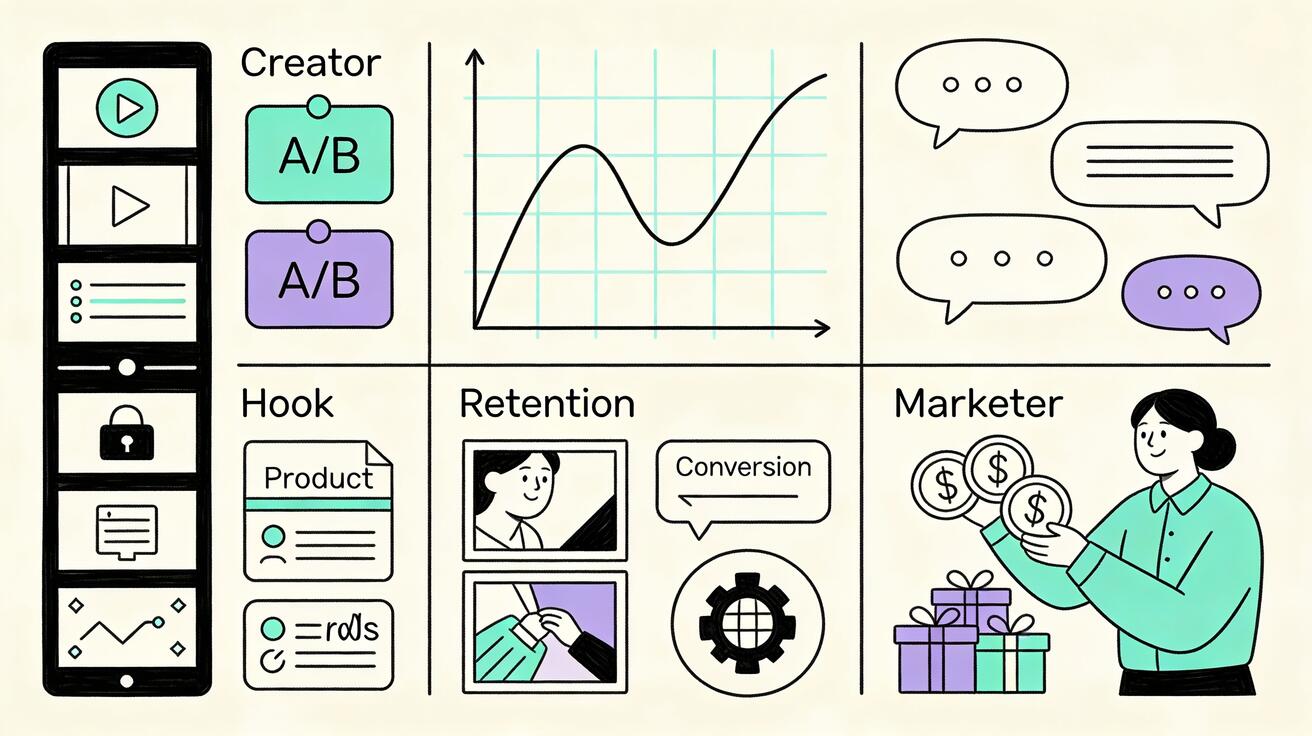
TikTok ad testing should answer a specific question. Do not upload ten random Veo 3 clips and hope one works. Test one variable at a time when possible. For example, test three hooks with the same demo. Then test two demos with the winning hook. Then test offer framing. This gives the team learning they can reuse.
Track early signals such as thumb-stop rate, first-three-second retention, hold rate, click-through rate, cost per landing-page view, cost per add-to-cart, lead quality, or downstream conversion. The exact metric depends on the campaign. The creative lesson is the same: a video that gets attention but does not create qualified clicks may need a clearer product truth; a video that gets clicks but weak conversions may need a better landing-page match.
Keep a creative log. Record the hook, prompt, product asset, scene type, caption, audience, spend level, and result. Over time, this becomes a private TikTok ad playbook. Veo 3 can generate more variations, but the advantage comes from knowing which variations are worth generating.
Prompt examples for Veo 3 TikTok ads
Ecommerce hook prompt
Create a vertical 9:16 creator-style TikTok ad hook scene for a small ecommerce product. First frame shows a messy bathroom counter with too many generic bottles. A simple unbranded skincare bottle becomes the focus as the camera makes a quick handheld push-in. Natural morning light, realistic creator video style, clean but not glossy, no readable labels, no logos, no claims. End with the product centered and space above for a caption.
Use this when the ad angle is simplification, routine cleanup, or product focus. Add the exact product name, claim, and offer in editing.
SaaS workflow prompt
Create a vertical 9:16 creator-style TikTok ad scene for a SaaS marketer. A laptop shows abstract dashboard shapes, a notebook has hook ideas, and a phone preview shows vertical video frames without readable text. The marketer moves from a blank asset folder to a clean row of video concepts. Handheld desk-level camera, quick cuts, realistic office lighting, no logos, no readable UI, no fake metrics. Leave lower-third space for captions.
Use this for software campaigns where the product is about speed, organization, or creative production. Replace abstract UI with real screenshots during editing if accuracy matters.
Before-after prompt
Create a vertical 9:16 creator-style ad scene showing an old-way versus new-way workflow. Left side: a small team looks frustrated at static product photos and a delayed video shoot checklist. Right side: clean storyboard frames and product clips are ready for review. Realistic workspace, fast visual contrast, no readable text, no logos, no exaggerated claims. End frame shows organized video thumbnails with space for caption overlay.
Use this when the hook is about speed or replacing a slow process. Be careful not to claim impossible results.
Product demo prompt
Create a vertical 9:16 creator-style product demo scene. Anonymous hands remove a generic compact gadget from a backpack, place it on a desk, and show one simple use moment. Camera follows the product closely, natural light, shallow depth of field, realistic movement, no logos, no readable text, no spoken words, no claims. End with a clean hero close-up for CTA.
Use this when the product needs tactile proof. For real products, compare the generated output against the actual shape, color, and use case before publishing.
Common mistakes to avoid
The first mistake is asking Veo 3 for a viral ad. Viral is not a prompt input. Describe the viewer, problem, scene, camera, and product moment instead. The second mistake is letting the model invent claims. If the video implies a result, verify that the result is true and that the claim is allowed. The third mistake is using generated text as the main message. Add captions and UI in an editor.
The fourth mistake is over-polishing. TikTok ads do not always need luxury production. Sometimes the best ad looks like a useful creator clip. Keep the scene natural, the camera close, and the hook practical. The fifth mistake is testing too many variables at once. If every ad has a different hook, product demo, CTA, music, caption, and audience, you will not know what worked.
The sixth mistake is ignoring rights. Do not copy a creator's face, voice, room, catchphrase, or recognizable style in a way that creates confusion. Do not show real brand logos unless you have rights. Do not create fake testimonials. Do not imply a real endorsement. A safe creative process is slower than a risky shortcut, but it is much faster than fixing rejected ads or damaged trust.
How Veo 3 TikTok ads connect to other marketing assets
A good TikTok ad should not live alone. The same Veo 3 scenes can support landing pages, product pages, email launches, creator briefs, sales follow-up, and retargeting. A hook that works in paid social can become the first section of a landing page. A product demo scene can become a GIF-like website asset. A proof beat can become a sales enablement clip. A losing ad can still reveal which problem language resonates.
This is why TikTok ad production should connect with the rest of your AI video workflow. Ecommerce teams can pair this process with Veo 3 Shopify product video ads or Veo 3 Amazon listing video ads. SaaS teams can adapt the same prompt structure for launch videos, webinar clips, product demo explainers, and LinkedIn variations. Content teams can turn winning TikTok hooks into blog intros, tutorial scripts, and short-form social calendars.
Veo 3 is most valuable when every generated clip has a place in a larger system. That system includes creative briefs, prompt libraries, asset rights, editing rules, testing notes, and performance feedback. The model creates options. The workflow turns options into learning.
Recommended production workflow
Start with a one-page brief: audience, product truth, offer, landing page, forbidden claims, approved assets, and campaign goal. Write ten hooks. Pick three. Generate modular Veo 3 scenes for each hook and one shared product demo. Review outputs for brand safety, product accuracy, visual clarity, and editability. Reject clips with distorted product use, confusing motion, fake text, unrealistic claims, or identity risk.
Next, edit three to five ad variations. Keep captions readable. Put the hook in the first second. Add the real product name, offer, and CTA in post-production. Export for TikTok specs and check that the clip works without sound. Launch with a clean testing plan and enough spend to learn, but not so much that unproven creative dominates the campaign.
After the first test, do not simply make more videos. Read the performance. If the hook loses viewers immediately, write sharper hooks. If people watch but do not click, make the product truth more concrete. If people click but do not convert, match the landing page more closely or adjust the audience. If one angle wins, use Veo 3 to expand that angle into new scenes, formats, and channel versions.
FAQ
Can Veo 3 create TikTok ad videos from product photos?
Yes. Veo 3 can help turn product photos, screenshots, packaging, or campaign concepts into short vertical ad scenes. For the safest workflow, use the generated video as the motion layer and add exact product names, prices, claims, reviews, and CTA text in editing.
What is the best structure for Veo 3 TikTok ads?
A practical structure is Hook, Context, Demo, Proof, Offer, CTA. Generate each part as a controlled scene instead of asking for one complete ad. This makes the output easier to review and easier to recombine into multiple ad variations.
Should TikTok ad prompts include exact captions or prices?
Usually no. Generated text may be wrong or unreadable. Ask Veo 3 for clean visual space, then add exact captions, price, discount, deadline, disclaimer, and CTA in an editor using approved copy.
Can I make creator-style TikTok ads without using a real influencer?
Yes. Creator-style refers to the pacing, framing, setting, and problem-first storytelling of native social content. Use fictional actors, anonymous hands, product close-ups, desk scenes, or stylized visuals unless you have permission from a real creator or customer.
How many Veo 3 ad variations should I test?
Start with three to five controlled variations. Change one major variable at a time, such as the hook or opening scene. After you find a winning angle, generate more variations around that angle instead of launching random new concepts.
Are Veo 3 TikTok ads safe for paid campaigns?
They can be, if you review them carefully. Check product accuracy, claim support, rights, logos, likeness, audio, captions, landing-page match, and platform rules before launch. Do not use generated scenes as proof of real customer outcomes.
Conclusion
Veo 3 can make TikTok ad production faster, but speed only helps when the creative system is disciplined. Start with the hook. Choose one product truth. Generate modular scenes. Add exact facts in editing. Review rights and claims. Test variables one at a time. Feed the results back into the next prompt batch.
That workflow turns Veo 3 from a novelty into a practical TikTok ad engine. It helps ecommerce brands, SaaS marketers, agencies, and creators explore more ad angles without waiting for every idea to become a shoot. The brands that benefit most will not be the ones generating the flashiest clips. They will be the ones learning fastest from honest, specific, creator-style product videos.
<script type="application/ld+json"> { "@context": "https://schema.org", "@type": "FAQPage", "mainEntity": [ { "@type": "Question", "name": "Can Veo 3 create TikTok ad videos from product photos?", "acceptedAnswer": { "@type": "Answer", "text": "Yes. Veo 3 can help turn product photos, screenshots, packaging, or campaign concepts into short vertical ad scenes. Use the generated video as the motion layer and add exact product names, prices, claims, reviews, and CTA text in editing." } }, { "@type": "Question", "name": "What is the best structure for Veo 3 TikTok ads?", "acceptedAnswer": { "@type": "Answer", "text": "A practical structure is Hook, Context, Demo, Proof, Offer, CTA. Generate each part as a controlled scene instead of asking for one complete ad, then recombine the strongest scenes into TikTok-ready variations." } }, { "@type": "Question", "name": "Should TikTok ad prompts include exact captions or prices?", "acceptedAnswer": { "@type": "Answer", "text": "Usually no. Generated text may be wrong or unreadable. Ask Veo 3 for clean visual space, then add exact captions, price, discount, deadline, disclaimer, and CTA in an editor using approved copy." } }, { "@type": "Question", "name": "Can I make creator-style TikTok ads without using a real influencer?", "acceptedAnswer": { "@type": "Answer", "text": "Yes. Creator-style refers to pacing, framing, setting, and problem-first storytelling. Use fictional actors, anonymous hands, product close-ups, desk scenes, or stylized visuals unless you have permission from a real creator or customer." } }, { "@type": "Question", "name": "How many Veo 3 ad variations should I test?", "acceptedAnswer": { "@type": "Answer", "text": "Start with three to five controlled variations. Change one major variable at a time, such as the hook or opening scene. After you find a winning angle, generate more variations around that angle." } }, { "@type": "Question", "name": "Are Veo 3 TikTok ads safe for paid campaigns?", "acceptedAnswer": { "@type": "Answer", "text": "They can be if reviewed carefully. Check product accuracy, claim support, rights, logos, likeness, audio, captions, landing-page match, and platform rules before launch. Do not use generated scenes as proof of real customer outcomes." } } ] } </script>
Related Articles
Continue with more blog posts in the same locale.

How to Make Sports Highlight Videos with Veo 3 AI (2026)
Create stunning sports highlight videos with Veo 3 AI. Generate dynamic action shots, slow-motion sequences, and dramatic replays using AI prompts.
Read article
How to Make a Short Film with Veo 3 AI (2026 Guide)
Learn how to create professional short films using Veo 3 AI. Step-by-step guide with prompts, workflow tips, and cinematic techniques.
Read article
How to Make Documentary Videos with Veo 3 AI (2026 Guide)
Create compelling documentary videos with Veo 3 AI. Learn prompting techniques, narrative structure, realistic footage generation, and post-production tips.
Read article