
Vid3 AI vs Veo 3: Quality, Pricing, and Workflow Compared
Compare Vid3 AI vs Veo 3 for quality, pricing transparency, workflow, native audio, and creator use cases before choosing an AI video generator.
Emma Chen · 17 min read · Apr 30, 2026
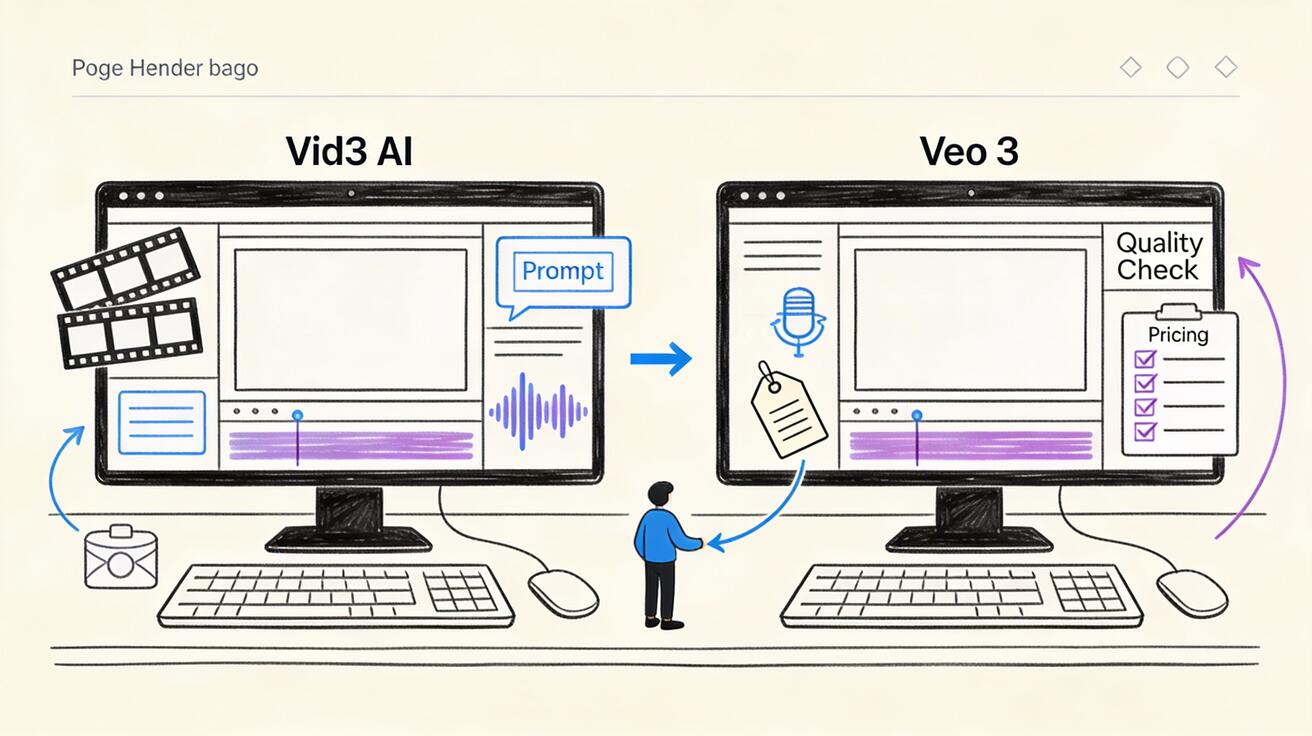
Meta description: Compare Vid3 AI vs Veo 3 for video quality, pricing transparency, audio, model access, prompt control, and production workflow before choosing an AI video generator.
Vid3 AI is starting to appear in creator searches because it promises a simple way to create videos with Google-style Veo generation from a web interface. Veo 3, meanwhile, is the model family many creators use as the reference point for cinematic AI video, native audio, prompt understanding, and realistic motion. If you are comparing vid3 ai with Veo 3, the most important point is that they are not identical products. Vid3 AI is a third-party creator interface that publicly presents itself as powered by Veo 3.1. Veo 3 is the underlying Google DeepMind video model ecosystem, accessed through official Google workflows, developer tools, or approved product surfaces depending on region and availability.
That distinction changes the buying decision. A front-end app can be convenient because it compresses prompting, aspect ratio selection, image-to-video input, audio options, and downloads into a single page. A direct Veo workflow can be better when you need stronger documentation, clearer model provenance, predictable policy handling, and a production process that your team can audit. Neither choice is automatically right for every creator. The better choice depends on whether you care most about speed, quality control, pricing clarity, commercial workflow, or repeatable output.
This guide compares Vid3 AI vs Veo 3 across the areas that matter in real production: visual quality, native audio, prompt control, pricing transparency, asset workflow, reference images, safety, and who should use each tool. If you are still learning the basics, start with our Veo 3 text-to-video workflow and Veo 3 image-to-video workflow. If your issue is inconsistent output rather than tool selection, read the Veo 3 negative prompt guide after this comparison.
Quick verdict
Choose Vid3 AI if you want a lightweight, browser-first way to test Veo-style generation quickly and you value a simple interface more than deep production controls. It is best for early ideation, short social clips, prompt experiments, and creators who do not want to configure a developer workflow.
Choose Veo 3 directly if you need the strongest control over model selection, documentation, enterprise review, safety expectations, and repeatable production. It is the better choice for teams that need to brief stakeholders, manage asset rights, compare model versions, or build a reliable AI video pipeline.
The short version: Vid3 AI is a convenience layer. Veo 3 is the model ecosystem. A convenience layer can save time, but the direct model workflow usually gives you more transparency and control.
Decision table: Vid3 AI vs Veo 3
| Category | Vid3 AI | Veo 3 |
|---|---|---|
| Product type | Third-party web interface presenting Veo-style generation | Google DeepMind video model ecosystem |
| Best for | Fast tests, lightweight creator workflow, simple short clips | High-control production, cinematic output, professional workflows |
| Public positioning | Promotes creation with Veo 3.1, text-to-video, image-to-video, audio, aspect ratios | Model family used through official Google AI surfaces and API-style workflows |
| Quality ceiling | Depends on the model access, settings, and wrapper implementation | Highest when used through official model access and well-structured prompts |
| Audio | Public homepage promotes synchronized audio features | Native audio is one of the major reasons creators choose Veo 3 |
| Prompt control | Simple prompt box and preset-style workflow | More room for structured prompting, reference planning, and production documentation |
| Pricing | Check official pricing before purchase; do not rely on screenshots or outdated reviews | Check official pricing and access rules for your region and product path |
| Team use | Good for solo creators testing concepts | Better for teams that need governance, repeatability, and clearer documentation |
| Main risk | Less transparency around limits, model routing, terms, and long-term availability | More setup work and possible access limitations depending on plan or region |
What is Vid3 AI?
Vid3 AI is a web-based AI video generator at vid3ai.com. Its public homepage describes a creator experience built around Veo 3.1, with text-to-video, image-to-video, synchronized audio, aspect ratio options, and short video creation. The interface is positioned for creators who want to enter a prompt, choose basic settings, and generate a video without building a full technical workflow.
That can be valuable. Many AI video users are not trying to run an API, compare model endpoints, or maintain a prompt library from day one. They want to know whether a visual idea works. A simple app lowers the friction. If the page gives you a prompt field, aspect ratio choices, image input, and audio toggle in one place, you can test a concept faster than you could by assembling a complete production stack.
However, Vid3 AI should still be evaluated like any third-party AI video platform. Before paying, check official pricing, refund terms, usage rights, output limits, privacy terms, commercial usage rules, and whether the plan you choose clearly states what model is being used. Avoid making a decision from social posts or screenshots alone. AI video tools change quickly, and pricing or model availability can shift without warning.
The best way to think about Vid3 AI is as a convenience-first front end. Its value is not that it replaces the underlying model. Its value is that it may make model access easier for a creator who wants a faster path from prompt to clip.
What is Veo 3?
Veo 3 is the video generation model family associated with Google DeepMind and Google AI workflows. Creators pay attention to Veo because it is known for cinematic motion, strong prompt interpretation, realism, camera movement, and native audio generation. In practice, Veo-style workflows are used for text-to-video, image-to-video, cinematic concepting, ads, storyboarding, product visuals, music-video ideas, and short narrative scenes.
Direct Veo 3 usage is not just about quality. It is also about confidence. When you work through official Google surfaces or documented developer workflows, you usually have better visibility into model naming, policy restrictions, account access, update notes, and the intended product path. That matters for teams. A solo creator may only care about whether the clip looks good today. A studio, agency, education team, or brand needs to know how the clip was generated, which account owns the output, what terms apply, and whether the process can be repeated next month.
Veo 3 is also not magic. Output quality still depends heavily on prompt structure, input images, scene planning, camera direction, negative constraints, and iteration. If your prompt is vague, a premium model can still produce generic results. If your prompt is carefully staged, even a short clip can look intentional and polished. That is why workflow matters as much as model branding.
Quality comparison
For most users, quality is the first reason to compare vid3 vs veo 3. The tricky part is that the comparison is not always one model against another. If Vid3 AI is routing to a Veo model, the output quality may depend on the exact model version, quality mode, prompt handling, aspect ratio, duration, image input, compression, queue load, and any wrapper-level defaults. Two tools can both mention Veo while producing different results because the settings are not identical.
When judging quality, do not rely on one demo clip. Use a repeatable test set. Create five prompts: one realistic human scene, one product shot, one fast camera move, one animation-style prompt, and one image-to-video prompt with a reference image. Run the same prompts in Vid3 AI and in your direct Veo 3 workflow. Then compare the clips using the same criteria:
- Does the subject remain stable through the full shot?
- Are hands, faces, text, and product details believable?
- Does the camera motion follow the prompt?
- Does the video avoid melting, warping, or sudden identity changes?
- Does the audio match the scene instead of feeling pasted on?
- Does the tool preserve the intended mood, lighting, and pace?
- Can you reproduce a similar result after a small prompt edit?
Veo 3 direct workflows usually win when the priority is maximum control and a clearly documented model path. Vid3 AI can still be useful if it gives you a faster way to test ideas and the output is good enough for your use case. The practical question is not whether one label sounds more advanced. The practical question is whether the tool gives you the clip quality you need at a cost and workflow you can accept.
Native audio and sound design
Audio is one of the biggest reasons creators care about Veo-style video generation. A silent clip can be useful for concept art, but many social videos, ads, tutorials, and narrative shots need sound. The public Vid3 AI homepage promotes synchronized audio, including sound effects, ambience, music, and voiceover-style capabilities. Veo 3 is also widely discussed as a video model where native audio is a core part of the creative experience.
When comparing audio, listen for three things. First, does the sound match the visual moment? Footsteps should match walking, rain should match the environment, and crowd noise should not appear in an empty room. Second, does the audio respect the mood? A luxury product shot should not have chaotic sound design unless you asked for it. Third, does the audio create editing problems? Loud artifacts, random voices, or mismatched music can make a clip unusable even if the visual quality is strong.
If you are making professional content, treat generated audio as a draft layer until approved. For final ads or client work, you may still want to separate voiceover, music, and sound effects in a traditional editing tool. Vid3 AI may be enough for quick social tests. Veo 3 direct workflows may be better when you need a more deliberate sound plan, especially if your team documents prompts and compares variations.
Prompt control and workflow speed
Vid3 AI appears designed for low-friction generation. That is the appeal. You can write a prompt, choose common settings, and generate a short video without thinking about model endpoints or development tools. For a solo creator, that speed can matter more than advanced control. If you are making daily TikTok concepts, quick ad mockups, or mood tests for a pitch deck, a simple interface can help you publish or iterate faster.
Veo 3 direct workflows reward a more structured process. Instead of writing one paragraph and hoping for the best, you can build a prompt template with subject, action, camera, lighting, environment, motion, audio, duration, aspect ratio, and negative constraints. You can also keep a prompt library for successful shots. This takes more time at the start, but it becomes valuable when you need consistent output across multiple scenes.
A good production prompt often looks like this:
- Subject: who or what is in the scene.
- Action: what changes during the shot.
- Camera: lens feel, angle, movement, framing.
- Environment: location, time of day, textures, background.
- Style: cinematic, documentary, product demo, animation, or social ad.
- Audio: ambient sound, voice, music direction, or silence.
- Constraints: avoid text artifacts, avoid extra people, keep product shape stable.
Vid3 AI may be faster for the first draft. Veo 3 may be stronger for the tenth draft, when you know exactly what you want and need the tool to follow instructions.
Pricing comparison: be careful with outdated numbers
Pricing is where creators should be especially cautious. AI video pricing changes fast, and unofficial blog posts, screenshots, affiliate pages, and social threads often become outdated. For Vid3 AI, check official pricing before subscribing. For Veo 3, check official pricing for the exact access path you plan to use, because costs and limits can differ between consumer plans, creator products, and developer workflows.
Do not compare only the monthly price. Compare the usable output you get from that price. Ask these questions before paying:
- How many generations are included?
- How long is each generated clip?
- Are audio generations included or charged differently?
- Is there a faster or lower-quality mode?
- What happens when a generation fails?
- Are credits refunded for failed generations?
- Can you download without watermark?
- Are commercial rights clear for your use case?
- Are there queue limits, region limits, or daily caps?
- Can you cancel easily?
If pricing is not clearly visible or you cannot confirm the plan details, the safest recommendation is simple: check official pricing and terms directly on the product before purchase. For team budgets, calculate cost per usable clip, not cost per generation. A cheaper tool that produces many unusable clips can become more expensive than a premium workflow that gives you fewer but more reliable outputs.
Commercial use and rights
Commercial usage is not only about whether a tool lets you download a video. You need to know what the terms allow. Can you use the output in ads? Can you use it for client work? Can you publish it on monetized channels? Does the tool claim rights to reuse your prompts or generated clips? Does your input image contain a person, logo, product, or copyrighted material that creates separate permission issues?
For Vid3 AI, read the official terms and plan details before using outputs in paid campaigns. For Veo 3, read the terms attached to the Google product or API path you use. If your project involves a brand, client, public figure, celebrity likeness, music, or regulated industry, do not rely on a casual assumption. Keep records of your prompt, input assets, generation date, tool used, plan, and final edited output.
A simple rights log can prevent problems later. Add columns for project name, tool, model, prompt, input image source, output file, editor, publish channel, and approval status. This is not overkill for professional video. It is normal production hygiene.
When Vid3 AI makes sense
Vid3 AI is worth testing if your main goal is speed. It may fit creators who want to try Veo-style generation without a complicated setup. It may also be useful for marketers who need a fast way to turn ideas into rough clips before deciding which concepts deserve a full production pass.
Good Vid3 AI use cases include:
- Testing short social video concepts.
- Creating mood clips for brainstorming.
- Trying image-to-video motion from a static visual.
- Exploring vertical formats for social platforms.
- Comparing prompt ideas before committing to a larger workflow.
- Making quick internal examples for a creative discussion.
The key is to treat it as an experimentation layer. If a clip becomes important for a campaign, move it into a more controlled review process. Check the terms, inspect the output, document the tool, and decide whether the quality is strong enough for final use.
When Veo 3 is the better choice
Veo 3 is the better choice when the video matters enough to justify more planning. If your team is producing a product launch, brand film, client ad, educational series, or repeatable content system, direct model access and documented workflow usually matter more than a simple interface.
Veo 3 is especially useful when you need:
- Strong cinematic motion and realism.
- Better prompt discipline across multiple shots.
- A clear model and product path.
- Native audio that matches the visual concept.
- A workflow you can explain to clients or stakeholders.
- Repeatable prompt templates for future campaigns.
- Better governance around assets, rights, and approvals.
This does not mean every Veo 3 output will be perfect. You still need iteration. But direct Veo workflows give serious creators more room to build a repeatable system instead of depending on a black-box wrapper.
Practical test plan before you choose
Before subscribing to any AI video generator, run a small benchmark. Use the same creative brief in both tools. Keep the prompt, image input, aspect ratio, duration, and audio direction as similar as possible. Export the results and score each clip from one to five for visual quality, prompt adherence, audio match, editing usability, and cost efficiency.
Use these five prompts:
- A cinematic product shot with slow camera movement.
- A human lifestyle scene with natural motion.
- A stylized animation clip with a clear art direction.
- An image-to-video test from your own reference image.
- A social ad hook with fast pacing and native audio.
Then ask a practical question: which tool produced more usable clips with less cleanup? That answer is more valuable than any generic ranking. For one creator, Vid3 AI may be the fastest path. For another, Veo 3 may be the only option that meets quality standards.
Common mistakes to avoid
The first mistake is buying a plan before confirming pricing and limits. Always check official pricing. The second mistake is assuming that every tool mentioning Veo produces identical results. Wrapper settings, model access, quality modes, and compression can change the output. The third mistake is judging quality from one lucky demo. AI video output can vary, so benchmark with multiple prompts.
Another mistake is ignoring editing workflow. A beautiful clip that cannot be downloaded cleanly, matched to your aspect ratio, or used commercially may not help your project. Finally, do not skip prompt documentation. If you cannot reproduce a result, you cannot build a reliable content system.
Final recommendation
For most creators, the best approach is not to choose blindly. Test Vid3 AI for speed and convenience. Test Veo 3 for quality, control, and production confidence. If Vid3 AI gives you good clips quickly and the official pricing and terms fit your needs, it can be a useful creator tool. If you need professional reliability, documented model access, stakeholder review, and higher control, build your workflow around Veo 3 directly.
In short: use Vid3 AI when convenience is the priority. Use Veo 3 when quality control and workflow transparency are the priority. For serious production, compare both with your own prompts, not only with public demos.
FAQ
Is Vid3 AI the same as Veo 3?
No. Vid3 AI is a third-party web interface that publicly presents Veo-style generation. Veo 3 is the underlying Google DeepMind model ecosystem. Treat Vid3 AI as a convenience layer unless official documentation for your plan says otherwise.
Does Vid3 AI have better quality than Veo 3?
Not necessarily. If Vid3 AI uses a Veo model, quality depends on the exact model version, settings, prompt handling, and output pipeline. Direct Veo 3 workflows usually offer stronger transparency and control for professional users.
How much does Vid3 AI cost?
Check official pricing on Vid3 AI before subscribing. Do not rely on outdated screenshots or third-party summaries because AI video pricing and credit rules change quickly.
How much does Veo 3 cost?
Check official pricing for the exact Google product or developer path you plan to use. Access, limits, and cost structure can vary by plan, region, and workflow.
Which is better for social video?
Vid3 AI may be faster for quick social experiments because the interface is simple. Veo 3 is better when you need higher control, stronger prompt planning, and more reliable quality for an important campaign.
Which is better for client work?
Veo 3 direct workflows are usually safer for client work because teams can document the model path, prompts, input assets, and review process more clearly. Vid3 AI can still be useful for early concept drafts if the terms fit your use case.
What should I test first?
Run the same five prompts in both tools: product shot, human lifestyle scene, stylized animation, image-to-video reference, and short social ad. Score output quality, audio, prompt adherence, download workflow, and cost per usable clip.
Related Articles
Continue with more blog posts in the same locale.

How to Make Sports Highlight Videos with Veo 3 AI (2026)
Create stunning sports highlight videos with Veo 3 AI. Generate dynamic action shots, slow-motion sequences, and dramatic replays using AI prompts.
Read article
How to Make a Short Film with Veo 3 AI (2026 Guide)
Learn how to create professional short films using Veo 3 AI. Step-by-step guide with prompts, workflow tips, and cinematic techniques.
Read article
How to Make Documentary Videos with Veo 3 AI (2026 Guide)
Create compelling documentary videos with Veo 3 AI. Learn prompting techniques, narrative structure, realistic footage generation, and post-production tips.
Read article