
Mise En Sce Ne for AI Video: Shape Look and Mood
Learn how mise en sce ne shapes AI video with setting, props, lighting and blocking, plus prompts to get consistent, moody results in 2026.
Veo3 AI · 14 min read · Nov 13, 2026
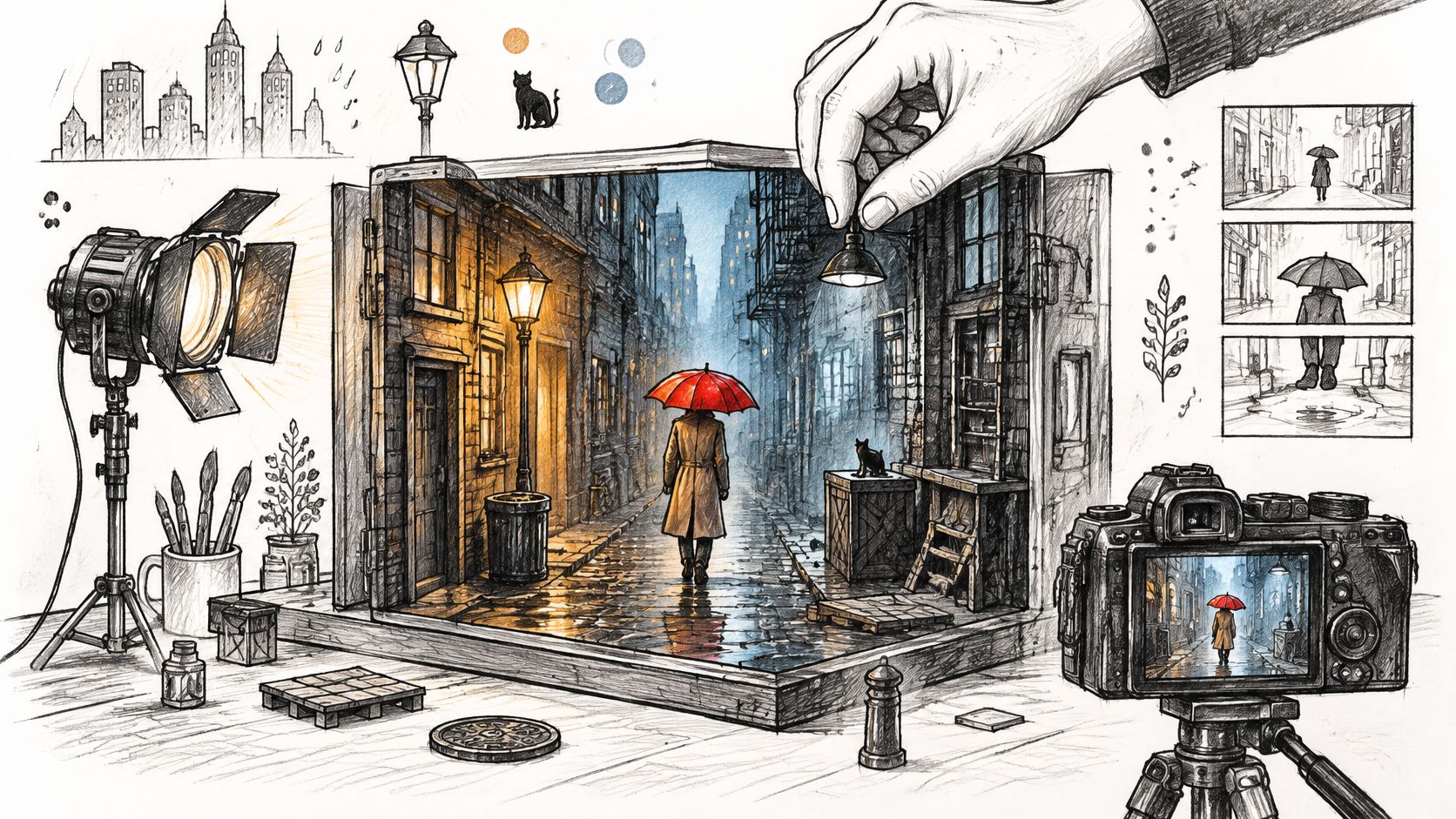
You've written a prompt that reads well, hit generate, and got back a clip that's technically fine and completely weightless. The light is pleasant. The subject is there. Nothing in the frame is doing any work.
The model usually isn't the problem. The prompt described a vibe instead of a scene. Words like "cinematic" and "moody" tell a generator how you'd like the result to feel, not what should be standing in the frame, and the model resolves that gap by averaging everything it has seen.
Film teachers have a name for the missing layer. Mise en scène is the discipline of deciding what exists inside the shot before anything moves, and it translates to a prompt more cleanly than any camera setting you can name. Learn to build it in order and your clips stop looking like lucky accidents.
Table of Contents
- What Mise en Scène Means for Moving Images
- The Six Elements That Build Every Frame
- How to Write a Scene Prompt Step by Step
- Matching Light and Mood to the Story
- Keeping One Look Across Multiple Clips
- Testing Composition Across Languages and Viewers
- Confirm Your Scene Before You Generate
<a id="what-mise-en-scene-means-for-moving-images"></a>
What Mise en Scène Means for Moving Images
Mise en scène is the arrangement of everything in the frame before motion starts: the place, the objects inside it, the clothes people wear, the light falling on them, and where each person stands. It's the part of a shot you could describe in a still photograph. The phrase gets typed a dozen ways online, including mise en sce ne, and it means the same thing every time.
Think of a dollhouse. Once you choose the rooms, push in the furniture, place the figures and decide which lamp is switched on, you've settled most of what a viewer will feel when they look inside. A camera can glide through that house later. It can't invent the house.
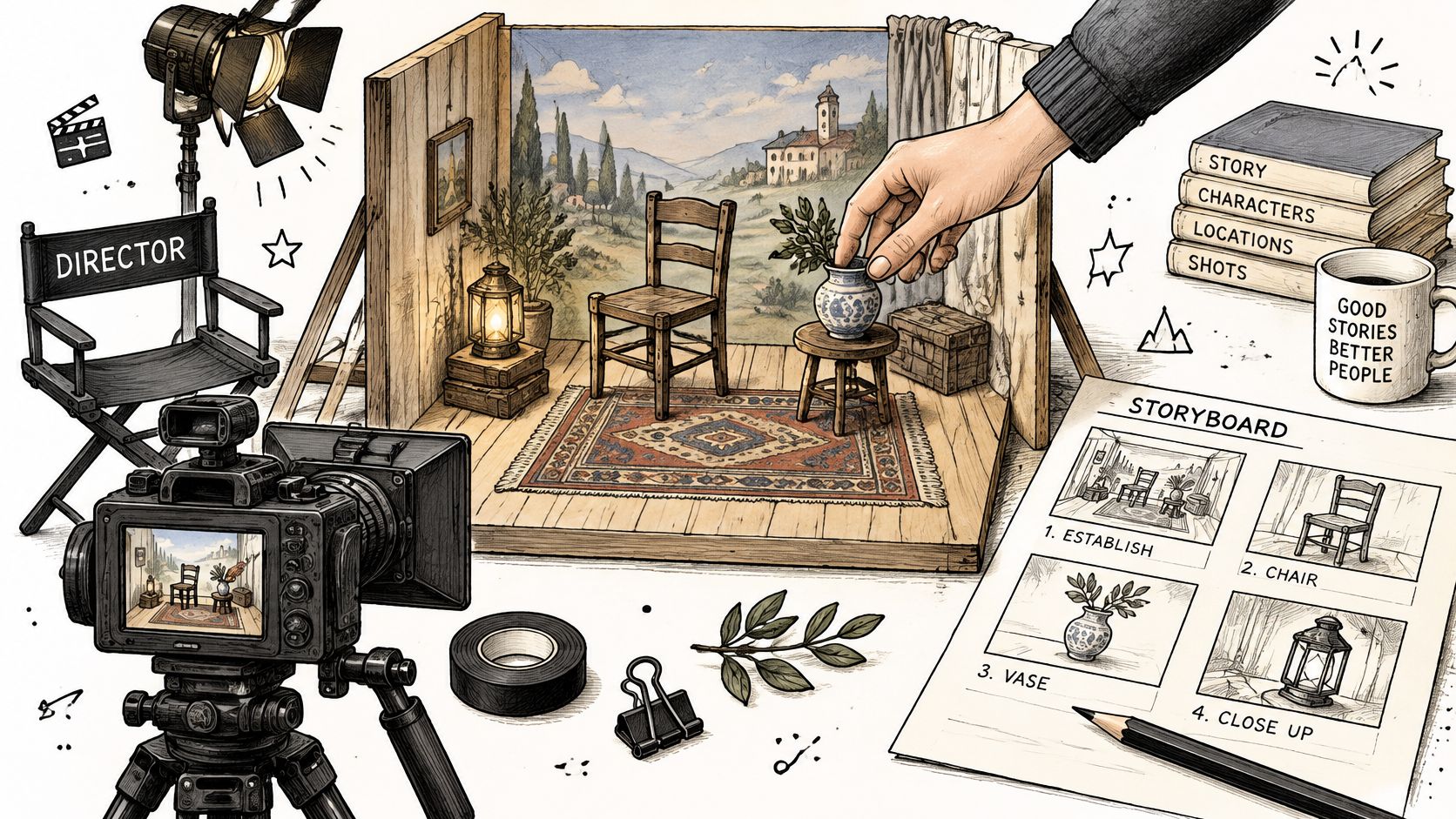
The term came into French theatre practice in the late nineteenth and early twentieth centuries, when practitioners used it for staging that traded the formal restraint of earlier theatre for naturalism, physical presence, sensual detail and a coordinated arrangement of performers and stage elements, as this history of mise en scène in modern theatre sets out. The same period made the director the central creative authority, and film analysis borrowed the vocabulary soon after.
That history matters to anyone generating video. A viewer reads a generated clip with the same habits they bring to a film shot. Wet asphalt means night and recent rain. An open umbrella means someone is shielding themselves. A trench coat with a frayed cuff means a week that has been going badly. The frame carries story whether you designed it or not.
Keep one boundary clear, because it's where beginners blur things. Mise en scène is not camera work. Framing, lens choice, camera movement and editing are separate decisions you specify after the world exists.
The takeaway: the scene is the piece you control in writing, before any motion, and it decides most of what a clip means.
<a id="the-six-elements-that-build-every-frame"></a>
The Six Elements That Build Every Frame
Six elements cover every frame you'll ever prompt. The list works like a pre-flight checklist: name each item in order, and the model stops filling the gaps with guesses of its own.
| Element | What It Controls | Prompt Phrase to Try |
|---|---|---|
| Setting | Where the story happens and what surrounds it | rain-soaked Seoul alley at night |
| Set and props | Objects that carry meaning and anchor the eye | red umbrella in the foreground |
| Costume and makeup | Class, era and emotional state of the character | worn tan trench coat, smudged eyeliner |
| Lighting | Source, direction and contrast of the light | motivated cool streetlight from camera-left |
| Figure movement | How performers move and how fast | slow approach toward the doorway |
| Blocking | Where each subject stands relative to others and the camera | subject two steps behind the umbrella |
Each row answers a different question the viewer's eye asks. Setting answers where. Props answer what to look at first. Costume answers who this person is before they speak. Lighting answers when and how it feels. Movement answers what happens, and blocking answers who holds the power in the frame: a subject two steps behind reads as hesitant, while one leaning into the foreground reads as urgent. No two rows overlap, which is why the list holds up as a checklist rather than a mood board.
Blocking has a second, practical payoff. A subject framed to one side leaves clean space in the rest of the frame, and that space is where captions and on-screen text will sit later.
Mistake one is adjective stacking. A prompt that reads "cinematic, moody, filmic, 4k, dramatic lighting" names none of the six elements. The model has no object to place and no light source to aim, so it returns a smooth, generic frame that could belong to any ad for anything.
Mistake two is treating props as decoration. A prop with a job earns its space. An umbrella planted in the foreground tells the viewer where to look and hints that the weather is a problem. A scatter of unnamed objects tells them nothing. Production designers build careers on this instinct, deciding where objects sit and how light falls on them, since placement and light set the path a viewer's eye takes through a space. The same logic travels outside film: this guide to cinematic property walkthroughs applies it to rooms, where light, sightlines and the order in which the eye finds details decide whether a space reads with feeling.
The test: if you can't say why an object is in the frame, either give it a job or take it out.
<a id="how-to-write-a-scene-prompt-step-by-step"></a>
How to Write a Scene Prompt Step by Step
A scene prompt works in layers, from the fixed world to the moving parts. Build the world first and the action has somewhere to happen. Start with action and the model invents a world that supports it, usually a bland one. Mise en scène is a design system applied before capture, not a camera technique, which is why the Oklahoma State introduction to film and TV separates setting, costume and makeup, props, lighting, figure movement and blocking from the act of filming itself.
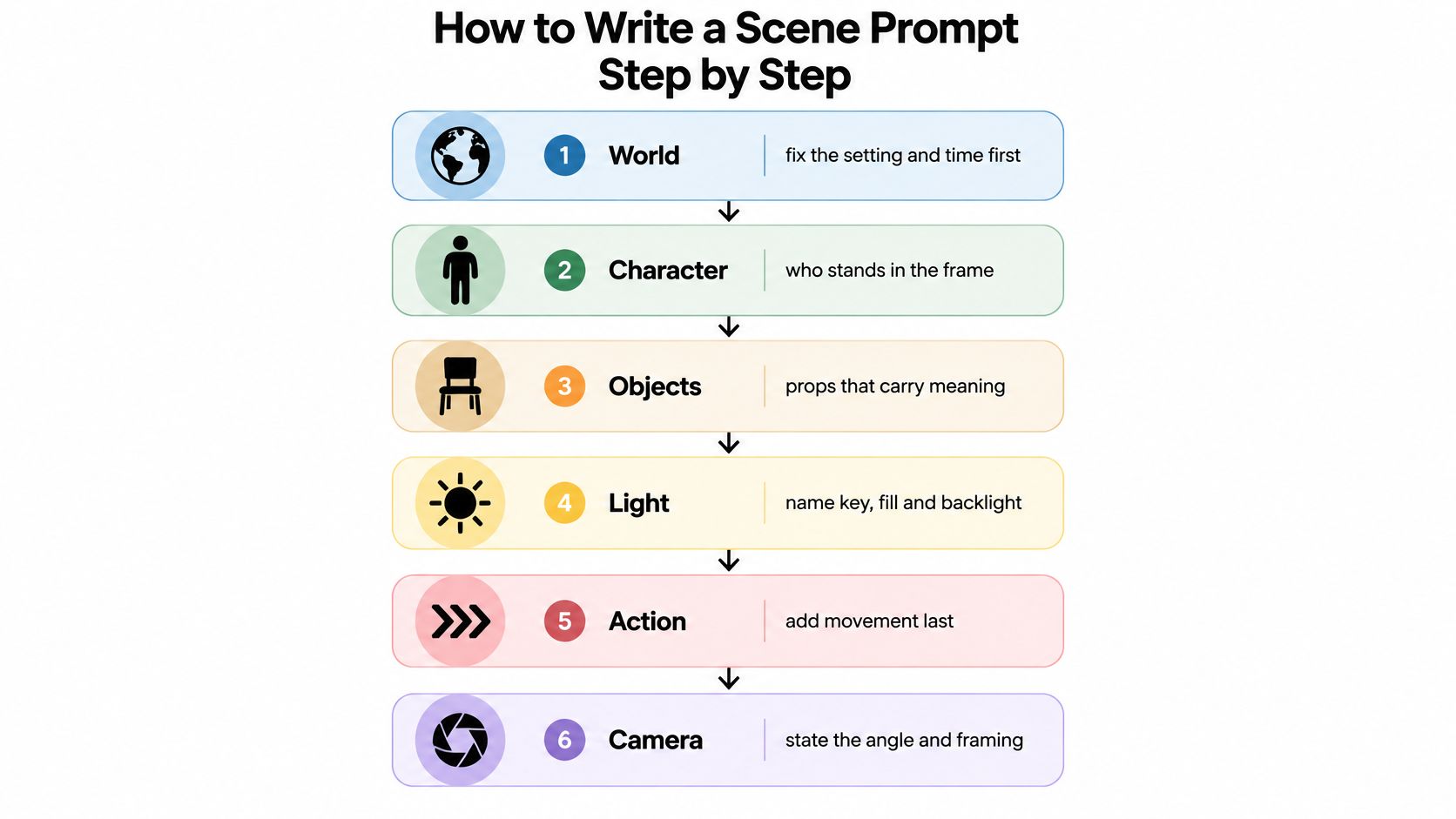
- Fix the world first. State the place, the time of day and the weather. Everything later hangs on it. The slip here is opening with a mood word before you've said where you are, which leaves the model guessing at a location.
- Describe the character's look. Pick costume, makeup and age cues that carry information. The slip is writing "beautiful woman" instead of clothes that say something about her week.
- Place one or two props. Name the object and where it sits relative to the subject. The slip is listing five objects with no anchor, which splits attention five ways.
- Set the light in one sentence. Source, direction, contrast. The slip is the phrase "cinematic lighting", which describes a feeling rather than a lamp.
- Define the blocking. Say who stands where and how bodies relate. The slip is writing a camera move like "dolly in" as though it were a position.
- Add camera and movement last, in a separate sentence. That way you can change the angle without rewriting the world. The slip is burying the angle in the middle of your set description, where it fights with the scene.
Here's the whole thing assembled from the six layers:
"Rain-soaked Seoul alley at night, narrow street, wet asphalt reflecting shop signs; a woman in her thirties in a worn tan trench coat, smudged eyeliner, hair flattened by rain; a red umbrella open in the foreground, its canopy catching the light; motivated cool streetlight from camera-left, weak warm spill from a shop window as fill, soft rim on her shoulders; she stands two steps behind the umbrella, facing the doorway at the end of the alley; slow approach toward the doorway."
Save that block as a template. Series work lives or dies on reuse, and the same layering discipline applies when you build instructional clips, which is what MEDIAL on AI video for learning addresses when it describes holding one visual world steady across a sequence of scenes. For phrasing patterns that keep a prompt from sliding, our prompt engineering tips go deeper into structure.
<a id="matching-light-and-mood-to-the-story"></a>
Matching Light and Mood to the Story
Light is the fastest route to mood, and it has three jobs. A key light sets the dominant illumination. Fill light regulates the shadows the key creates. Backlight separates the subject from the background. Practicals are fixtures visible inside the set, like the table lamp you can see on the desk, and they help because the viewer believes them. These roles and their prompting implications are laid out in this Pressbooks film-production chapter on mise en scène.
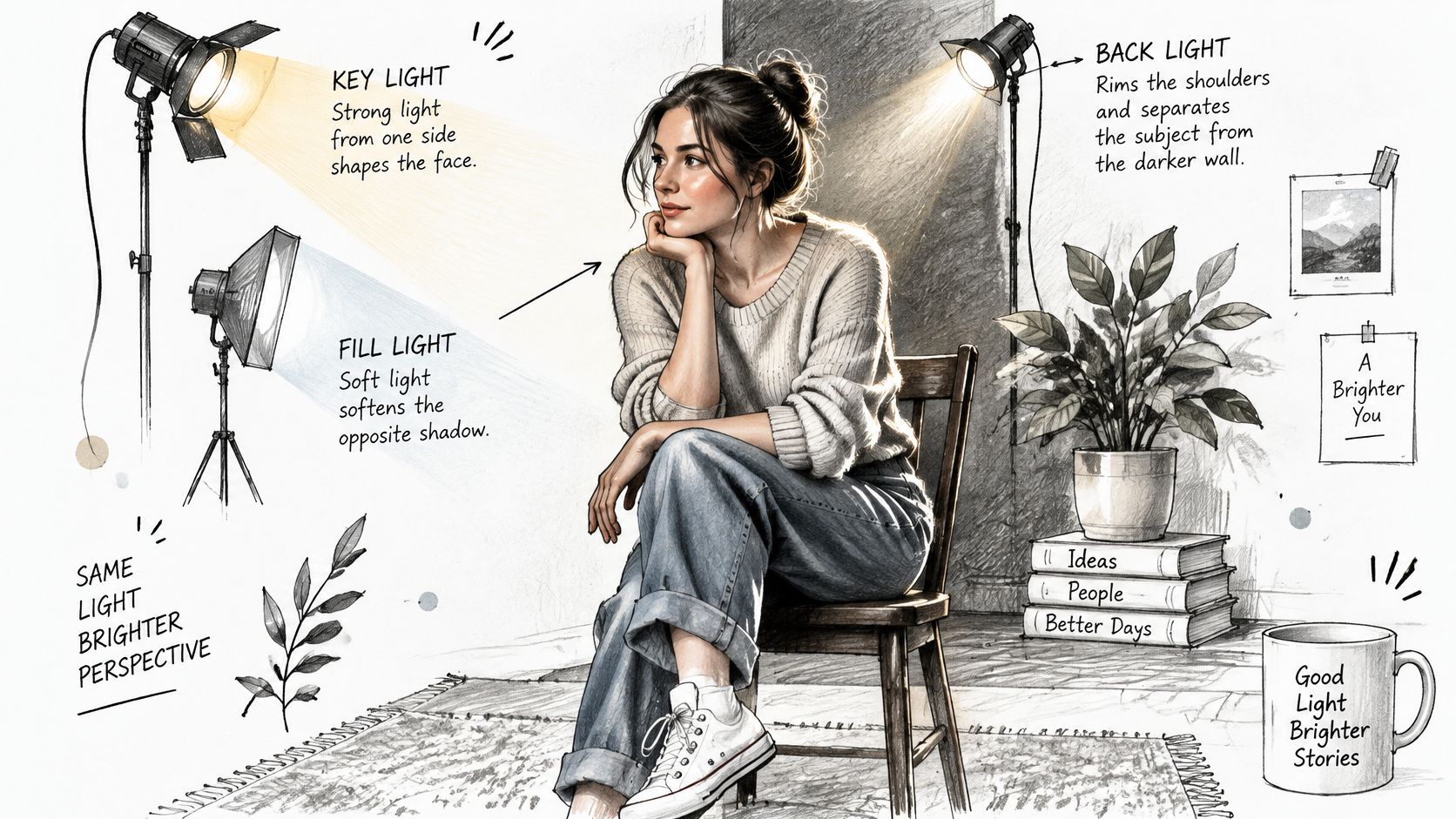
Phrase the hierarchy rather than the mood. "Warm practical table lamp as key, weak cool window fill, soft rim on the subject, deep background falloff" gives the model a coherent light system and preserves depth between frames. "Cinematic lighting" gives it an average.
Light also directs attention. You can illuminate one object so the eye lands there, or keep it dark so a later shot can reveal it. That's useful in ads, where the product is the payoff, and in suspense clips, where withheld information is the whole point.
<iframe width="100%" style="aspect-ratio: 16 / 9;" src="https://www.youtube.com/embed/vy3ea-uoDAw" frameborder="0" allow="autoplay; encrypted-media" allowfullscreen></iframe>
| Mood | Light Setup | Prompt Phrase |
|---|---|---|
| Tense or suspicious | Hard key from one side with deep shadow fill | harsh single bulb from camera-right, shadows across the face |
| Warm and nostalgic | Warm practical lamp as key with soft fill | warm practical table lamp as key, gentle fill |
| Cold and clinical | Flat even light with low contrast | cool overhead fluorescent light, minimal shadow |
| Romantic | Soft backlight with a warm key | soft rim light on the subject, warm glow behind |
| Mysterious | Low key with light revealing one object | single shaft of light on the letter, dark background |
Treat the table as a starting point, not a law. A mood that reads as tense to you may read as merely dim to someone with different viewing habits, so watch the clip on a phone before you commit.
Change one light variable per generation. Swap the direction, keep the contrast, and you'll know exactly which change did the work.
<a id="keeping-one-look-across-multiple-clips"></a>
Keeping One Look Across Multiple Clips
Continuity is where prompts drift. Clip one has an alley with a cool streetlight and a red umbrella. Clip two has an alley that's somehow warmer, and the umbrella is burgundy. Nothing looks wrong on its own. Together, the series reads as three different films.
The fix is boring and effective: describe the world the same way every time, word for word. Not "a rainy street" in one prompt and "a wet alley at night" in the next. Copy the phrases from your template and paste them unchanged.
Text alone can still wobble, so give the model something to look at. Veo3 AI's image-to-video generation animates a reference still, which means a key item like the red umbrella or the trench coat can be carried into each clip as an image rather than re-described and re-invented from scratch. Keep one approved still per prop or costume and reuse it across the whole sequence.
For teams, version control matters as much as color control. Save the exact prompt text and the reference still of every accepted clip in one shared place, so a rejected variation never drifts back into the project. When a new clip shifts, compare it against the saved version before you blame the wording.
Campaign work makes the stakes obvious. Fashion teams need the same garment, the same light and the same palette across a dozen cuts, which is the problem ai video production for fashion brands works through from the styling side.
Build a reference sheet. One page, approved phrases only: setting line, costume line, light line, blocking line. Paste it into every prompt in the project.
<a id="testing-composition-across-languages-and-viewers"></a>
Testing Composition Across Languages and Viewers
Here's the assumption worth challenging: that accessibility and localization belong to the final edit. They belong in the prompt. Subtitles and captions can cover settings, costumes and the props carrying your story, and audio description has to translate visual choices without flattening them, as research on accessible filmmaking and subtitling shows. A prompt can produce a lovely frame and bury the one meaningful object exactly where a caption will sit.
So design around the text. Keep essential story information out of the lower third and away from the edges of vertical video, since that's where captions land and where platform interfaces crowd the screen. If the umbrella matters, it doesn't belong at the bottom of a 9:16 frame.
Audio description is the cheapest test you'll ever run. Write one sentence describing the frame the way a viewer who can't see it would need it: who stands where, what the color contrast is doing, which prop matters. If that sentence loses the point of the scene, the scene is carrying too much in small visual details.
Localization adds a second pass. Signage, symbols and clothing can read differently in Japanese or Korean markets than in the one where you generated the clip, so have a native reviewer check anything that carries meaning.
- Generate a frame with caption zones marked so you can see what sits under text.
- Write the audio description sentence and check whether the story survives it.
- Review with two viewers from the target market before you commit to the look.
There's a trade-off, and it's honest to name it. A caption-safe composition is often a little more centered, a little less bold. Decide which matters more for this clip, then accept the cost.
<a id="confirm-your-scene-before-you-generate"></a>
Confirm Your Scene Before You Generate
Generate only when all five pre-flight checks below pass: every element has a narrative role, the light hierarchy is named, the frame is caption-safe, one readable action is described, and the camera is set separately. If one fails, you're about to pay for a clip you'll regenerate.
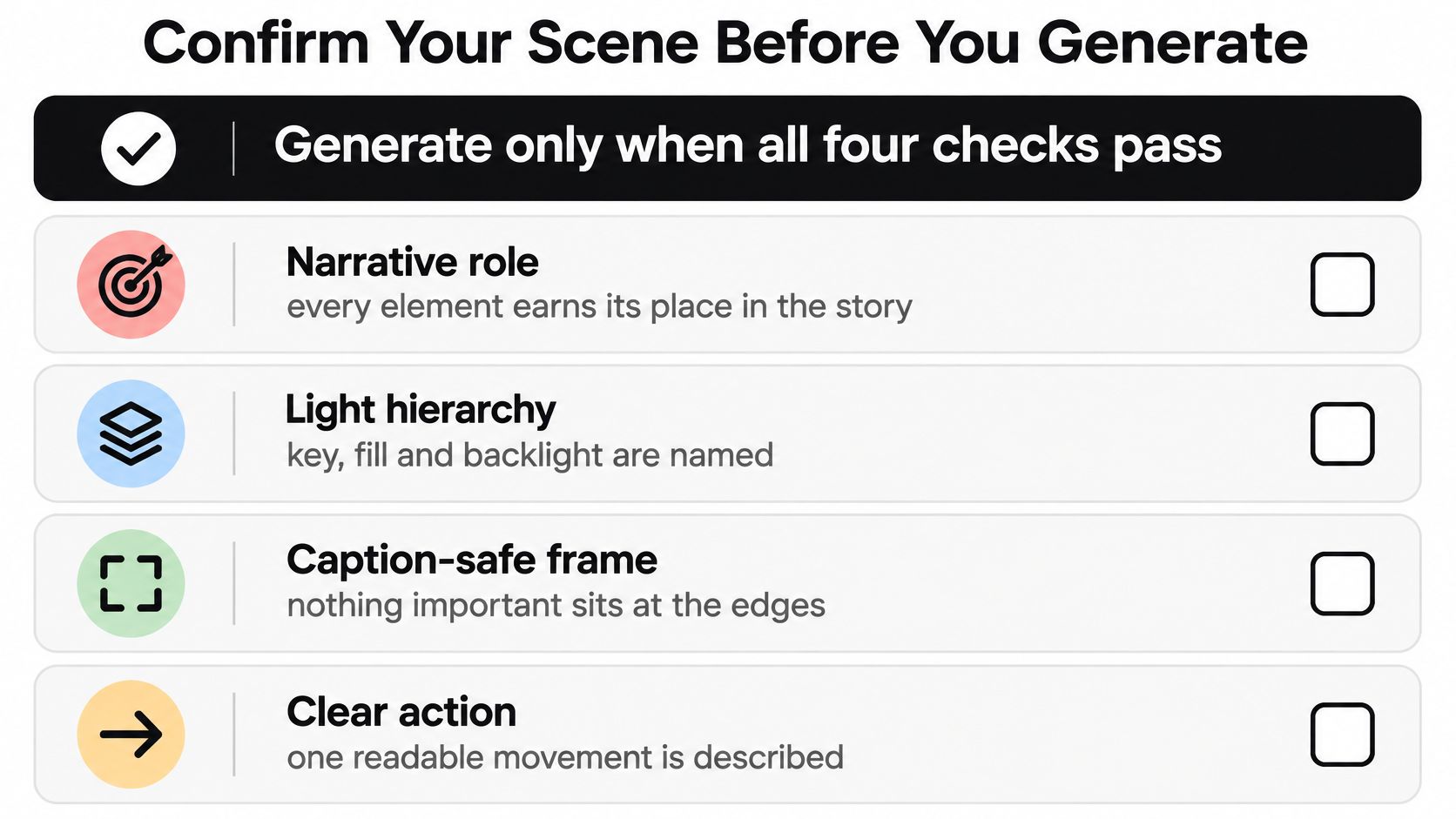
Run the pass in order, and write each answer into the prompt itself rather than holding it in your head:
- Setting and props named, including where each prop sits relative to the subject.
- Key light and fill stated, with a direction and not just a mood word.
- Blocking clear, with everyone's position relative to each other and the camera.
- Camera described separately, in its own sentence at the end.
- Caption zones and audio description checked, so nothing important dies under a subtitle.
Then test with real viewers. Eye-tracking research treats attention as measurable rather than assumed, and a study of mise en scène and viewer attention applies that measurement to composed frames. Mise en scène steers where viewers look, though it can't guarantee what they conclude from what they see. Generate two or three variants, watch which focal point holds, and revise blocking, contrast or camera distance from there.
For the next step, take your six-layer prompt and generate a short test with the Veo 3 AI video generator, then compare variants side by side before you build the full sequence. Current plan details live on the pricing page.
Because Veo3 AI generates from a written prompt or a reference image, each revision is cheap: describe the scene in plain language and change the angle, mood or setting in a single line rather than rebuilding the whole prompt. Visit Veo3 AI to run that first check and see which version of your scene holds a viewer's eye.
Related Articles
Continue with more blog posts in the same locale.
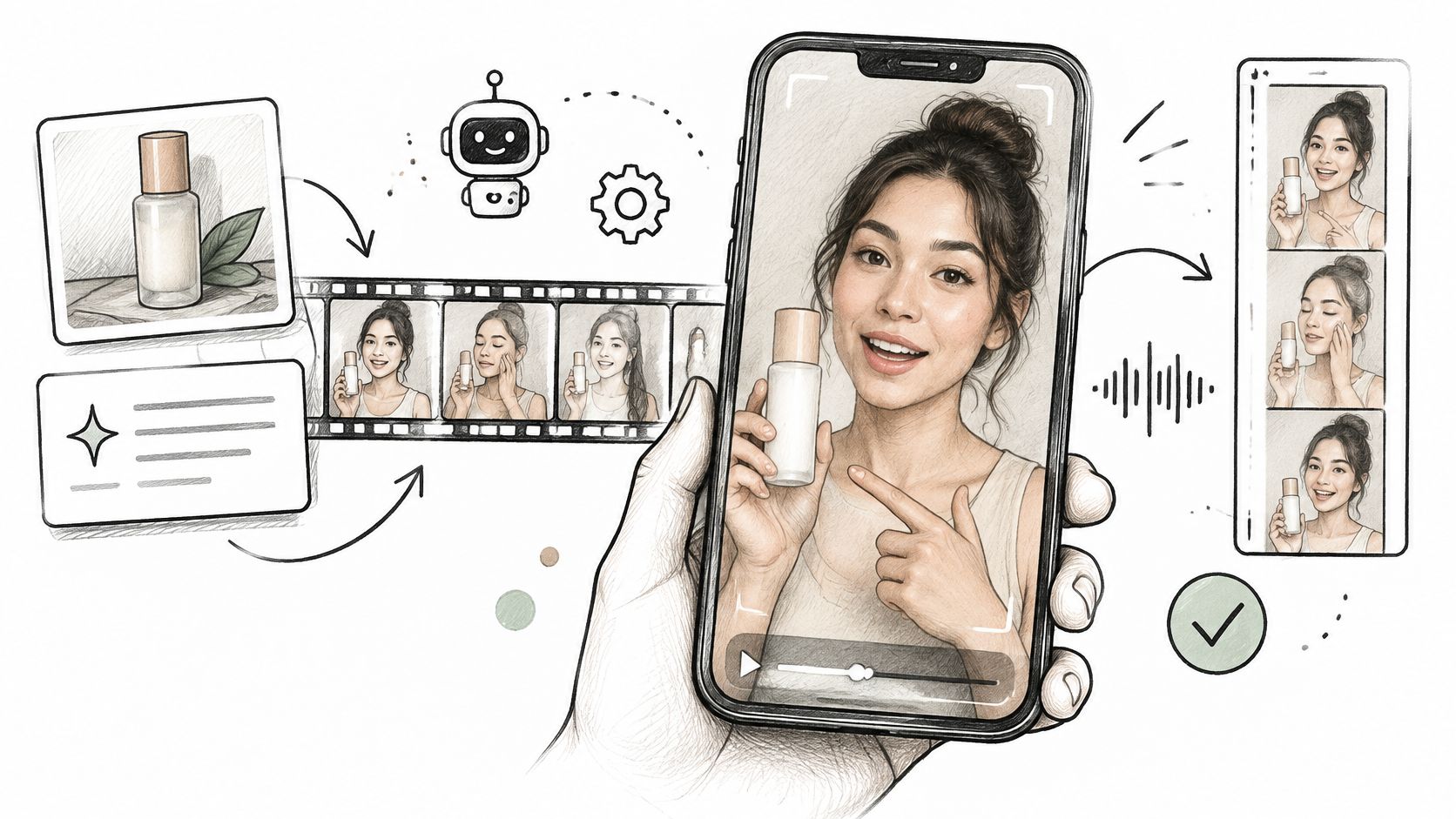
AI UGC Video Generator: How It Works and What to Check
Learn what an AI UGC video generator makes, how the pipeline works, where Veo 3.1 fits, and what to disclose and record before you publish.
Read article
Kling 4.0 vs Veo 3.1: Length, Resolution, Audio and Price Compared (2026)
Kling 4.0 makes one take of up to 30 seconds; Veo 3.1 makes 8-second clips up to 4K for far fewer credits. Compare length, resolution, audio, control and price, and see which fits your shot.
Read article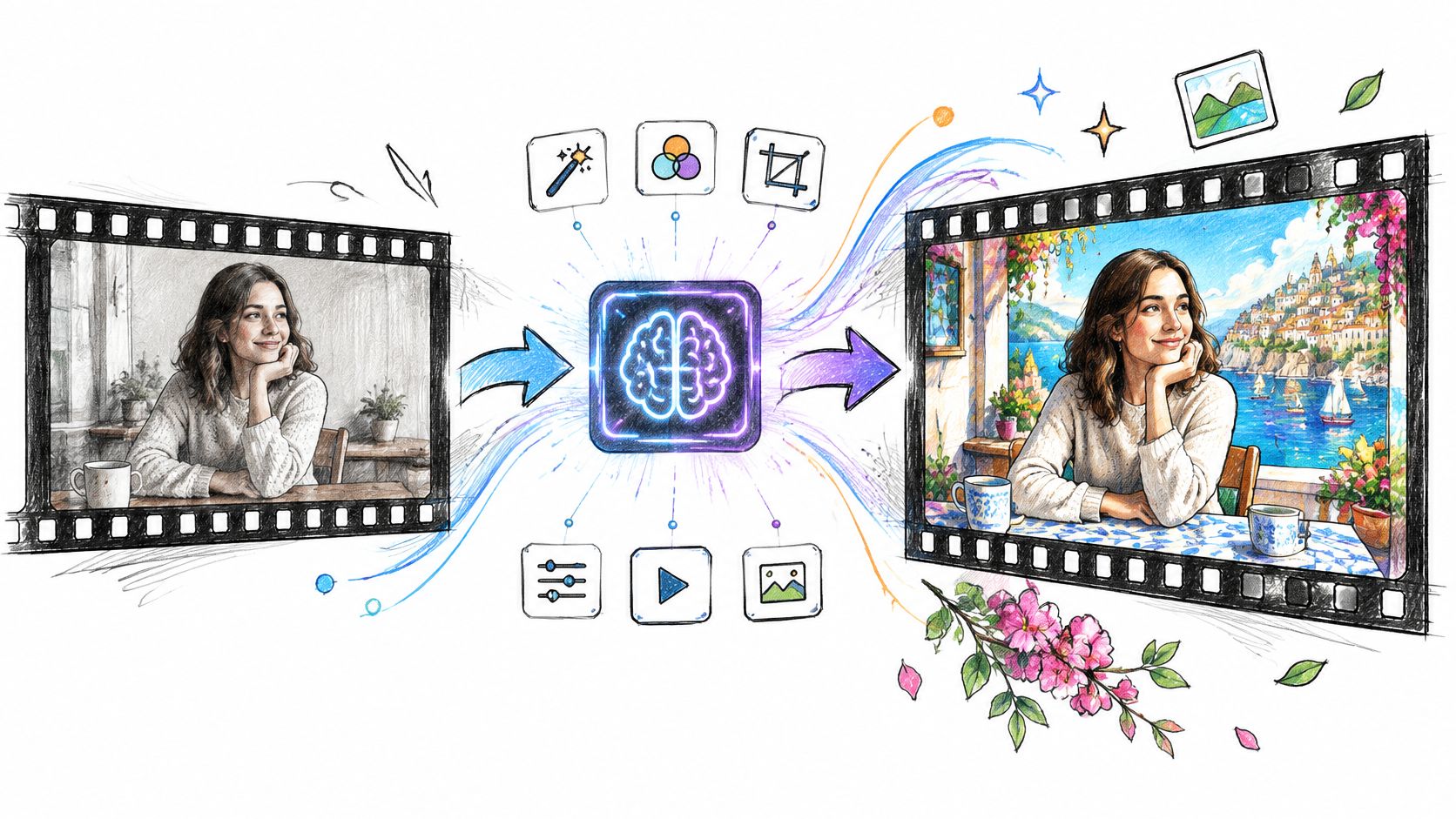
Video to Video AI Generator: How It Works and How to Choose
Learn how a video to video AI generator transforms existing footage, which features matter, and how to avoid flicker and rights problems.
Read article