
AI Video Ads Maker: From Brief to Publish
Plan AI video ads maker clips for TikTok, Reels, and Shorts: brief, prompt, 9:16 export, disclosure, and a one-variable test.
Veo3 AI · 19 min read · Nov 3, 2026
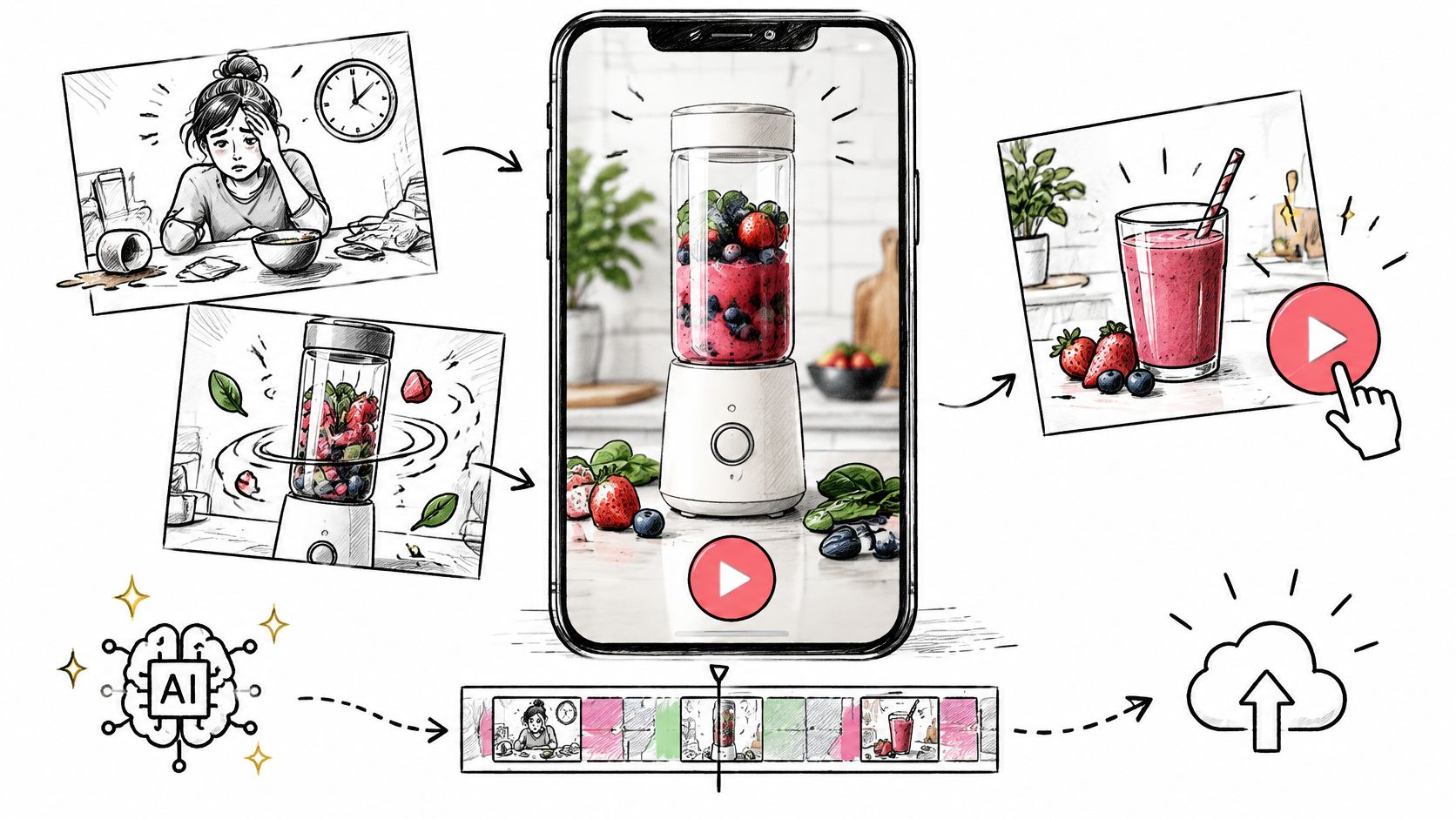
U.S. digital video ad spending reached $54 billion in 2023, up 15% from the previous year, according to the Interactive Advertising Bureau 2024 video ad spend report. That's not a niche experiment. It's a huge, fast-growing category where buyers need more versions, faster turnaround, and cheaper localization than a traditional shoot can supply.
An AI video ads maker helps with that pressure, but only if you treat it as a versioning and testing system. Don't chase the most realistic clip. Lock the placement first, write a brief the model can obey, change one variable at a time, and disclose synthetic people instead of hiding them.
Table of Contents
- Placement Specs Before You Generate
- How to Write the Ad Brief and Prompt
- How to Produce the Clip From Assets
- Hooks and Cuts for TikTok Reels and Shorts
- Trust Checks Before You Publish
- Test One Variable Then Publish
<a id="placement-specs-before-you-generate"></a>
Placement Specs Before You Generate
Copy this table into your brief before you write a prompt. It forces the decisions that prompts can't fix later, like ratio, length, and where the offer has to appear.
Working specs for AI video ad placements
| Placement | Aspect ratio | Working length | Opening job | Ending job |
|---|---|---|---|---|
| TikTok in-feed | 9:16 | 6 or 8 seconds | Product or problem in frame one | On-screen CTA before the clip ends |
| Instagram Reels | 9:16 | 6 or 8 seconds | Motion with a quiet brand mark | CTA plus a short offer line |
| YouTube Shorts | 9:16 | 8 seconds, or a stitched 15-second cut | Name the product job immediately | End card with offer |
| Facebook and product pages | 9:16 and 16:9 | 6 or 8 seconds | Pack or main benefit | Logo and offer |
| YouTube in-stream bumper | 16:9 | 6 seconds | Brand and product visible fast | URL or end card |
This workflow is already mainstream. In 2025, 51% of ad buyers were using generative AI for digital video creative and 30% of digital video ads were already created or enhanced with it, with buyers expecting that proportion to rise to 39% in 2026, according to Marketing Dive reporting on Interactive Advertising Bureau data. Versioning explains why. Among users or planned users, 42% intended to create multiple versions of the same video for different audiences.
Placement rule: Placement comes first, model second. A beautiful 16:9 clip won't save a TikTok buy that needed a vertical hook in the first second.
<a id="what-the-table-is-really-deciding"></a>
What the table is really deciding
TikTok, Reels, and Shorts are 9:16 units. Your offer should be readable in the first one to two seconds, and your call to action should be on screen before the clip ends. If someone has to wait for a logo reveal to understand the ad, you've spent most of the clip on decoration.
Keep a separate 16:9 cut for YouTube in-stream bumpers, Facebook placements that sit wider, and product pages. Don't crop a vertical master and hope the product survives. The composition changes, the safe area changes, and captions that worked vertically can sit awkwardly in a wide frame. A quick check against social media video sizes at brief stage prevents that rework.
Generate native 4, 6, or 8 second clips at 24 frames per second. Stitch clips together only when the media buy needs a longer spot, such as a 15-second Shorts cut built from two controlled units. Stitching to rescue a vague idea just gives you a longer vague ad.
<a id="keep-the-important-things-in-the-center"></a>
Keep the important things in the center
Interface buttons, captions, progress bars, and platform labels sit around the edges of vertical video. Put the product, logo, and subtitles in the center of the frame so nothing covers the offer. This is a common beginner mistake. The clip looks clean in your downloads folder, then a buy button covers the price in the actual feed.
- Center the proof: Keep the product action where thumbs and buttons won't hide it.
- Raise captions slightly: Don't let platform text sit on top of your subtitles.
- Check the end frame in situ: Preview it as a feed post, not only as a full-screen file.
Before you generate anything, write one line at the top of the brief. Name one primary placement, one ratio, and one length. For example, "TikTok in-feed, 9:16, 8 seconds." Everything else in the prompt serves that line.
<a id="how-to-write-the-ad-brief-and-prompt"></a>
How to Write the Ad Brief and Prompt
A good brief reads like a shot list, not a slogan. You're giving the model a small scene it can obey, with clear limits on what it must not invent.
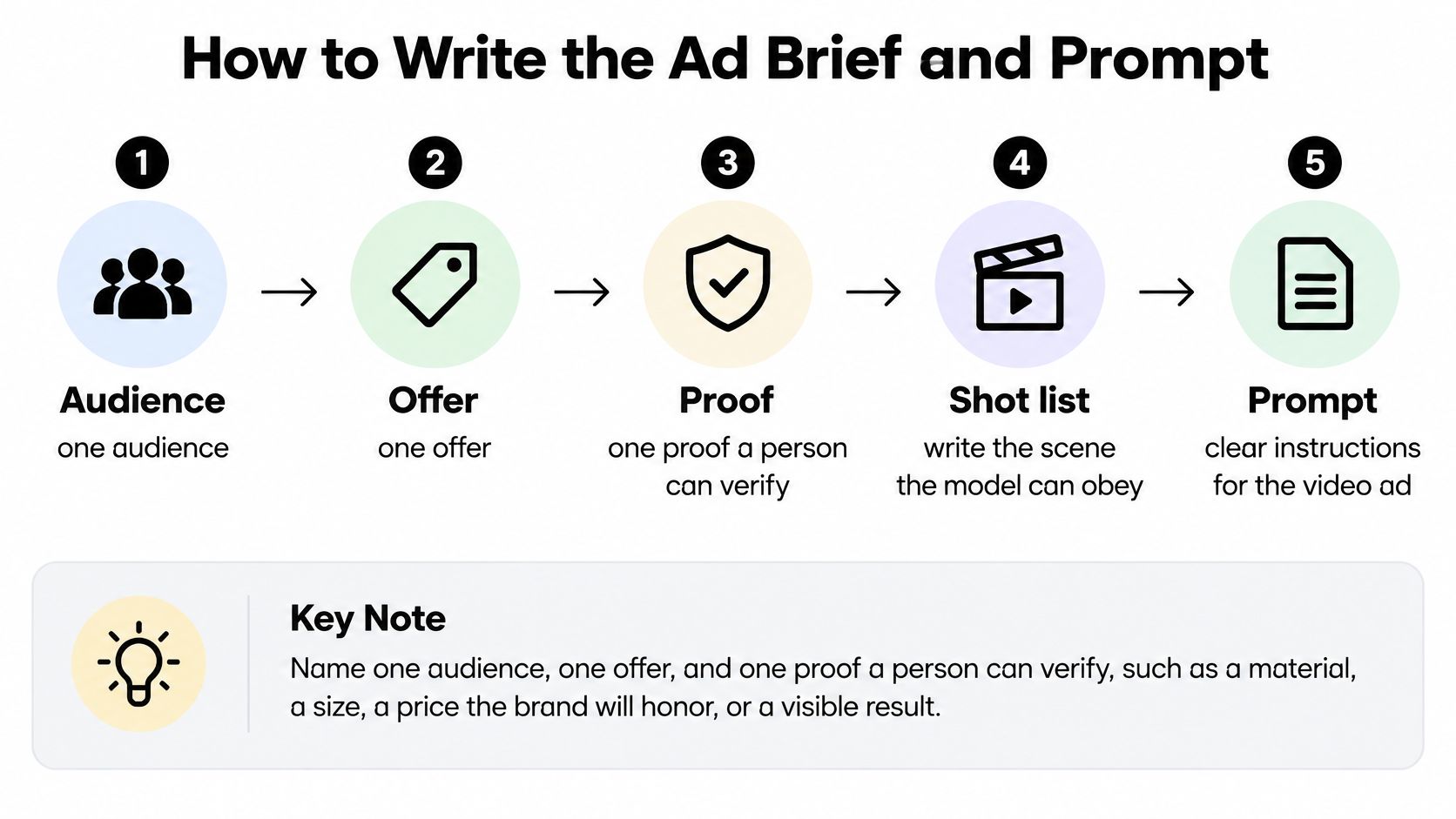
This five-step view shows the order to work in, from audience to prompt.
<a id="the-five-brief-decisions"></a>
The five brief decisions
-
Name one audience, one offer, and one proof. The proof has to be something a person can verify, such as a material, a size, a price the brand will honor, or a visible before-and-after. "Premium quality" isn't proof. "Stainless steel blade" is closer, because a buyer can check it.
-
Draft a 6-to-8-second script. You need a hook line, that single proof, and one call to action. Cut any second benefit. In eight seconds, a second benefit doesn't add persuasion. It steals time from the proof.
-
Describe three frames in plain language. Write the opening frame, the product motion, and the end frame. Say a compact blender sits on a weekday kitchen counter. The lid locks with a click. Then the full product fills the frame with the offer in on-screen text.
-
List what the model must not invent. Ban extra logos, medical claims, a celebrity face, and any discount that isn't specified. Models fill gaps confidently, so you need to close the risky gaps yourself.
-
Write three hook lines. Change only the first sentence. Leave the proof and call to action identical across all three, so you can learn which opening worked.
<a id="two-prompts-shaped-like-shots"></a>
Two prompts shaped like shots
A prompt shaped like a shot names the subject, action, setting, light, camera move, and exact on-screen words. Here's the blender example written that way.
Compact white blender on a small weekday kitchen counter, morning window light. Camera pushes in slowly as the lid locks and the smoothie swirls. End on the full product centered. On-screen text: "One-touch smoothies. Shop now."
That's very different from "make an exciting blender ad." The second version gives the model no product geometry, no action, and no ending. You'll get mood instead of an ad.
Here's a second example for a problem-and-solution ad. Open on the mess, cut to the product solving it, and end on the pack.
Open on coffee grounds scattered beside a sink, bright kitchen light. A compact coffee maker pours cleanly into a mug, camera holds steady. End on the machine and pack centered. On-screen text: "Single-serve coffee, no pod mess."
You can change the angle, mood, or setting in a single line without rewriting the offer. Swap "morning window light" for "evening apartment light" and the scene shifts, but the proof stays stable. That stability matters when you move into structured creative testing for growing ecommerce brands, because you want each variant to differ in a way you can name.
<a id="your-paste-ready-brief-block"></a>
Your paste-ready brief block
Copy this block and fill every line before you prompt.
- Audience: One specific buyer, not "everyone"
- Offer: The exact deal or next step, in plain words
- Proof: One verifiable material, size, price, or visible result
- Hook: Three versions of the first line only
- End frame: Product, logo, and offer placement
- Banned claims: Anything the model must not invent
If a line is empty, you're not ready to generate. The model will fill that blank for you, and it won't ask permission.
<a id="how-to-produce-the-clip-from-assets"></a>
How to Produce the Clip From Assets
Production gets easier when you design inside the model's real limits instead of designing a 30-second commercial and hoping the tool stretches. The diagram below maps the path from source assets to a finished, labeled file.
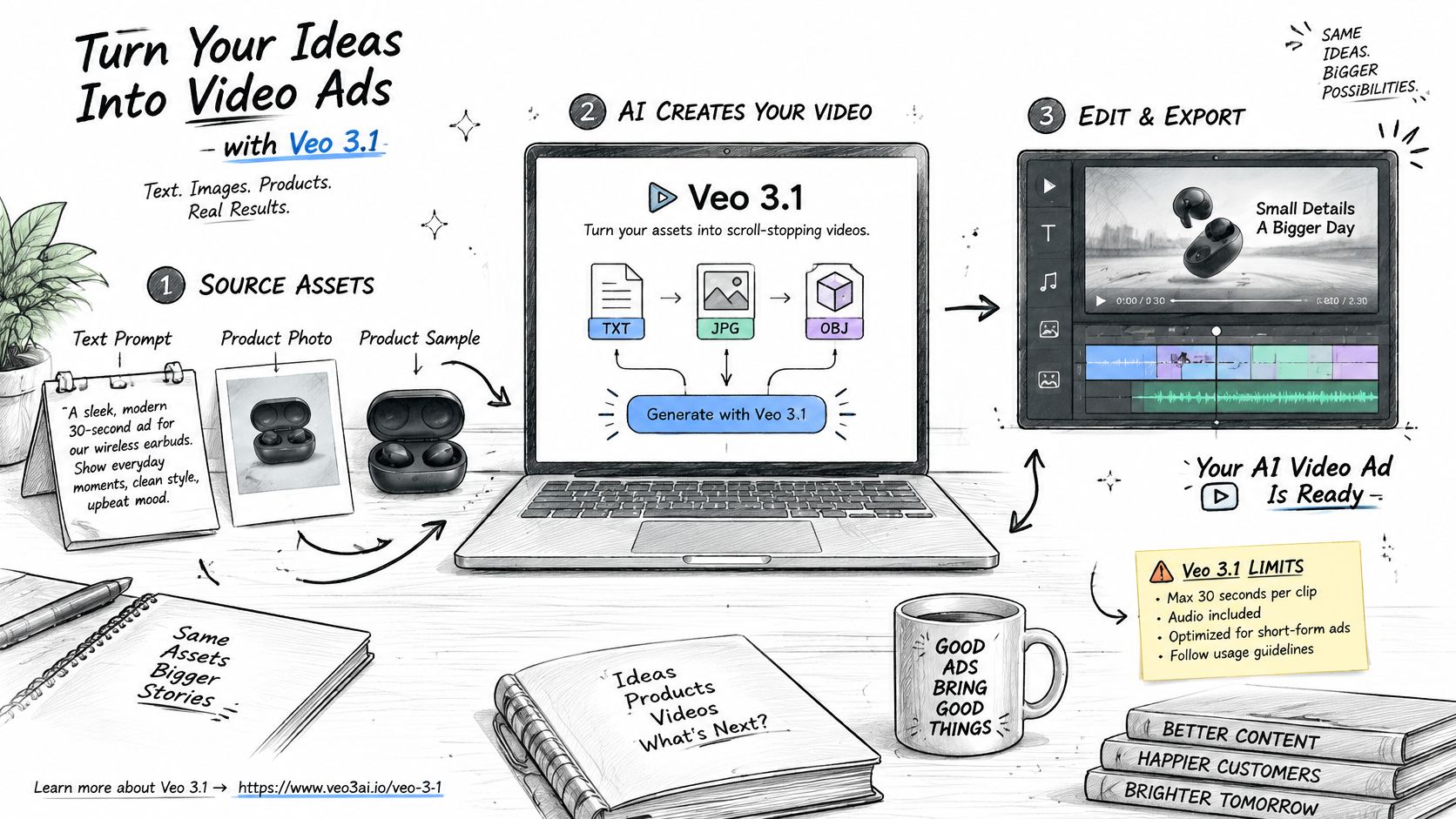
Google's Veo 3.1 generation documentation specifies the constraints that shape this workflow: it lists text-to-video, image-to-video, first-and-last-frame generation, video extension, reference-image guidance, sound generation, and Content Credentials based on C2PA. Read those limits as the edges of your canvas. Every choice in the six steps below sits inside them.
<a id="six-steps-from-assets-to-labeled-files"></a>
Six steps from assets to labeled files
-
Pick the source. Start from a text prompt, a single product photo, or up to three reference images covering product, character, and setting, keeping each input image at 20 MB or under. If you're animating apparel or soft goods, look at how studio-style videos for online apparel stores handle product presentation first. Fabric movement and fit demand cleaner source photos than hard goods do, and a wrinkled or cropped input tends to stay wrinkled and cropped on screen.
-
Set the first and last frames when the ending matters. If the ad must open on the actual product and close on a branded pack shot, specify both frames. A prompt alone rarely holds the opening and the ending at the same time.
-
Request the right unit. Ask for a 4, 6, or 8 second clip, and remember that reference-image generation tops out at 8 seconds. Choose 9:16 for the mobile placements you already locked, or 16:9 for the bumper and product-page master. Clips render at 24 frames per second in 720p or 1080p MP4, and one prompt can return up to four videos at once.
-
Use native audio carefully. Let the model handle ambience or one short line a human has approved word for word. Put regulated claims in human-written on-screen text, where you control every character.
-
Keep the provenance with the file. Preserve the C2PA Content Credentials at download. If you strip them during editing or renaming, you lose the record of how the clip was made, which matters the moment a viewer or a platform asks whether the person on screen is real.
-
Name files so a stranger could run the test. Encode hook, ratio, and placement, for example hook-mess_9x16_tiktok.mp4. "Final_v3_REAL.mp4" tells your media buyer nothing, and it makes a winning variant impossible to re-run cleanly.
The short walkthrough below shows the generation interface in action, so you can see where assets and prompts go before you start.
<iframe width="100%" style="aspect-ratio: 16 / 9;" src="https://www.youtube.com/embed/01bP1NMDE4A" frameborder="0" allow="autoplay; encrypted-media" allowfullscreen></iframe>
<a id="four-takes-are-a-test-set-not-a-campaign"></a>
Four takes are a test set, not a campaign
Four variants from one prompt give you a small test set to judge, so check product shape, text, and claims on each take before anything ships. Extension works under the same discipline: use it for a controlled continuation of the same scene, and resist the urge to introduce a new offer halfway through a clip.
Your folder at the end of production should hold four things: the brief, the prompt, the four takes, and the one approved export. If you can't find the brief, you can't remake the winner.
Once that export check passes, generate your variants inside the Veo 3 AI video generator. Upload the product image, choose an avatar or template, enter the scene, hook, and message, then generate and download the approved takes. Templates cover UGC, TVC, product launch, tutorial, problem and solution, unboxing, money shot, and try-on, with exports sized for TikTok, Reels, Shorts, and Facebook. You don't need video editing or design skills to run this, and you can check plan details on the pricing page.
<a id="hooks-and-cuts-for-tiktok-reels-and-shorts"></a>
Hooks and Cuts for TikTok Reels and Shorts
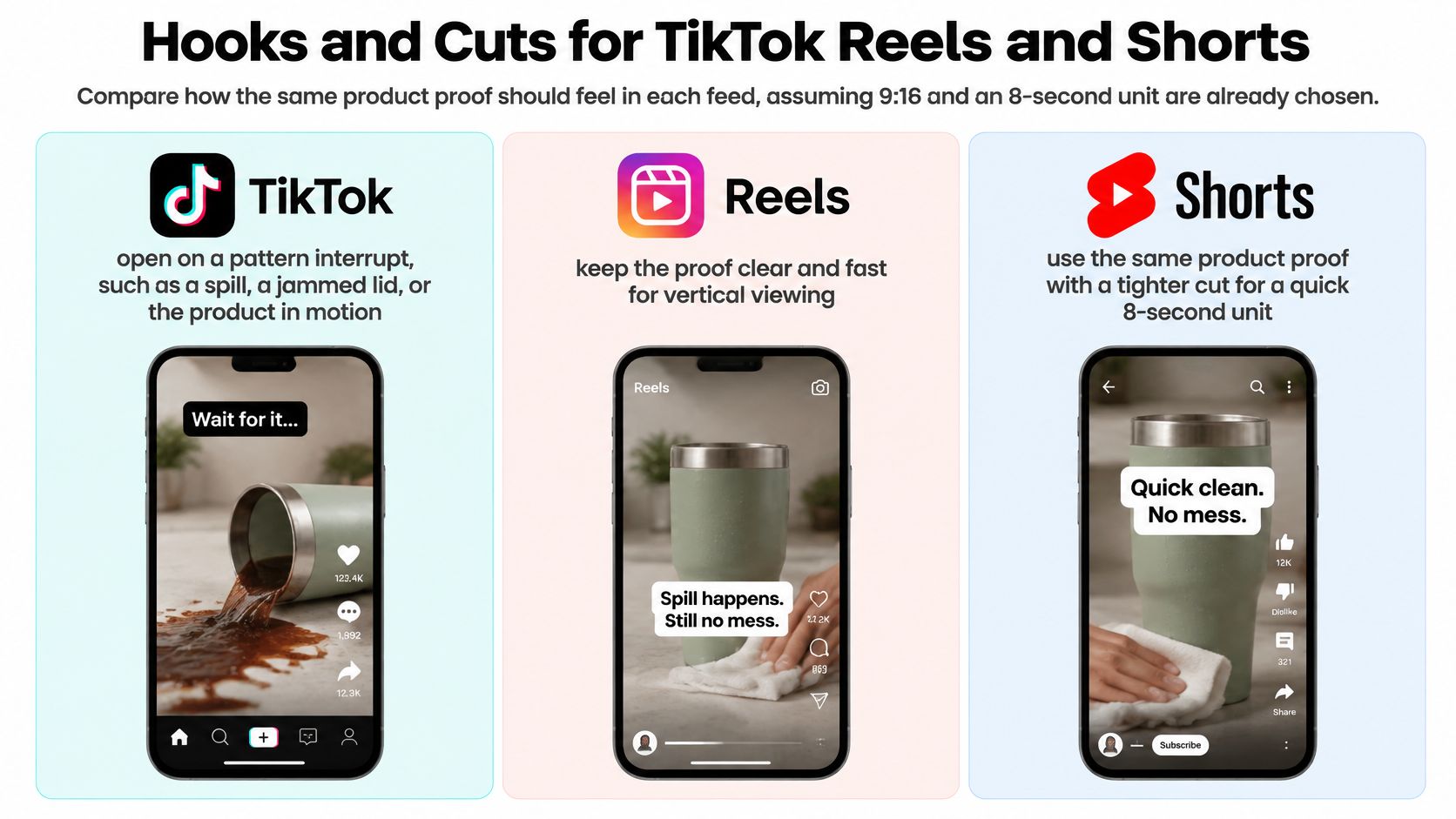
The same product proof shouldn't feel identical in every feed. The ratio and length stay fixed at 9:16 and 8 seconds. What changes is the opening energy, caption style, and how quickly you name the job.
This comparison shows the three feeds side by side, so you can see what changes.
Hook and caption rules by feed
| Feed | Opening hook | Caption and logo | Music energy |
|---|---|---|---|
| TikTok | Pattern interrupt such as a spill, jammed lid, or product already in motion | Short creator-language caption; offer must read with sound off | High; sound can carry the hook |
| Instagram Reels | Clean lifestyle frame with steam as the motion | No hard-sell caption in the first second; logo after the product is recognizable | Calm and lifestyle-led |
| YouTube Shorts | Search-style first line naming the job, such as 'single-serve coffee, no pod mess' | Job named in the first line; offer in the end card | Moderate, with clear voice |
<a id="one-coffee-maker-three-openings"></a>
One coffee maker, three openings
Say you're selling a compact coffee maker. The proof is the same in every version. It pours a single serving cleanly, with no pod mess.
On TikTok, open on a rushed morning and a missed pour. Coffee hits the counter, someone's already late, and the machine is in motion within the first second. Use a short caption in creator language, something a real person would type. Sound can carry the hook here, but the offer still has to read clearly with the sound off, because plenty of viewers never unmute.
On Reels, open on the machine in a tidy kitchen. Steam rising from the mug is the motion. Keep the frame clean and lifestyle-led, delay the logo until after the product is recognizable, and skip the hard-sell caption in the first second. Reels viewers often react against an ad that shouts before it shows anything pleasant.
On Shorts, viewers frequently arrive with search intent, so name the job immediately. Put the words "single-serve coffee, no pod mess" over the same pour. A vague mood opening wastes that intent. Someone searching for a solution wants confirmation in the first line, not atmosphere.
<a id="what-stays-identical-and-why"></a>
What stays identical, and why
Change only three things across the feeds: hook wording, caption density, and music energy. Keep the product geometry, the proof, and the call to action identical. If you change the offer on TikTok and the hook on Shorts, you'll never know which change caused a lift. That discipline also helps you improve video SEO and conversions, because consistent product naming and clear job language make your Shorts easier to find and easier to act on.
One more judgment call. A try-on or unboxing style belongs on a product people can understand by seeing it in use. If your claim needs a diagram, a chart, or a paragraph of explanation, an unboxing format will look energetic and say nothing.
Export three hook variants, not three different offers. That's the whole point of carrying one proof across three feeds.
<a id="trust-checks-before-you-publish"></a>
Trust Checks Before You Publish
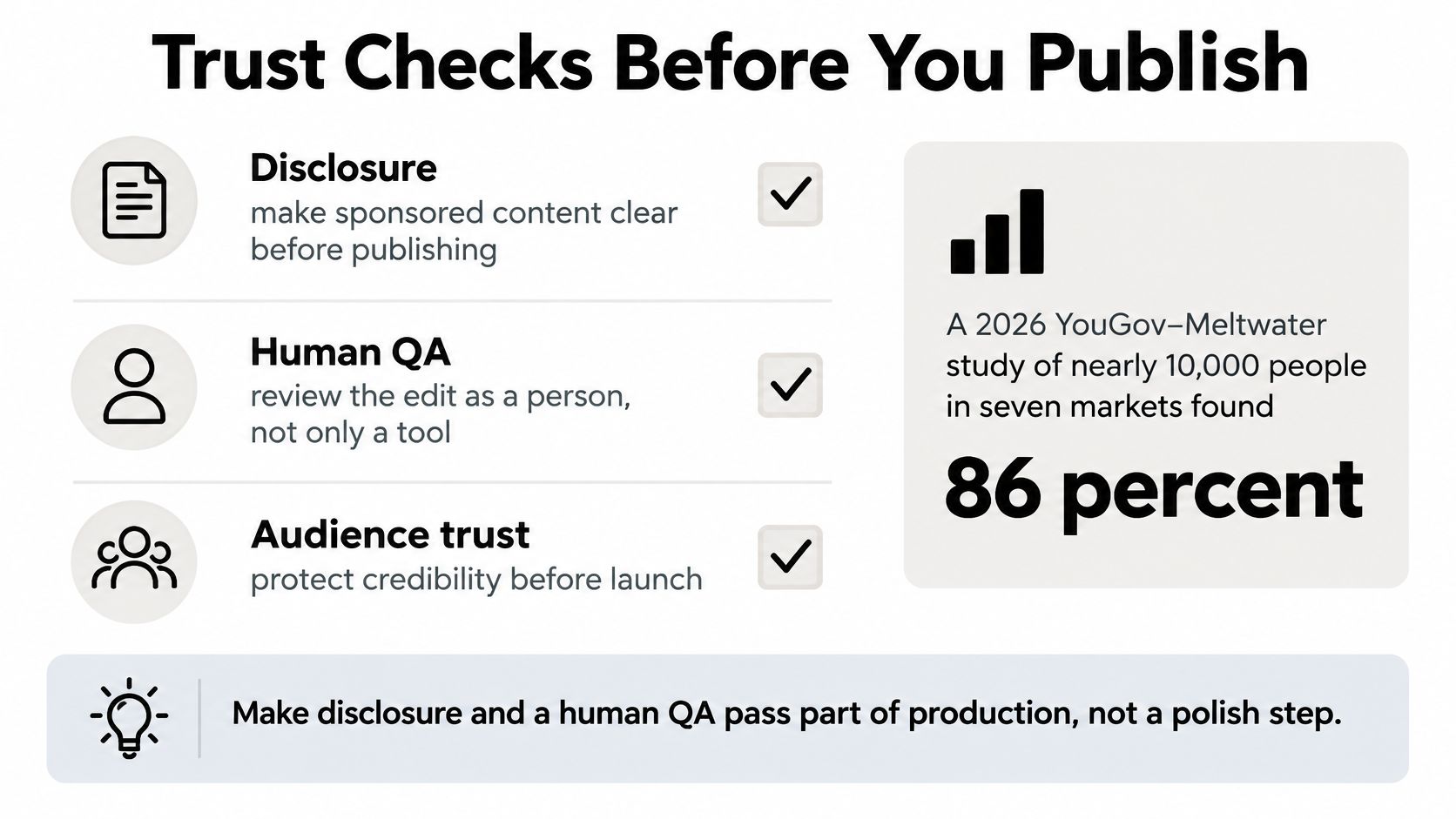
Polish isn't the same as trust, and audiences will tell you so if you ask them directly. In a 2026 global YouGov-Meltwater study of nearly 10,000 consumers across seven markets, 86% wanted AI-generated content disclosed, 32% said AI content would reduce their trust in a brand, and only 15% said it would increase trust, according to the Meltwater consumer perception of generative AI release.
Acceptance also depends on the job the content is doing. In that same study, 47% accepted generative AI in product advertising, compared with 28% in influencer content and 53% in entertainment.
Read those numbers together and a working rule emerges. Product advertising has more room than influencer-style content, and a synthetic person is the riskiest element you can add. So show the actual product, and keep AI avatars away from factual claims. When an avatar does appear, treat it like a hired actor reading an approved script: label the performance, and never let it deliver a promise your product page cannot back.
This checklist turns that rule into a pre-publish pass you can run in minutes.
<a id="the-five-point-publish-check"></a>
The five-point publish check
-
Faces and hands: If a person appears, check fingers, eyes, and movement frame by frame. Viewers spot errors here faster than anywhere else, and one warped hand can undo an otherwise clean clip.
-
Logo and product shape: Compare spelling, proportions, and colors against the brand file. A slightly wrong logo reads as a counterfeit product.
-
Subtitles and translated claims: Confirm every word matches the approved offer. Translation is where a careful claim becomes an unapproved promise.
-
Consent and voices: Get written consent for any real face or voice. Never clone a real person's voice without it, and label any synthetic voice you use.
-
Disclosure for the market: Add disclosure where the platform or market requires it. For Google election ads, that means the "Altered or synthetic content" setting when the synthetic element matters to the claim. Some markets expect a label inside the creative itself.
A short on-screen line such as "AI-generated scene" is safer than hiding the method. Viewers who discover the trick on their own trust you less than viewers you told upfront.
<a id="the-human-sign-off"></a>
The human sign-off
Finish with human approval of the final cut and every factual line. Approval of the idea is not enough. Someone accountable needs to watch the actual file you're about to upload, with its actual captions and claims.
Then apply one last test. If a viewer would feel misled after learning how the ad was made, reshoot the spokesperson element with a real person or remove the person entirely. A product pouring, locking, or opening on camera rarely triggers that feeling. A synthetic face delivering a testimonial often does.
<a id="test-one-variable-then-publish"></a>
Test One Variable Then Publish
You've made clean variants. Now you need to know which one worked, and that takes more discipline than generation does.
There's encouraging directional evidence for personalized AI video. In an experiment involving more than 21,000 consumers, AI-generated personalized videos produced click-through rates 9.4% higher than personalized image ads and 6.5% higher than generic video ads, according to MIT IDE research on personalized AI video ads. Treat both lifts as a ceiling, not a promise. Part of that effect may be novelty, and novelty fades as AI ads become familiar.
What to read in an AI video ad test
| Metric | What it tells you | How to act |
|---|---|---|
| Three-second view rate | Whether the hook stops the scroll | Keep the hook only if it beats the control |
| Completion rate | Whether a 6- or 8-second unit holds attention | Move the offer earlier if people leave before the end |
| Click-through rate | Interest versus image ads and generic video | Use +9.4% and +6.5% only as directional context |
| Conversion and CPA | Whether the click becomes a sale at an acceptable cost | Promote the winner only if CPA holds |
| Comment tone | Perceived authenticity | Pause a winner that draws uncanny or claim complaints |
<a id="hold-everything-else-still"></a>
Hold everything else still
Use a fixed control group, identical calls to action, consistent media buying, and a predefined stopping rule. Hold the audience, offer, bid, placement, and landing page steady. Change one factor per round, such as the hook line, the language, or the visual style.
This feels slow, and that's the point. If you change the hook, the audience, and the landing page in the same week, your results will move and you'll learn nothing. Veo3 AI makes this practical because you can produce engaging ads for TikTok, Reels, Shorts, and Facebook in any volume. You add a product image, choose an AI avatar or start from templates like UGC, TVC, Product Launch, Tutorial, Problem & Solutions, Unboxing, Money Shot, and Try-On, write a prompt describing the scene, hook, or message, then generate and download. Volume is only useful when each new file differs from the last in exactly one named way.
<a id="read-the-results-in-order"></a>
Read the results in order
Start with the three-second view rate to judge the hook. Then check completion to see whether the offer lands before the end card. Then read click-through, and finally conversion and cost per acquisition, because a cheap click that never buys is just cheap disappointment.
Don't skip the comments. Scan for mentions of robotic motion, odd voices, or complaints about the claim itself. Those remarks reveal how synthetic the video feels to real viewers, and they often show up before your conversion data turns. Stop any variant that wins clicks but draws trust complaints. You're buying tomorrow's brand problem at a discount.
Publish the single variant that wins on conversion with no trust red flags. Then remake only its losing hook for the next round, and run the loop again.
Take your next product photo, write one brief with a single verifiable proof, and generate three hook variants for one placement instead of one polished guess. Veo3 AI turns that photo, an avatar, or a plain-language prompt into scroll-ready ads for TikTok, Reels, Shorts, and Facebook, so you can test, learn, and publish the winner. Start your first test set today at Veo3 AI.
Related Articles
Continue with more blog posts in the same locale.
Filmic Color Grading for Camera and AI Video
Learn filmic color grading with log, Rec.709, LUTs, and secondaries, then apply the same look to AI-generated footage.
Read article
Creating Video Loops That Restart Without a Jump
Creating video loops that restart cleanly, with frame matching, export settings for Shorts and backgrounds, and a replay test.
Read article
Whip Pan Shot Guide: How to Shoot and Recreate One with AI
Learn what a whip pan shot is, how to film it with the right shutter settings, edit it into a seamless cut, and recreate it with AI video prompts.
Read article