
How to Make Anime Movies from Idea to Release
Learn how to make anime movies from concept to distribution with AI workflows, Veo3 prompts, and pro pipeline tips for indie creators.
Veo3 AI · 14 min read · Sep 17, 2026
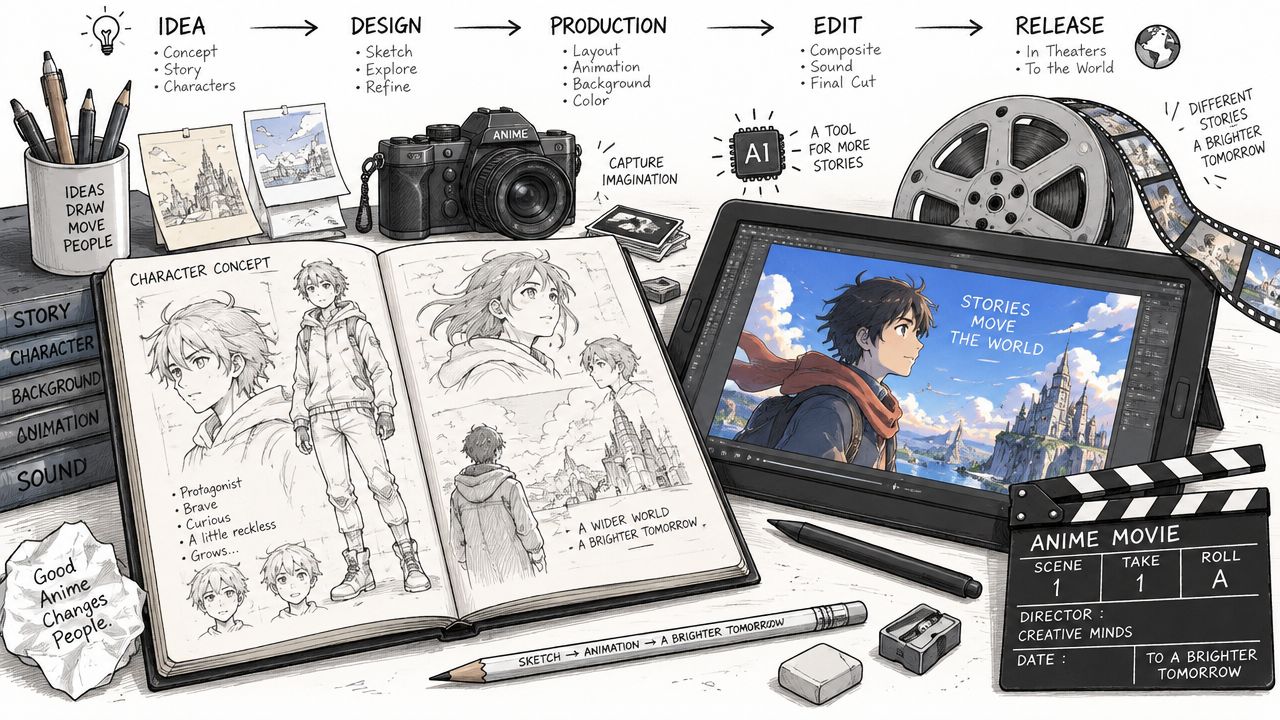
You've probably got the same problem most indie creators do. The idea for an anime movie is clear in your head, but the gap between rough sketches, finished scenes, and something people will pay to watch feels huge. The good news is that gap is smaller than it used to be, because anime filmmaking is no longer locked behind a studio pipeline, and the big shift is not just creative, it's also commercial. Anime went from a long production history that began with Japan's first full-length anime film, Hakujaden in 1958, to global theatrical milestones like Princess Mononoke, Pokémon: The First Movie, Spirited Away, and later Demon Slayer: Mugen Train crossing about $503,063,688 worldwide (Nippon.com, Animanga Fandom). That arc matters because it proves audiences will show up for anime films when the work feels distinct and the release is handled well.
Why Anyone Can Make Anime Movies Today
The old myth says anime movies belong to big teams, heavy budgets, and years of labor. That used to be closer to the truth, but the current workflow is different enough that a solo creator can prototype, test, and even ship a watchable film with a hybrid pipeline. The craft still matters, yet the bottleneck has shifted from “Can you draw every frame by hand?” to “Can you make the right creative decisions fast enough to finish something good?”
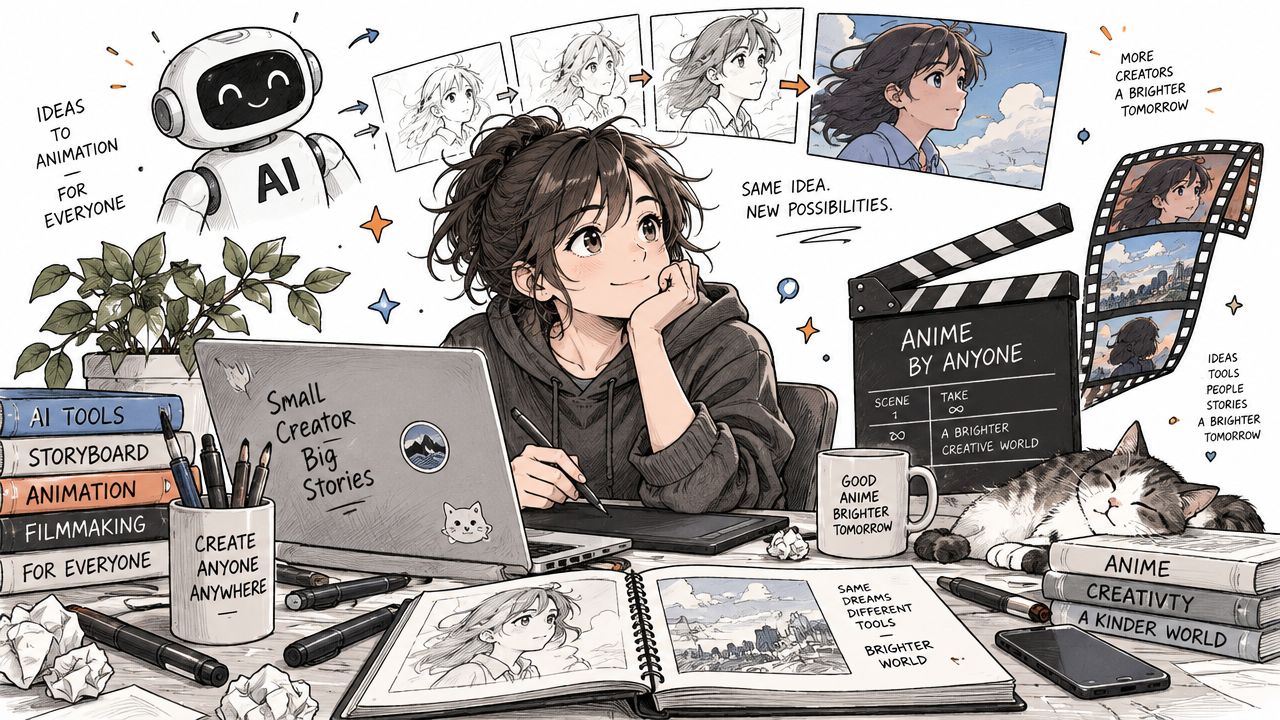
A lot of people chase software before they settle the film's purpose. That's backwards. The edge today is that AI-assisted tools can help you prototype shots, test pacing, and generate look development quickly, while your taste decides what stays and what gets thrown out. A machine can speed up assembly, but it can't tell you whether your emotional beat lands, whether a reaction shot is too long, or whether your villain design clashes with the world.
Practical rule: automation should reduce blank-page time, not replace creative judgment.
The most useful mindset is to think in layers. Hand-drawn animation, digital rigs, 3D cel-shading, and AI-generated clips can all live in the same project if the film has a clear style guide and someone is making deliberate calls about composition, motion, and tone. That's why tools like this free comparison of AI cartoon video generators are useful early on, they help you identify what can be prototyped fast and what still needs manual polish.
Anime history backs up this hybrid reality. Japan's early theatrical anime developed into a scalable mainstream format through TV and later global theatrical releases, with Princess Mononoke earning $169,785,704 worldwide, Pokémon: The First Movie reaching $172,744,662, and Spirited Away rising to $395,580,000 worldwide (Nippon.com). The lesson isn't that every indie film should chase a blockbuster path. It's that anime has already proven it can travel across borders, formats, and audiences when the pipeline is tight and the identity is strong.
Planning Your Anime Movie Before You Animate
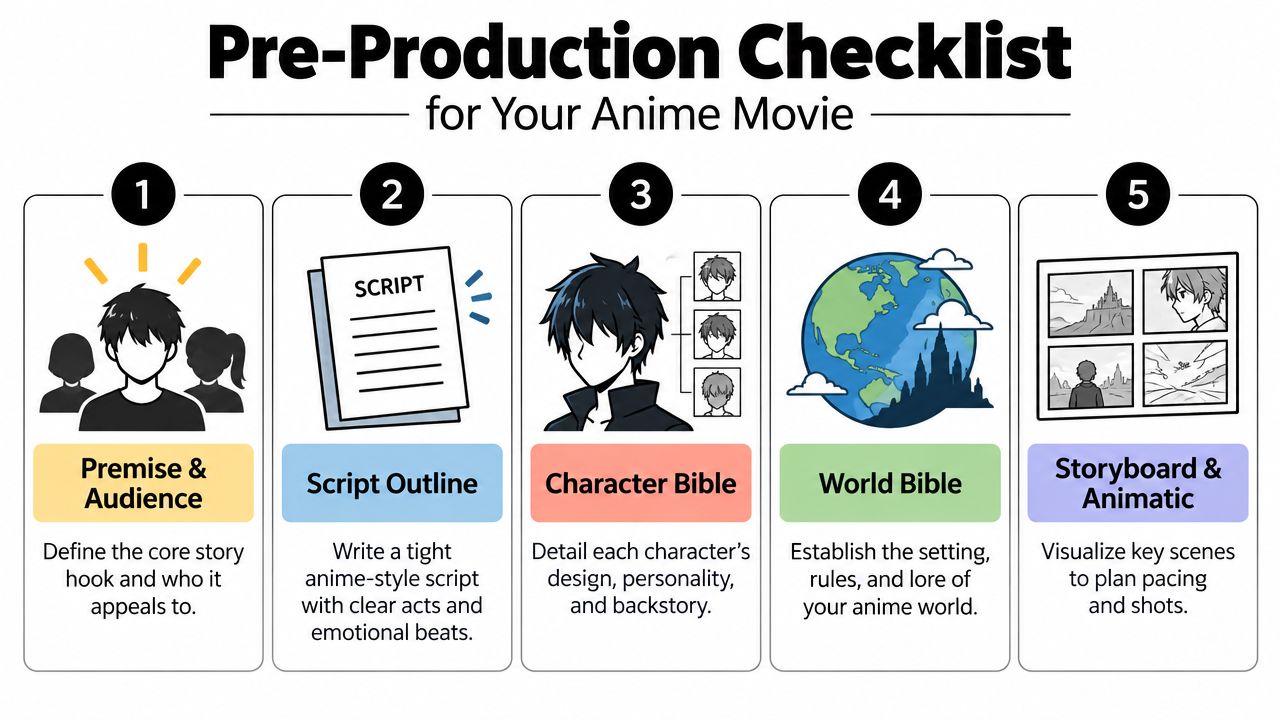
Anime films fail early when the premise is vague. A strong logline should tell you who the story follows, what they want, and what stands in the way. If you can't explain the movie in one or two sentences, you're probably not ready to spend time on character turnarounds or backgrounds yet.
Lock the story before you lock the look
Start with the audience, not the software. A teen fantasy adventure, a romantic sci-fi short, and a horror-leaning revenge piece all need different pacing, shot length, and visual density. Once the audience is clear, build a short script outline with acts and emotional beats, then expand only the scenes that carry the story forward.
The next deliverables are the character bible and world bible. The character bible should cover silhouette, clothing logic, expression range, and how each character reads in close-up and at a distance. The world bible should pin down the setting, the visual rules, and the limits of the universe so you don't redesign the same place three times after animation has already started.
A useful discipline is to treat every new scene as a cost. New locations, new outfits, new props, and new crowd shots all create extra work, even in AI-assisted projects. Reuse is not laziness. Reuse is how indie anime gets finished.
A script that looks small on the page can still explode in production if every scene needs a new environment, new color palette, and new action language.
For a solo creator, a practical sequence is simple. Write the premise, sketch the script, define the characters, define the world, then storyboard the key scenes into an animatic. For small teams, the same order applies, but you can parallelize the character bible and shot planning while one person cleans the dialogue draft. If you want a structured visual workflow for that handoff, this storyboard guide is a useful reference point for turning rough ideas into frame-level decisions.
One more rule saves a lot of rework, don't animate before the animatic feels watchable. If the timing, scene order, and emotional turns don't land in rough form, polished motion won't rescue them. AI visuals can help you test that rough cut quickly, but the job of pre-production is still to make hard choices before the expensive part starts.
Choosing Your Art Style and Animation Approach
The right anime look is the one you can finish. That sounds obvious, but a lot of projects die because the creator chooses a style that looks gorgeous in a single splash frame and collapses under repetition. A sustainable style has to survive dialogue scenes, action beats, and background-heavy transitions without demanding a full staff.
Compare the four main paths
Traditional 2D hand-drawn animation gives you the most classic feel, but it asks for the most manual labor. Digital 2D with rigs is faster and easier to iterate, though it can look stiff if every shot leans on the same body mechanics. 3D cel-shaded work is strong for consistency and action, while AI-assisted generation can speed up asset creation and shot experimentation, but it demands the most curation to keep characters on-model.
| Approach | Strength | Trade-off |
|---|---|---|
| Traditional 2D Hand-Drawn | Iconic, expressive, highly controlled | Slowest and most labor-intensive |
| Digital 2D with Rigs | Efficient reuse of assets | Motion can feel limited if overused |
| 3D Cel-Shaded | Strong consistency and camera movement | Needs careful art direction to avoid a game-like feel |
| AI-Assisted | Fast prototyping and scene generation | Requires strong style control and review |
Use the genre to narrow the choice. A character-driven drama can thrive in simpler 2D staging because facial acting matters more than complex movement. An action-heavy sci-fi film often benefits from 3D cel-shading or mixed AI-assisted previz because camera movement and repeated action beats are easier to manage.
Backgrounds deserve the same discipline. If the world is intricate, build a small palette of recurring locations and anchor each one with consistent color keys. That keeps the film coherent even when assets come from different tools. It also helps AI outputs stay aligned, because style consistency is easier to maintain when the visual rules are already written down.
Creative control beats raw output. If the style guide is weak, the pipeline gets noisy fast, no matter how advanced the tool is.
For AI-assisted work, the style guide should include character proportions, line weight, palette limits, lens language, and what the film should never do. That stops the output from drifting into generic “anime-ish” territory. The more specific the guide, the more usable the generated shots become.
Building Your Anime Production Pipeline With AI Help
A practical production pipeline starts with one question, which parts need human drawing time and which parts can be accelerated? That answer changes by scene, not by ideology. A dialogue-heavy exchange might be mostly key poses and compositing, while an action shot may need AI-generated motion ideas, manual cleanup, and final effects work.
Turn assets into shots, not just images
The first pass is asset creation. Generate or draw the characters, props, and backgrounds in a consistent format so the same model can be reused across scenes. Next, block the keyframes. Those are the poses that define the emotional read of the scene, and they matter more than any in-between motion if the acting is weak.
After that, move into in-betweening and shot assembly. AI can help here by turning static character sheets into short cinematic clips, especially when you give it a clear prompt and a stable reference image. The workflow is strongest when the prompt says exactly what the character is doing, where the camera is, and what the shot should feel like. Vague prompts usually produce vague motion.
A usable prompt pattern looks like this, and it works best when the subject, action, camera, and mood are all specified.
Prompt example
Anime-style heroine, determined expression, standing on a rooftop at dusk, wind moving her hair, slow push-in camera, dramatic lighting, cinematic composition, clean line art, consistent face shape, no costume changes.
If you're using image-to-video, feed in the character sheet or a locked keyframe first, then ask for a short shot rather than a full scene. Short shots are easier to control, easier to fix, and easier to chain together later. For vertical shorts, keep the framing centered, with the character's face and hands inside the safe area. For 1080p delivery, keep the composition readable in wide framing and avoid crowding the edges with important action.
A lot of creators test multiple models before they settle on one. Veo3, Seedance, and Hailuo can all fit different parts of the pipeline, depending on whether you need fast prototyping, more stylized motion, or scene chaining for continuity. The right choice depends on the shot, not the brand. If you want a compact guide to prompt structure and scene chaining, this Veo 3 anime video walkthrough is a practical companion.
The built-in advantage of an all-in-one platform is speed of iteration. You can test a shot, revise the prompt, swap the reference image, and try again without rebuilding the whole production environment. That matters because indie anime lives or dies on revision speed. The faster you can correct a wrong hand, a broken eye line, or an awkward camera move, the more likely you are to finish the film.
Here's how I'd stage the work in order for a small project.
- Lock the reference art. Keep the hero designs and background references fixed.
- Generate the first motion pass. Use short clips, not full scenes.
- Check continuity. Compare costume details, eye shape, and camera angle across shots.
- Composite manually. Add overlays, glow, parallax, and clean transitions.
- Cut ruthlessly. Delete weak clips instead of trying to rescue everything.
- Render a review pass. Watch it as a whole, then fix the breaks in rhythm.
For creators building promotional clips or testing a movie concept, viral content creation with animation is another useful angle, especially if you're trying to make motion that can pull audience attention before the full film is finished. The key is to treat those clips as audience tests, not as the final version of your storytelling.
<iframe width="100%" style="aspect-ratio: 16 / 9;" src="https://www.youtube.com/embed/JFTe5fbERGg" frameborder="0" allow="autoplay; encrypted-media" allowfullscreen></iframe>
Polishing Your Film With Editing Sound and Effects
Raw animation rarely feels like a movie until the edit, sound, and effects are doing their jobs together. Anime timing is especially sensitive to pauses, reaction beats, and accent moments, so the cut has to honor emotion as much as motion. A scene can be technically correct and still feel dead if the sound design, pacing, and color treatment don't support it.
Make the edit carry the acting
Start by trimming everything that doesn't sharpen the emotional turn. Anime often uses stillness before impact, then a fast burst of movement, and the edit should respect that contrast. If a fight or reveal feels flat, the issue may be the cut length, not the animation itself.
Sound design should do more than fill silence. Footsteps, cloth movement, impacts, room tone, and environmental texture all help the frame feel physically present. Voiceover also needs clean pacing, because anime dialogue often depends on the timing between words as much as the words themselves.
Color grading is the last visual pass that makes the film feel intentional. Keep the palette aligned with the world bible, and don't over-filter generated footage until every shot looks smeared or artificially uniform. Mismatched frame rates can also break the illusion fast, especially when AI clips, hand-drawn segments, and edited inserts all sit in the same sequence.
If one clip feels “off,” check the frame cadence, the motion blur, and the sound hit before you blame the whole scene.
Subtitles and dub planning matter earlier than most creators expect. If you want festival screenings, a clean subtitle workflow helps. If you want YouTube or TikTok reach, a shorter edit with readable captions and a strong first few seconds can make the trailer and sample clips do more work. Export settings should match the destination, because the same master file won't always look good everywhere once platforms compress it.
The best polishing pass is usually the one that removes excess. Too much glow, too many particles, or too much sharpening can turn stylish footage into noise. A cohesive anime film feels designed, not decorated.
Releasing and Monetizing Your Anime Movie Successfully
A finished anime movie isn't a victory until someone can watch it, and ideally pay for it. That means the release plan should be built while the film is still in production, not after the export is done. Indie creators usually have four practical routes, festivals, YouTube, streaming, and licensing, and each one makes a different trade-off between control, speed, and audience discovery.
Pick the path that matches the film's real goal
Festivals can validate a film and create industry credibility, but they usually require a polished submission package and patience. YouTube works better for direct audience building, especially if the trailer, first scene, or short version can seed interest early. Streaming and licensing are more about rights management and positioning, which means the film needs to look and feel like something a distributor can place.
That's where a distribution-first mindset helps. The film should have a trailer, a short synopsis, stills, and a clean press kit before launch. AI prototypes can help you test the trailer structure and visual hook before you spend time on final assets, and that's especially useful for indie teams trying to move quickly. If you're also thinking about creator income in a broader sense, these practical creator monetization tips are a helpful reminder that audience attention and revenue don't always come from the same place.
Ownership matters too. Keep commercial rights clear, especially if you use outside collaborators or mixed pipelines. A short can become a proof-of-concept for licensing, a pilot for a larger IP, or a portfolio piece that leads to commissions, but only if the rights are documented and the assets are organized.
Short-form distribution helps the film travel before the full release. Teasers for Shorts and TikTok can test which character, scene, or visual idea gets the strongest response. That feedback is useful because it shows what part of the movie is doing the selling, and you can feed that back into the trailer cut or the launch plan.
The smartest release strategy is rarely the fanciest one. It's the one that gets your film seen, keeps your rights intact, and leaves room for the next project. Anime has already proven it can grow from domestic specialty into a global theatrical business, and indie creators can benefit from that same logic by shipping a focused film, learning from the response, and building the next one with a tighter pipeline.
If you want to turn an anime idea into something you can preview, refine, and share, Veo3 AI gives you a way to generate video from text or static images without building a full tool stack first. Visit Veo3 AI if you're ready to prototype scenes, test your visual style, and move your anime movie from script pages into watchable footage.
Related Articles
Continue with more blog posts in the same locale.
Creating Video Loops That Restart Without a Jump
Creating video loops that restart cleanly, with frame matching, export settings for Shorts and backgrounds, and a replay test.
Read article
Whip Pan Shot Guide: How to Shoot and Recreate One with AI
Learn what a whip pan shot is, how to film it with the right shutter settings, edit it into a seamless cut, and recreate it with AI video prompts.
Read article
First Persons Point of View: How to Film It
Learn first persons point of view for film and AI video, including lenses, movement, audience fit, and comfort.
Read article