
Dialogue Veo 3 : comment faire parler deux personnages dans une scène (2026)
Mettez en scène des dialogues réalistes à deux personnages dans Veo 3 : structure du prompt, voix distinctes, tour de parole, synchro labiale et exemple complet.
Emma Chen · 13 min read · Jun 25, 2026
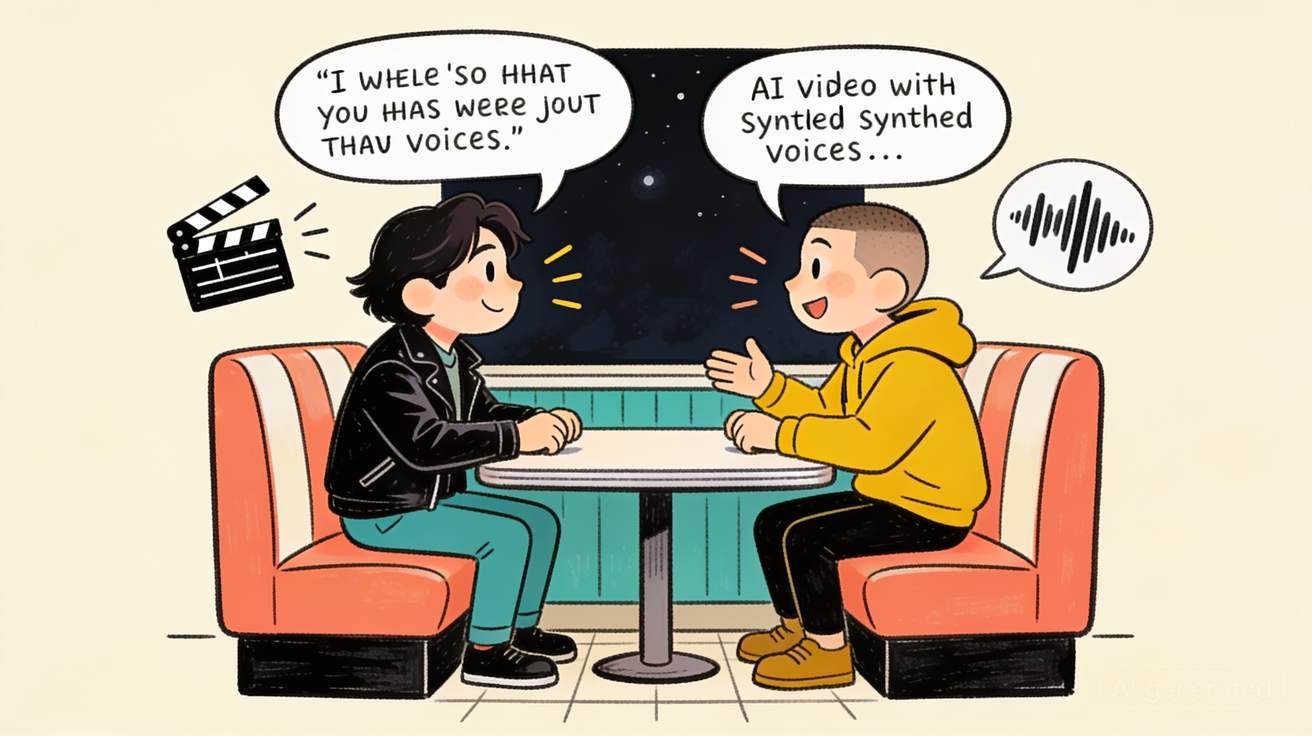
La plupart des outils vidéo par IA savent faire bouger les lèvres d'un personnage. Presque aucun ne sait faire en sorte que deux personnes tiennent une vraie conversation — échanger des répliques, réagir l'une à l'autre, avec des voix distinctes et une synchronisation labiale qui tombe vraiment sur les mots. C'est précisément cette fonction qui fait que Veo 3 ressemble moins à un générateur qu'à une petite équipe de tournage. C'est aussi celle que l'on rate le plus souvent, car un dialogue à deux personnages n'est pas « deux fois plus difficile qu'un seul personnage » — c'est une discipline de prompt entièrement différente.
Ce guide est le manuel pratique pour mettre en scène deux personnages qui parlent dans Veo 3 : comment structurer le prompt pour que le modèle sache qui parle et quand, comment garder chaque voix distincte, comment tenir la synchronisation labiale et comment assembler un échange plus long quand un seul clip de 8 secondes ne suffit pas. Tout ci-dessous est prêt à copier, avec un exemple complet que vous pouvez lancer dès aujourd'hui.
Si vous n'avez écrit que des prompts à un seul locuteur, commencez par notre guide de l'audio natif de Veo 3 pour les bases du son, puis revenez ici pour la couche « deux personnages ».
Pourquoi le dialogue à deux personnages est une compétence à part
Quand vous faites parler un personnage, la tâche de Veo 3 est simple : un visage, une voix, une réplique. La synchronisation labiale se verrouille car il n'y a aucune ambiguïté sur qui parle. Ajoutez un deuxième locuteur et trois nouveaux problèmes apparaissent d'un coup :
- Attribution — le modèle doit décider à chaque image à quel visage appartient le son. Si vos personnages se ressemblent ou sonnent pareil, Veo 3 étale la parole sur les deux bouches ou met la mauvaise voix sur la mauvaise personne.
- Tour de parole — une vraie conversation a un rythme : A parle, B réagit, B répond, A coupe. Veo 3 ne l'obtient pas gratuitement. Si vous balancez deux répliques sans mise en scène, les personnages parlent en même temps ou l'un se fige pendant que l'autre parle.
- Séparation des voix — deux voix identiques se lisent comme une seule personne jouant les deux moitiés. C'est l'identité vocale distincte qui vend la scène comme deux personnes.
La solution aux trois est la même idée : supprimer l'ambiguïté. Vous dites à Veo 3 exactement qui est chaque personnage, qui prononce quelle réplique et ce que fait l'autre personne pendant qu'elle écoute. Le reste de ce guide explique comment le faire de façon systématique.
La structure de base du prompt pour deux locuteurs
Un prompt de dialogue à deux personnages fiable comporte cinq blocs, dans cet ordre :
- Scène + décor — où ils sont, l'ambiance, la lumière.
- Définition du personnage A — apparence, tenue, description de la voix.
- Définition du personnage B — apparence, tenue, voix (délibérément différente de A).
- L'échange — chaque réplique attribuée par nom ou par un repère visuel unique, avec un temps de réaction entre les répliques.
- Caméra + audio — type de plan, qui est à l'image, son d'ambiance.
Voici le squelette :
Setting: [location], [time of day], [mood/lighting].

Character A — [name]: [distinct appearance + wardrobe]. Voice: [pitch, accent, pace, tone].
Character B — [name]: [clearly different appearance + wardrobe]. Voice: [a contrasting pitch, accent, pace, tone].

The exchange:
[Name A] says, "[short line]." [Name A] [physical reaction/gesture].
[Name B] [reaction while listening], then replies, "[short line]."
[Name A] [final beat], "[short line]."

Camera: [shot type — two-shot / over-the-shoulder / shot-reverse-shot]. Natural lip-sync, distinct voices, clear turn-taking. Ambient: [room tone / background sound].
Deux règles font ou défont ce modèle :
- Étiquetez chaque réplique. N'écrivez jamais de dialogue flottant. Toujours
[Name] says, "...". L'erreur la plus fréquente, ce sont les répliques non attribuées — Veo 3 devine alors, et devine mal. - Gardez les répliques courtes. Deux personnages en 8 secondes, c'est environ 2 à 4 répliques courtes au total, pas un monologue chacun. La brièveté garde la synchronisation labiale serrée. S'il vous faut plus de dialogue, découpez-le en clips (voir plus bas).
Pour les principes plus profonds de l'ingénierie de prompt, notre guide des meilleurs prompts Veo 3 et le guide du générateur de prompts JSON de Veo 3 se marient bien avec cette couche de dialogue.
Rendre les deux voix distinctes
Si les deux personnages sonnent pareil, la scène s'effondre. Construisez le contraste sur au moins deux de ces axes :
| Axe | Personnage A | Personnage B |
|---|---|---|
| Hauteur | grave, de poitrine | plus aiguë, claire |
| Débit | lent, posé | rapide, haché |
| Accent | neutre | régional / étranger |
| Ton | calme, chaleureux | tendu, sec |
| Âge | plus âgé, rauque | plus jeune, énergique |
Vous ne décrivez pas la forme d'onde, mais la personne. « Une infirmière de nuit fatiguée d'une cinquantaine d'années, voix grave et égale » et « un stagiaire anxieux d'une vingtaine d'années qui parle vite et laisse ses phrases en suspens » se lisent comme deux personnes incontestablement différentes, avant même la première réplique. La voix suit la description du personnage : plus vos personnages diffèrent précisément, plus leurs voix se séparent.
Un conseil tiré de la production Veo 3 réelle : quand les personnages doivent se ressembler (frères et sœurs, jumeaux, collègues en même uniforme), appuyez-vous davantage sur la tenue et les repères vocaux — « celle à l'écharpe rouge » / « celui aux lunettes » — et réutilisez ces repères dans la mise en scène du dialogue pour que l'attribution ne dépende jamais des seuls visages.
Mettre en scène le tour de parole pour que ça paraisse réel
Une conversation, ce sont des réactions, pas seulement des répliques. L'astuce qui sépare une scène crédible de « deux robots qui lisent », c'est le temps de réaction : une courte phrase décrivant ce que fait celui qui écoute, pendant que l'autre parle.
Faible (sans réactions) :
Anna says, "We're out of time." Ben says, "I know."
Fort (réactions mises en scène) :
Anna leans across the table, urgent: "We're out of time."
Ben doesn't look up, jaw tight, then exhales: "I know."
La seconde version donne à Veo 3 une interprétation physique à laquelle accrocher le son. Celui qui écoute fait quelque chose — détourne le regard, serre la mâchoire, expire — ce qui se lit comme une écoute et fait paraître le tour de parole mérité. Mettez en scène une réaction par réplique et votre scène cesse aussitôt de ressembler à une démo de synthèse vocale.
Un clip ou plusieurs : choisir son approche
Il y a deux façons de construire une scène de dialogue, et choisir la bonne dès le départ évite beaucoup de re-générations.
Approche 1 — un plan à deux de 8 secondes. Les deux personnages à l'image, 2 à 4 répliques courtes, un plan large ou un plan à deux. Idéal pour : échanges rapides, moments comiques, disputes où l'on veut voir les deux visages. Le plus simple à prompter, mais la précision de la synchro baisse quand les deux parlent coup sur coup.
Approche 2 — champ-contrechamp sur plusieurs clips. Vous générez la réplique du locuteur A en gros plan ou en plan par-dessus l'épaule, puis la réponse du locuteur B dans l'angle inverse correspondant, et vous les montez ensemble. Idéal pour : longues conversations, scènes émotionnelles, tout ce qui exige une synchro serrée. C'est ainsi que le vrai cinéma filme les dialogues, et c'est la voie la plus fiable vers une synchro nette, car chaque clip n'a qu'un seul locuteur.
Pour l'approche 2, les personnages doivent rester identiques d'un clip à l'autre — c'est un problème de cohérence, alors associez ce guide à notre guide de cohérence des personnages Veo 3. Et si une réplique dépasse 8 secondes, notre guide pour prolonger Veo 3 au-delà de 8 secondes couvre l'étirement d'un temps. Pour fixer le cadrage de chaque contrechamp, les prompts de contrôle de caméra Veo 3 sont le complément idéal.
Exemple complet : la confrontation au diner
Construisons une scène de zéro pour voir chaque pièce à sa place. Objectif : deux personnages, un échange tendu, une attribution nette, des voix distinctes.
Étape 1 — Définir les deux personnages avec contraste
Character A — MARA: late 40s, silver-streaked dark hair, worn leather jacket,
  sitting. Voice: low, steady, slight Southern drawl, speaks slowly.
Character B — DEV: mid 20s, buzzcut, bright yellow hoodie, standing, restless.
  Voice: higher, fast, urban American accent, slightly breathless.
Remarquez que le contraste est chargé sur chaque axe — âge, cheveux, couleur de tenue, posture, hauteur, débit, accent. Même si Veo 3 vacille sur un trait, les autres portent la séparation.
Étape 2 — La version en un clip (plan à deux)
Setting: a near-empty roadside diner at night, warm fluorescent light,
rain streaking the window behind them.

Character A — MARA: late 40s, silver-streaked dark hair, worn leather jacket, seated.
  Voice: low, steady, slight Southern drawl, slow.
Character B — DEV: mid 20s, buzzcut, bright yellow hoodie, standing by the booth, restless.
  Voice: higher, fast, urban American accent, breathless.

The exchange:
Mara stirs her coffee without looking up, calm: "Sit down, Dev."
Dev stays standing, glancing at the door, then snaps: "We don't have time for coffee."
Mara finally meets his eyes, unhurried: "We have exactly enough."

Camera: medium two-shot, both faces visible, shallow depth of field.
Natural lip-sync, distinct voices, clear turn-taking. Ambient: low diner hum, rain on glass.
C'est un prompt complet et exécutable. Trois répliques, chacune étiquetée, une réaction par réplique, des voix contrastées, son d'ambiance précisé.
Étape 3 — Convertir en champ-contrechamp pour une synchro plus serrée
Si le plan à deux vous donne une synchro molle, découpez-le. Générez trois clips, une réplique chacun, et montez-les ensemble :
CLIP 1 (close on Mara):
[same character + setting block]
Mara stirs her coffee, not looking up, low and calm: "Sit down, Dev."
Camera: close-up on Mara, over Dev's shoulder. Tight lip-sync. Ambient: diner hum, rain.

CLIP 2 (reverse on Dev):
[same character + setting block]
Dev glances at the door, restless, then snaps fast: "We don't have time for coffee."
Camera: reverse close-up on Dev, over Mara's shoulder. Tight lip-sync. Ambient: diner hum, rain.

CLIP 3 (back on Mara):
[same character + setting block]
Mara lifts her eyes to him, unhurried: "We have exactly enough."
Camera: close-up on Mara. Tight lip-sync. Ambient: diner hum, rain.
Posez les trois clips sur une timeline dans cet ordre et vous obtenez une scène de dialogue nette, basée sur le montage, avec une synchro labiale solide — chaque clip n'a jamais eu qu'une bouche à synchroniser. Gardez les blocs de personnage et de décor identiques au caractère près sur les trois prompts pour que Mara et Dev ne dérivent pas entre les coupes.
Étape 4 — Verrouiller les voix entre les clips (peaufinage optionnel)
Si une voix change légèrement d'un clip à l'autre — artefact fréquent du multi-clip — il existe un remède de production standard : exportez la piste vocale, passez-la dans un outil de voix (le voice changer d'ElevenLabs est le choix habituel) avec une voix verrouillée par personnage, puis resynchronisez. Cela garantit que Mara sonne exactement comme Mara dans chaque coupe. C'est une étape de montage, pas un prompt Veo 3, mais bon à savoir pour le travail client.
Échecs fréquents et comment les corriger
Les bouches des deux personnages bougent sur une réplique. Cause : dialogue non attribué ou descriptions quasi identiques. Correction : étiquetez la réplique avec un nom et rendez les personnages plus distincts.
La mauvaise voix sort du mauvais personnage. Cause : voix trop semblables, Veo 3 les permute. Correction : élargissez l'écart de hauteur/accent/débit ; ajoutez un repère de tenue dans la réplique.
Ils parlent en même temps. Cause : pas de tour de parole mis en scène. Correction : ajoutez des temps de réaction pour qu'un personnage écoute visiblement entre les répliques.
La synchro dérive dans un plan à deux chargé. Cause : trop de répliques dans un clip de 8 secondes. Correction : réduisez le nombre de répliques ou passez au champ-contrechamp.
Les personnages changent d'aspect entre les coupes. Cause : le bloc de personnage a changé entre les prompts. Correction : copiez les descriptions au mot près ou utilisez des images de référence.
Le son devient brouillon quand les deux parlent vite. Cause : la parole simultanée rapide est le cas le plus difficile pour Veo 3. Correction : ne les faites jamais parler en même temps ; séquencez toujours les répliques avec une pause.
Cas d'usage réels du dialogue à deux personnages
- Sketches et comédie courte — l'enchaînement mise en place/chute fonctionne mieux en plan à deux serré avec deux voix contrastées.
- Scènes pub et UGC — un client pose une question et un « ami » répond : l'un des formats courts les plus convertisseurs, et Veo 3 le réussit sans acteurs.
- Clips explicatifs et pédagogiques — le duo « apprenant curieux / expert patient » rend regardables des sujets arides.
- Tests de cinéma narratif — les réalisateurs utilisent le champ-contrechamp pour prévisualiser une scène avant un tournage réel.
- Variantes localisées — une fois la mise en scène au point, changez les accents des voix pour produire la même scène sur plusieurs marchés.
Si votre dialogue est précisément le format micro-trottoir à une seule question, c'est une autre mise en scène : voyez notre guide des prompts d'interviews de rue Veo 3, conçu pour un répondant unique plutôt qu'une conversation. Pour le rendu cinéma autour du dialogue, les prompts cinématographiques Veo 3 et le guide du style visuel Veo 3 couvrent la lumière et l'étalonnage, et la couche sonore sous les voix est traitée par le guide de génération audio Veo 3.
Liste de contrôle de démarrage rapide
Avant de générer une scène à deux personnages, vérifiez :
- [ ] Les deux personnages définis avec une apparence et une voix contrastées
- [ ] Chaque réplique étiquetée par un nom ou un repère visuel unique
- [ ] Un temps de réaction mis en scène par réplique
- [ ] Pas plus de 2 à 4 répliques courtes dans un clip de 8 secondes
- [ ] Type de plan choisi (plan à deux pour le rapide, champ-contrechamp pour la synchro serrée)
- [ ] Son d'ambiance précisé
- [ ] Blocs de personnage et de décor identiques entre les clips en multi-clip
Essayez dans Veo 3
Le moyen le plus rapide d'intégrer tout cela est de lancer l'exemple du diner, puis d'y mettre vos deux personnages et d'observer comment le contraste vocal et les temps de réaction changent le résultat. Vous pouvez essayer Veo 3 gratuitement sur veo3ai.io et commencer par le plan à deux unique avant de passer au champ-contrechamp. Tout nouveau sur la plateforme ? Notre guide d'utilisation de Google Veo 3 accompagne votre premier clip, et le guide de prompt Veo 3 couvre les fondamentaux sur lesquels se construit le dialogue.
FAQ
Veo 3 peut-il faire une vraie conversation entre deux personnages ? Oui — Veo 3 génère un dialogue synchronisé avec des voix distinctes et une synchro labiale, c'est sa capacité phare. La clé est d'attribuer chaque réplique à un personnage nommé et de mettre en scène le tour de parole avec des temps de réaction, plutôt que de jeter un dialogue non étiqueté dans le prompt.
Combien de lignes de dialogue tiennent dans un clip Veo 3 ? Pour un clip de 8 secondes à deux locuteurs, visez 2 à 4 répliques courtes au total. Au-delà, le timing se comprime et la synchro se dégrade. Pour les longues conversations, découpez l'échange sur plusieurs clips en champ-contrechamp et montez-les.
Pourquoi les bouches des deux personnages bougent-elles quand un seul parle ? Cela arrive quand le dialogue n'est pas clairement attribué ou que les personnages sont décrits trop semblablement. Étiquetez chaque réplique par un nom et augmentez le contraste entre apparence et voix pour que Veo 3 les distingue.
Comment garder la voix de chaque personnage identique sur plusieurs clips ? Gardez la description de la voix identique dans chaque prompt, et si elle dérive quand même, exportez le son et passez chaque piste vocale dans une voix verrouillée via un outil de voix, puis resynchronisez. Couplé à la cohérence d'image, cela maintient le visage et la voix stables.
Un clip ou plusieurs pour une scène de dialogue ? Un seul plan à deux pour les échanges rapides et décontractés où l'on veut voir les deux visages. Le champ-contrechamp sur plusieurs clips pour les scènes longues ou émotionnellement importantes — les clips à locuteur unique donnent la synchro la plus serrée car il n'y a aucune ambiguïté d'attribution.
Quelle différence avec une interview de rue ? Une interview de rue, c'est une personne répondant à une question face caméra (un seul locuteur), tandis qu'un dialogue à deux personnages est un échange entre deux personnages à l'image avec tour de parole. La mise en scène diffère — pour de vraies conversations, utilisez la structure de dialogue de ce guide.
Related Articles
Continue with more blog posts in the same locale.

10 Meilleurs Choix : Logiciels de Création Vidéo Gratuits en 2026
Découvrez les meilleurs logiciels de création vidéo gratuits en 2026. Notre guide présente 10 outils incontournables pour les réseaux sociaux, le marketing et la vidéo IA — sans filigrane, sans frais.
Read article
Comment créer des vidéos de temps forts sportifs avec Veo 3 AI (2026)
Créez des vidéos de moments forts sportifs époustouflants avec Veo 3 AI. Générez des plans d'action dynamiques, des séquences au ralenti et des répétitions spectaculaires grâce aux invites IA.
Read article
Comment Réaliser un Court Métrage avec Veo 3 AI (Guide 2026)
Apprenez à créer des courts métrages professionnels avec Veo 3 AI. Guide étape par étape avec des prompts, des conseils de workflow et des techniques cinématographiques.
Read article