
Veo 3 Street Interview Prompts: Make Viral AI Vox-Pop Videos with Synced Audio
Make viral AI street interviews with Veo 3. Copy-paste vox-pop prompt library, dialogue syntax rules for synced audio, a full workflow, camera tips, and the ethics you need before posting.
Emma Chen · 14 min read · Jun 25, 2026
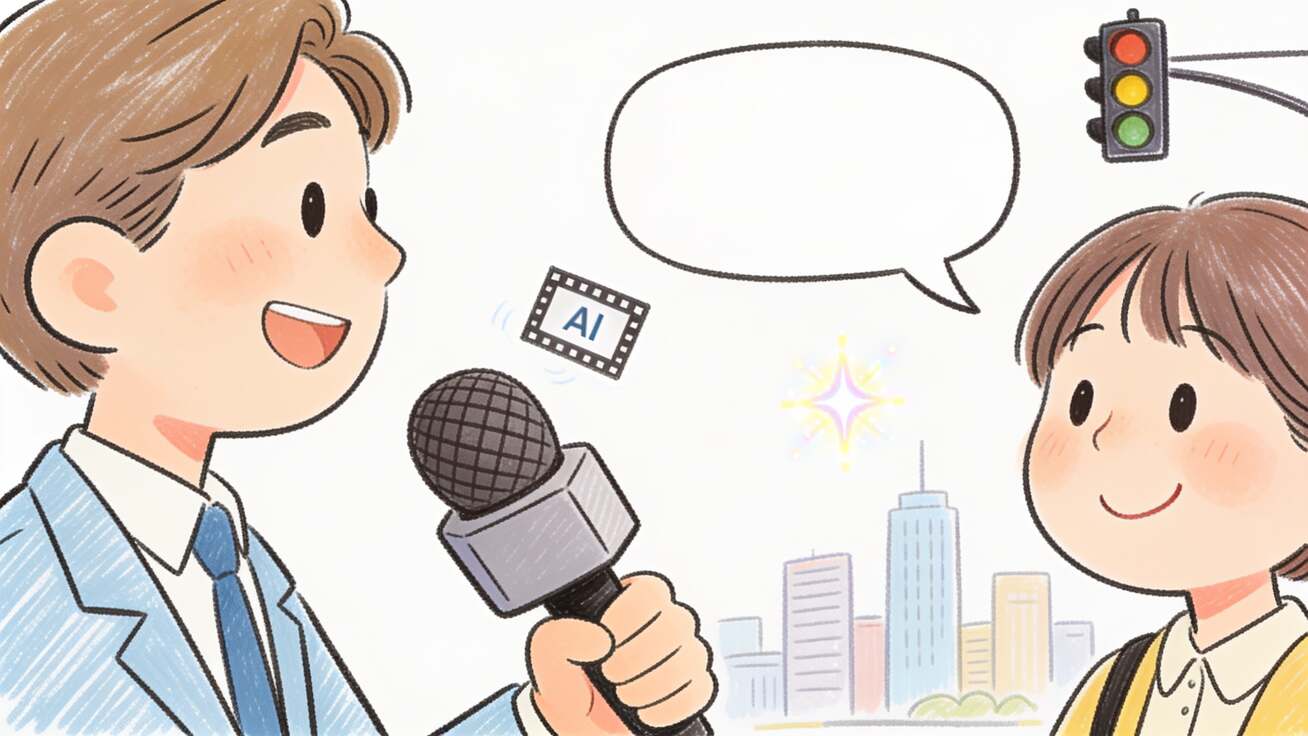
The fake street interview is the video format that made Veo 3 famous. In May 2025 a clip of a "reporter" stopping strangers on a city sidewalk went viral precisely because nobody could tell it was generated — the dialogue, the lip movement, the awkward laughs, and the traffic noise in the background were all synthetic, produced from a single text prompt. Since then, "man-on-the-street" vox-pop clips have become one of the highest-performing formats on TikTok, Reels, and Shorts, and almost all of the convincing ones are built with Veo 3.
The reason is simple: a street interview is 90% audio. A talking head only works if the voice is synced to the lips, the tone fits the face, and the ambient sound places the person on a real street. Most AI video tools output silent footage, so you would have to record a voiceover, find street sound effects, and line everything up frame by frame. Veo 3 generates native synchronized audio in the same pass as the video, which is exactly why it owns this format. This guide gives you the prompt structure that works, a copy-paste library of street interview prompts, the dialogue syntax rules that prevent gibberish, and the workflow to ship a clip in minutes.
Quick Answer: A Veo 3 street interview prompt is a text description that defines the interviewer, the person being interviewed, the location, and the exact spoken dialogue — with the words introduced by a colon, not quotation marks, and kept to about 5–8 seconds of speech per shot. For example: "Handheld vox-pop on a busy New York sidewalk at golden hour. A young man in a denim jacket holds a black microphone and asks a smiling woman in her 30s: What's the most overrated thing in your city? She laughs and answers: Honestly? Brunch lines. Ambient traffic, distant chatter, natural daylight." Because Veo 3 produces the dialogue, lip-sync, and street ambience together, you get a believable interview without any audio editing.
This is a practical playbook. You will get the anatomy of a prompt that works, a ready-to-use prompt library across niches, camera and framing settings, the most common mistakes and how to fix them, real use cases, and the ethics you need to get right before you post.
Why Veo 3 Owns the Street Interview Format
Three Veo 3 capabilities make this format possible, and removing any of them breaks the illusion:
- Native synchronized audio. Veo 3 synthesizes speech, ambient sound, and effects against the on-screen motion in a single generation. The voice is generated for this specific face and mouth, so the lip-sync lands naturally instead of looking dubbed. This is the single feature that separates a believable vox-pop from an obvious fake. If you want to go deeper on controlling the sound layer, see our Veo 3 native audio prompt guide.
- Photoreal humans with micro-expressions. Street interviews live on subtle reactions — the half-second of thinking before answering, the eyebrow raise, the embarrassed laugh. Veo 3 renders these convincingly enough that viewers read the person as real.
- Coherent handheld camera physics. The slightly shaky, reframing handheld look is part of the genre's visual grammar. Veo 3 understands camera motion described in plain language, so you can ask for the documentary handheld feel without it dissolving into chaos.
Put together, these let one prompt produce a finished, postable clip. Compared with shooting a real vox-pop — which needs a location, talent releases, a mic, and an editor — the cost and time collapse to a single generation. That is why creators are running entire faceless interview channels on this format.
The Anatomy of a Street Interview Prompt
Every reliable street interview prompt has six building blocks. Layer them in this order and your hit rate goes way up.
- Shot type and camera — Set the genre visually. Use phrases like handheld vox-pop, documentary street interview, selfie-angle, or eye-level medium shot. This anchors the realistic, slightly imperfect look. For more control over movement, our Veo 3 camera control prompts guide breaks down every camera term Veo 3 understands.
- Location and time of day — Busy Tokyo crosswalk at night, sunny Los Angeles beach promenade, rainy London high street. Location drives the ambient sound layer, so be specific.
- The interviewer — Describe who holds the mic: age, clothing, and the microphone itself (a black foam-top microphone with a small news logo). The mic prop is what reads "interview" instantly.
- The interviewee — Age range, clothing, and demeanor. One person per shot is the safe default; crowds and multiple speakers are where things break.
- The dialogue — The exact question and answer, each introduced by a colon. This is the most important block and has its own rules (next section).
- The audio bed — Spell out the ambience: city traffic, distant chatter, footsteps, wind. Even though Veo 3 adds sound automatically, naming it gives you control over the mix.
A complete prompt reads as one flowing paragraph, not a bullet list. Veo 3 parses natural-language scene descriptions best. If you want the full theory behind structuring any Veo 3 prompt, our Veo 3 prompt engineering guide is the companion read.
Dialogue Syntax: The Rules That Prevent Gibberish
The number one reason street interview clips fail is bad dialogue formatting. Veo 3 has clear preferences here, and following them is the difference between crisp speech and AI mumbling.
- Use a colon to introduce speech, never quotation marks. Write
She says: I moved here for the food.Quotation marks confuse the parser and often cause the model to read punctuation aloud or skip the line. - Keep each line to roughly 5–8 seconds of spoken words. That is about 12–22 words. Too long and the character speaks unnaturally fast to fit the 8-second clip; too short and you get silence or filler gibberish at the end.
- Label the speaker before the line.
The reporter asks:thenThe woman answers:keeps turn-taking clear so the lip-sync attaches to the right face. - Write the words you actually want said. Don't describe the topic ("they discuss the weather") and expect good audio. Implicit dialogue produces vague mumbling; explicit dialogue produces clean speech.
- Match tone to face. If you want a deadpan delivery, say so:
in a flat, unimpressed tone. Veo 3 will adjust prosody, which sells the realism.
One 8-second generation comfortably fits a single question and a single answer. For a longer interview, generate each Q&A as its own clip and stitch them — the same approach we cover in the Veo 3 extend video beyond 8 seconds guide.
Copy-Paste Street Interview Prompt Library
Each prompt below is built to the structure above and is ready to paste into Veo 3. Swap the location, characters, and dialogue to fit your niche.
1. Classic City Vox-Pop
Handheld documentary street interview on a busy New York City sidewalk at golden hour, eye-level medium shot. A friendly male interviewer in a denim jacket holds a black foam-top microphone with a small news logo and asks a smiling woman in her early 30s wearing a yellow coat: What is the most overrated thing about living in this city? She thinks for a second, then laughs and answers: Honestly, the brunch lines — two hours for pancakes. Ambient city traffic, distant chatter, footsteps on pavement, natural daylight.
2. Comedy Beat with Background Gag
Street interview style, handheld, on a city street with visible potholes, overcast daylight. A male reporter holds a microphone with a news logo and says to an older man in a flat cap: The community is hopeful this hazard will finally be fixed — would you agree? The man nods and replies: This pothole has been a nightmare for years. In the background a distracted pedestrian steps into the pothole and stumbles with a comical yelp; the reporter and interviewee keep talking, pretending not to notice. Sounds: their conversation, the loud stumble, and city background noise.
3. Niche Question (Fitness / Wellness)
Calm sunset vox-pop on a Los Angeles beach promenade, soft warm light, handheld. A female interviewer in athleisure holds a small microphone and asks a fit man in his 40s: What's one simple routine anyone can start for better well-being? He smiles and answers: Five minutes of deep breathing every morning — it clears your head before the day starts. Ambient ocean waves, light wind, distant seagulls.
4. Self-Aware AI Twist (Viral Hook)
Handheld street interview on a neon-lit Tokyo crosswalk at night. A young female reporter holds a microphone and asks a man in a gray hoodie: Quick question — do you know you're inside an AI-generated video right now? He pauses, looks directly into the camera, and deadpans: Wait… that explains why my coffee has no taste. Ambient city hum, distant traffic, soft rain, reflections on wet pavement.
5. Animal / Faceless Channel Variant
Selfie-angle vlog-style street interview in a sunny park. A fluffy golden retriever wearing tiny sunglasses sits on a bench while an off-screen interviewer asks: What's the best part of being a dog? The dog tilts its head and answers in a cheerful cartoonish voice: Honestly? Every single walk feels like the first one. Ambient birds, light breeze, distant park chatter.
6. Brand / Product Vox-Pop
Documentary street interview outside a coffee shop, daytime, handheld medium shot. A female interviewer holds a branded microphone and asks a man in a business casual outfit: If you could fix one thing about your morning commute, what would it be? He sighs and replies: A coffee that's actually ready when I walk in — no waiting. Ambient street traffic, espresso machine hiss from the doorway, footsteps.
For a brand campaign, this format slots straight into the UGC-style ad workflow we cover in the Veo 3 UGC ad generator guide.
Step-by-Step Workflow on veo3ai.io
You can generate every prompt above in a few minutes:
- Open the generator. Head to the veo3ai.io text-to-video generator and select Veo 3 as the model.
- Paste your prompt. Drop in one of the library prompts and edit the location, characters, and dialogue to fit your idea.
- Pick quality over fast for the final. Use Fast mode to test a concept cheaply, then regenerate the keeper in Quality mode for clean lip-sync and sharper detail.
- Set the aspect ratio to 9:16 for TikTok, Reels, and Shorts. The vertical frame is part of the native-platform look.
- Generate and review the audio first. Before anything else, listen: is the speech clear, synced, and free of gibberish? Audio is the make-or-break.
- Regenerate with small tweaks if a line is off — shorten the dialogue, change the tone descriptor, or simplify the scene. Two or three attempts usually lands a winner.
- Stitch multiple Q&As if you want a 30–60 second interview, then add captions in your editor.
If you prefer to start from a photo of a specific person or set, the image-to-video workflow lets you seed the shot with a reference frame for more control over the look.
Camera, Framing, and Realism Settings
Small choices separate a believable vox-pop from an obvious render:
- Frame at eye level, medium shot. Waist-up or chest-up reads as a real interview. Extreme close-ups exaggerate AI artifacts around the mouth and teeth.
- Ask for handheld, slightly unstable. A locked tripod shot looks staged. Add subtle handheld movement, natural reframing to sell the run-and-gun feel.
- Use natural light. Golden hour, overcast daylight, and neon night all work because they match real street conditions. Avoid studio lighting language.
- Keep one speaker per shot. Multiple simultaneous talkers confuse the audio model. Cut between single-person shots instead.
- Name the ambience. Even one phrase — distant traffic, footsteps, light wind — grounds the clip in a real place and improves the realism of the generated sound.
For maintaining the same interviewer across a whole series of clips, lean on the techniques in our Veo 3 character consistency guide so your "host" looks identical from video to video.
Common Mistakes and How to Fix Them
- Mumbled or sped-up speech → Your dialogue line is too long. Cut it to 12–22 words so it fits comfortably in 8 seconds.
- The model reads punctuation aloud → You used quotation marks. Switch to a colon before the spoken line.
- Wrong voice on the wrong face → Speakers weren't labeled. Add
The reporter asks:andThe woman answers:so turns are explicit. - Stiff, staged look → You described a tripod or studio. Add handheld motion and natural light cues.
- Warped mouth or extra teeth → You went too close. Pull back to a medium shot and regenerate.
- Silent ending → The dialogue ran out before the clip did. Add a short reaction beat, like she laughs softly, to fill the tail.
- Dead, location-less audio → You didn't name the ambience. Always include a short sound bed.
Real Use Cases
- Faceless content channels. Vox-pop and "talking animal" interview channels rack up views without ever filming a real person — a format closely related to the animal vlog and talking-pet trend creators are scaling now.
- Brand and product marketing. Simulated customer-reaction clips and street-style testimonials make cheap, high-engagement social ads, especially in the TikTok ad format.
- Education and explainers. A "person on the street" answering a common misconception is a fast, engaging way to open an educational short.
- Comedy and skits. The background-gag format (prompt #2) is pure entertainment and travels well across platforms.
- Concept testing. Marketers prototype interview-style ad ideas in minutes before committing to a real shoot.
For broader inspiration on what to make, our YouTube Shorts ideas roundup pairs well with this format.
Ethics and Disclosure: Read This Before You Post
Street interviews are powerful because they look real — which is exactly why you have to be responsible with them.
- Don't pass fakes off as real news or real testimony. Simulated interviews used to spread misinformation or fake endorsements can cause real harm and violate platform policies.
- Label AI content. Many platforms now require disclosure of synthetic media. A simple "AI-generated" tag or on-screen note keeps you compliant and builds trust.
- SynthID is baked in. Veo 3 embeds Google's invisible SynthID watermark in every output so platforms can detect AI-generated content. Don't try to defeat it.
- Don't impersonate real, identifiable people without consent, and avoid putting words in the mouths of public figures.
- Keep it entertainment or education. The format shines for comedy, marketing, and explainers — use it there, not for deception.
Used transparently, AI street interviews are a legitimate, high-performing creative format. Used to deceive, they're a fast way to lose an audience and an account.
Frequently Asked Questions
Is Veo 3 good for street interviews specifically? Yes — it's the standout tool for this format because it generates synchronized dialogue, lip-sync, and street ambience in one pass. Tools that output silent video can't produce a believable vox-pop without heavy manual audio work.
How long can one street interview clip be? A single Veo 3 generation is up to 8 seconds, which fits one question and answer. For a longer interview, generate each Q&A separately and stitch them, then add captions.
Why does my interviewee mumble or speak too fast? The dialogue line is too long for the clip length. Keep each spoken line to about 12–22 words so it fits naturally in 5–8 seconds.
Should I use quotation marks for the dialogue?
No. Introduce speech with a colon (She says:). Quotation marks often cause the model to misread or vocalize punctuation.
Can I keep the same interviewer across multiple videos? Yes. Describe the host identically every time, or use a reference image and character-consistency techniques to lock the look across a series.
Do I have to disclose that it's AI? On most platforms, yes — and you should regardless. Veo 3 also embeds an invisible SynthID watermark in every clip.
What aspect ratio should I use? 9:16 vertical for TikTok, Reels, and Shorts. Generate vertical from the start rather than cropping later.
Start Making Your First Street Interview
The fake street interview is the format that proved how far AI video has come, and it's still one of the most reliable ways to earn views. The recipe is straightforward: a clear handheld shot, one interviewer and one interviewee, a specific location for the ambience, and tight, colon-introduced dialogue kept under eight seconds. Layer those, generate in Quality mode, and check the audio first.
Paste one of the prompts above into the veo3ai.io Veo 3 generator, change the question to fit your niche, and ship your first vox-pop today. Just keep it honest — label it as AI, and let the realism work for entertainment, not deception.
Related Articles
Continue with more blog posts in the same locale.
Veo 3 Talking Head Video: How to Create AI Presenter Videos (2026)
Create AI presenter videos with Veo 3: character prompts, lip sync, platform formats, brand spokesperson, social persona, and training video host — with ready-to-use templates.
Read article
Veo 3 Drone Shot Prompts: How to Create Aerial Camera Moves (2026)
Veo 3 drone shot prompts: aerial camera vocabulary, pull-back reveal, orbit, tracking shots, environment examples for real estate, travel, sports, and documentary.
Read article
Veo 3 for E-Commerce: AI-Generated Product Videos That Convert (2026)
Learn how to use Veo 3 for e-commerce product video: I2V packshot prompts, platform specs, category playbooks for fashion, food, cosmetics, and home goods, plus QA checklists.
Read article