
Veo 3 POV Video Prompts: How to Generate First-Person Point-of-View Shots (2026)
Learn how to write Veo 3 POV prompts for immersive first-person video. Includes a 5-part prompt formula, 12 copy-paste POV examples, synchronized audio tips, and a vertical workflow for TikTok and Shorts.
Emma Chen · 16 min read · Jun 28, 2026

POV (point-of-view) videos are one of the most addictive formats on TikTok, Reels, and YouTube Shorts right now. The viewer doesn't watch the scene — they are the scene. They're walking through the door, holding the knife, gripping the steering wheel, peeking around the corner. That sense of "I'm inside this moment" is exactly what makes POV content scroll-stopping, and it's exactly what Veo 3 is built to deliver.
Because Veo 3 generates native, synchronized audio alongside every clip, a first-person shot doesn't just look immersive — it sounds immersive too. Footsteps land, breath catches, rain hits the hood, a voice murmurs right next to "your" ear. That audio-visual lock is the difference between a clip that feels like a camera and a clip that feels like you.
This guide breaks down exactly how to write POV prompts for Veo 3: the prompt formula, the camera vocabulary the model understands, 12 copy-paste prompt examples across the most popular POV genres, how to layer in synchronized sound, and how to fix the mistakes that flatten the first-person illusion.
What "POV" actually means to Veo 3
In film language, a POV (point-of-view) shot shows the world as a character sees it. The camera stands in for someone's eyes. You don't see the person — you see what's in front of them, often with their hands, arms, or feet entering the frame.
Veo 3 recognizes "POV shot" and "first-person perspective" as explicit camera instructions. According to Google's own prompting guidance and cinematography references the model was trained on, naming a shot type — close-up, tracking shot, over-the-shoulder, aerial, or POV — directs how Veo frames the scene. When you write "POV shot, first-person perspective," the model lowers the camera to eye level, removes the central subject from view, and lets hands and the environment do the storytelling.
This matters because Veo 3 defaults to static or subtle handheld motion if you don't describe the camera. POV is not a default — you have to ask for it, and you have to ask precisely. The good news: once you understand the formula, it's repeatable.
Why Veo 3 is well-suited for POV content
A few of Veo 3's core capabilities map almost perfectly onto what POV video needs:
- Native synchronized audio. Veo 3 generates sound with the picture — ambient noise, footsteps, object handling, breathing, and dialogue — all timed to the action. POV lives or dies on immersion, and immersion is half sound. You don't have to source foley separately.
- Cinematic camera control through language. Shot types, lens feel, and motion can all be described in plain English. POV is one of the camera vocabulary terms the model understands directly.
- 1080p output. Clips render at up to 1080p (with higher-resolution options on Veo 3.1), sharp enough that the hand entering frame reads as real skin, not a smear.
- Vertical 9:16 support. POV content is overwhelmingly mobile-first. Veo 3 generates true vertical clips, so you're not cropping a landscape frame and losing the immersive edges.
- 8-second base clips. A single generation runs up to about 8 seconds, which is the natural beat length for a POV "moment." Longer narratives are stitched from several beats (more on that below).
The anatomy of a Veo 3 POV prompt
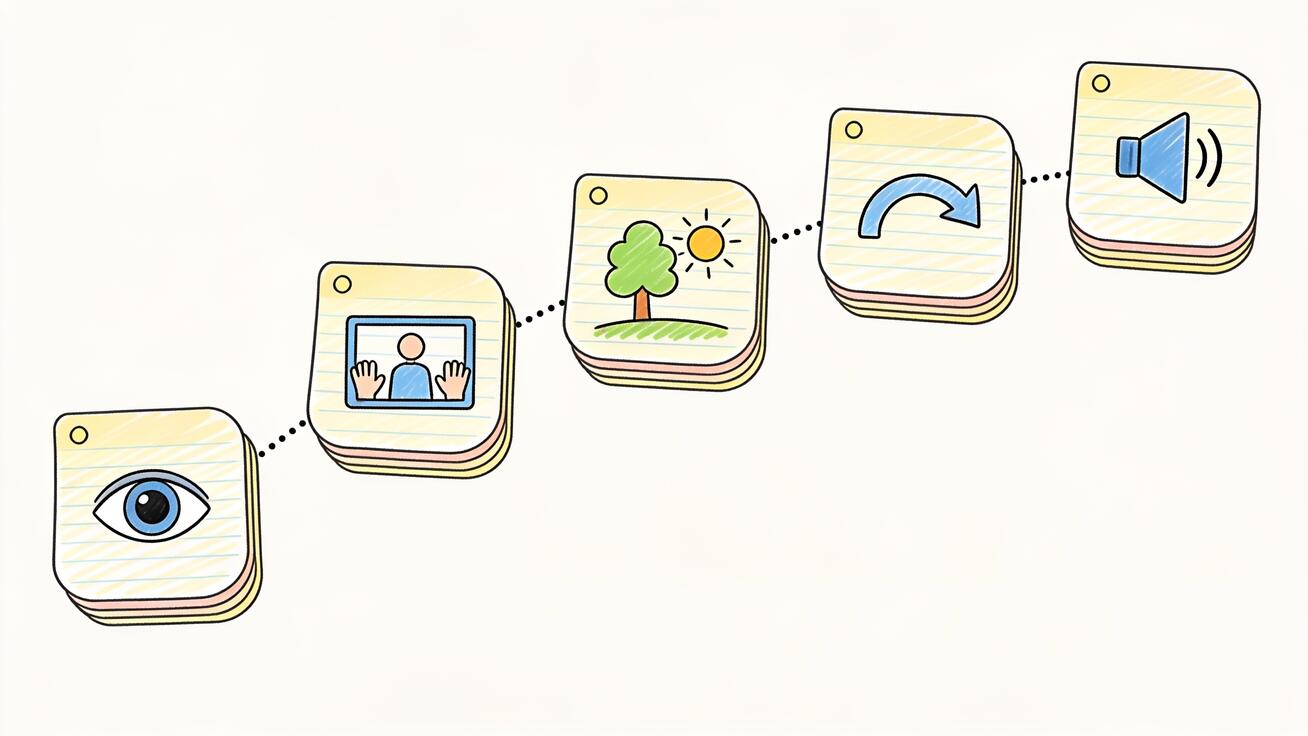
The strongest POV prompts follow a consistent skeleton. Think of it as five slots you fill in:
- Shot declaration — establish first-person framing immediately. "POV shot, first-person perspective…"
- Who you are + what your body is doing — the hands, arms, or feet that enter frame, and the action. "…my hands grip a wooden ladle, stirring a pot of bubbling red curry…"
- Environment + lighting — where you are and how it looks. "…in a warm, steamy home kitchen, soft afternoon light through the window…"
- Camera behavior — how the "head" moves. "…the camera tilts down to the pot, then up toward the stove, slight natural head-bob…"
- Audio — the synchronized sound you want. "…sounds of sizzling oil, a spoon tapping the pot rim, gentle bubbling."
Put together, that's one clean, immersive 8-second beat. The mistake most people make is writing only slot 1 and 3 ("POV shot in a kitchen") and wondering why the result feels generic. The hands and the audio are what sell first-person.
POV camera vocabulary Veo 3 understands
You can stack these terms inside the prompt to steer the feel:
- "First-person perspective" — reinforces that the camera is the character's eyes.
- "Eye-level camera" — keeps the framing at a natural human height.
- "Slight head-bob" / "natural handheld sway" — adds the subtle motion that makes a shot feel embodied rather than mounted on a tripod.
- "Hands enter frame from the bottom" — explicitly invites the body into the shot, the single most important POV cue.
- "The camera tilts down / pans left / looks up" — directs where the "head" turns.
- "Shallow depth of field" / "background softly blurred" — mimics how human focus narrows on what you're holding.
- "GoPro-style wide angle" — for action/sports POV, gives that fish-eye, chest-mounted feel.
You don't need all of them. Pick the two or three that match the moment.
12 ready-to-use Veo 3 POV prompt examples
Copy these, swap the details, and generate. Each is written as a single 8-second beat with synchronized audio baked in.
1. POV cooking
POV shot, first-person perspective. My hands hold a chef's knife, slicing a ripe red tomato on a wooden board in a bright home kitchen. Warm morning light through a window, steam rising from a pot in the soft-focus background. The camera tilts down to the board, slight natural head-bob. Audio: rhythmic chopping on wood, a pot gently bubbling, quiet kitchen ambience.
2. POV travel / city walk
POV shot, first-person perspective walking through a narrow Tokyo alley at night. Neon signs glow pink and blue, reflections on wet pavement after rain. My shadow stretches ahead, slight head-bob with each step. Camera looks left toward a glowing ramen shop, then forward. Audio: footsteps on wet concrete, distant city hum, a sliding door, soft rain.
3. POV driving
POV shot, first-person perspective from the driver's seat of a car on a coastal highway at golden hour. My hands rest on the steering wheel, the ocean glittering to the right through the windshield. Subtle handheld sway. Audio: engine hum, wind against the window, a faint song on the radio, the rhythmic click of a turn signal.
4. POV gaming / esports reaction
POV shot, first-person perspective sitting at a gaming desk in a dark room lit by RGB keyboard glow. My hands rest on a mechanical keyboard and mouse, a glowing monitor in front. The camera leans slightly forward with tension. Audio: rapid mechanical key clicks, mouse clicks, a low desk-fan hum, an excited exhale.
5. POV morning routine ("day in my life")
POV shot, first-person perspective. My hand reaches out to silence a phone alarm on a nightstand, then pulls open soft white curtains to bright morning sun. The camera pans across a cozy bedroom. Slight natural sway. Audio: alarm tone cut short, curtain rings sliding on a rod, birds outside, a quiet yawn.
6. POV horror / thriller
POV shot, first-person perspective slowly walking down a dim hallway in an old house, a flashlight beam trembling against peeling wallpaper. My hand grips the flashlight in the lower frame. The camera creeps forward, slight unsteady sway, then stops at a half-open door. Audio: slow footsteps on creaking wood, shallow nervous breathing, a distant thud, ringing silence.
7. POV nature hike
POV shot, first-person perspective hiking up a forest trail in the morning. My boots step over mossy rocks and roots, the camera tilts down to the path then up to sunlight breaking through tall pines. Natural head-bob with each stride. Audio: crunching gravel and leaves, steady breathing, birdsong, a light breeze through branches.
8. POV barista / coffee
POV shot, first-person perspective behind a cafe counter. My hands tamp espresso grounds into a portafilter, lock it into a gleaming machine, and place a white cup beneath the spout. Warm cafe lighting, soft-focus pastries in the background. Camera tilts to follow each action. Audio: the grind of beans, a hiss of steam, espresso trickling into the cup, low cafe chatter.
9. POV unboxing
POV shot, first-person perspective at a clean desk. My hands cut the tape on a brown cardboard box, fold open the flaps, and lift out a sleek pair of white headphones in tissue paper. Bright, even product lighting. The camera looks straight down at the box. Audio: a box cutter slicing tape, crinkling tissue paper, a soft click as the lid opens.
10. POV fitness / gym
POV shot, first-person perspective in a gym, gripping a loaded barbell on the floor. My chalked hands tighten around the bar, the camera looks down at the weights then forward to a mirror. Slight tension and sway as I prepare to lift. Audio: a deep focused exhale, the clink of metal plates, muffled gym music, a faint grunt of effort.
11. POV first-person ASMR-style
POV shot, first-person perspective at a desk in soft warm light. My hands slowly peel the plastic wrap off a new notebook, run fingers across the textured cover, and flip through crisp blank pages. Shallow depth of field. Audio: crinkling plastic, the soft crackle of pages, a gentle tap on the cover, quiet room tone.
12. POV adventure / GoPro action
POV shot, first-person perspective, GoPro-style wide angle, mountain biking down a dusty forest trail. The handlebars and my gloved hands fill the lower frame, trees rushing past, dappled sunlight flickering. Fast natural motion and bumps. Audio: tires crunching dirt, wind rushing, the rattle of the bike frame, rapid breathing.
Layering synchronized audio into POV (the part people skip)
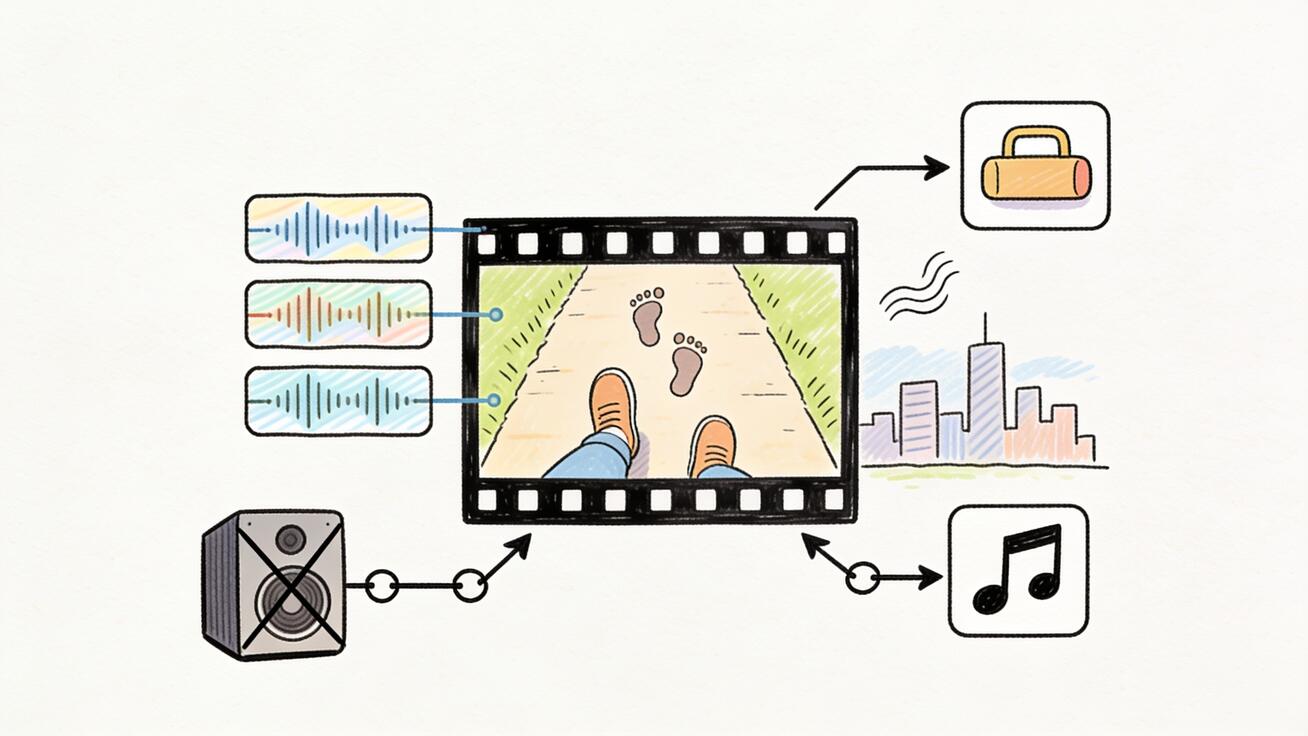
This is where Veo 3 pulls ahead of older video models for POV specifically. Because the model generates audio in the same pass, you can describe the soundscape and have it land in sync with the picture — footsteps that match each step, a knife tap that matches each chop.
A few rules that consistently improve POV audio:
- Describe sound in layers, not one blob. Name a foreground sound (footsteps), a mid sound (the object you're handling), and a background ambience (city hum, room tone). Three layers reads as "real space."
- Tie sound to the action. "Knife chopping on a wooden board" beats "kitchen sounds." Specific, action-anchored audio syncs better.
- Use breathing sparingly but powerfully. A single "shallow nervous breathing" or "focused exhale" instantly cements first-person, because breath is something only you would hear. Don't overuse it — one breath cue per clip.
- Avoid music inside the prompt for true POV. Real first-person moments rarely come with a soundtrack. Generate clean diegetic audio, then add music in your editor afterward if you want it. (If you do want in-scene music — a radio, a club — describe it as coming from a source: "a faint song on the radio.")
For a deeper dive on getting clean diegetic sound, see our guide on Veo 3 native audio prompting and the breakdown of how Veo 3 audio generation works.
Common POV mistakes (and the fix)
Mistake: The subject appears in frame. You asked for POV but the result shows a person from the outside. Fix: state it twice — "POV shot, first-person perspective" up front, and "the camera shows only my hands and what's in front of me" later. Removing the central subject is the whole point.
Mistake: No hands, so it feels like a drone. A first-person shot without any body in frame just looks like a floating camera. Fix: always include the hands/arms/feet entering frame and what they're doing. The body is the POV.
Mistake: The camera is too smooth. Perfectly stabilized motion reads as a gimbal, not a human head. Fix: add "slight natural head-bob" or "subtle handheld sway." For action, go further: "fast bumps, GoPro-style."
Mistake: Generic audio. "Kitchen sounds" produces vague mush. Fix: anchor every sound to a specific action and stack three layers.
Mistake: Trying to cram a story into 8 seconds. POV works as a single vivid moment, not a plot. Fix: one location, one action, one beat per clip. Build sequences by stitching (next section).
Building longer POV sequences
A single Veo 3 generation maxes out around 8 seconds, which is plenty for one POV beat. To tell a longer "POV story" — POV: a day as a barista, POV: walking home in the rain — you stitch multiple beats:
- Storyboard the beats. Write 3–5 separate POV prompts, each a distinct moment (open the door → hang up the coat → start the coffee → sit by the window).
- Keep the "you" consistent. Use the same hand description, clothing, and lighting style across prompts so the viewer believes it's one continuous person. Phrases like "my hands with a black watch on the left wrist" carry identity from clip to clip.
- Generate each beat, then assemble them in your editor in narrative order.
- Extend when needed. Veo 3.1 supports extending a clip and chaining scenes for longer continuous shots — useful when a single action needs more than 8 seconds. See our guide on extending Veo 3 videos beyond 8 seconds.
- Add one music bed under the whole sequence in post if the format calls for it, keeping the diegetic audio underneath.
Because POV beats are short and self-contained, this stitching workflow is fast — and it's exactly how the viral "POV: …" sequences on TikTok and Shorts are built.
POV for vertical: TikTok, Reels, and Shorts
Almost all POV content is consumed vertically, and Veo 3 generates native 9:16 clips, so you should request vertical explicitly. Add "vertical 9:16 framing" to any of the prompts above and the model composes for the tall frame — keeping the hands and key action centered where a phone screen shows them. Don't generate landscape and crop; you'll lose the immersive left/right edges that make first-person feel wide and present. For the full breakdown, see our Veo 3 vertical video guide.
A quick checklist for vertical POV that performs:
- Hook in the first second — the most striking action up top (the hand reaching, the door opening).
- Keep the important object in the center third of the frame.
- Use the synchronized audio as the hook too; a satisfying sound in the first beat stops the scroll.
- End on a "loop-friendly" moment so the clip replays cleanly.
How Veo 3 compares for POV specifically
Plenty of AI video tools can render a first-person shot, but POV is unusually demanding on audio — and that's Veo 3's edge. The native, synchronized soundtrack means a POV cooking clip arrives with chopping and sizzling already locked to the picture, while many competing models output silent video you then have to sound-design by hand. Veo 3's strong understanding of cinematography vocabulary (it reliably parses "POV shot," "eye-level," "head-bob") also means you spend less time fighting the camera and more time iterating on the moment. If you're weighing options, our best AI video generator comparison puts Veo 3 next to the field.
Frequently asked questions
Does Veo 3 actually understand "POV"? Yes. POV (point-of-view) is a standard cinematography term and one of the shot types Veo 3 responds to directly. Pair it with "first-person perspective" and an explicit description of hands entering frame for the most reliable results.
Why does my POV clip still show the character from outside? The model occasionally defaults to a third-person view if the prompt is ambiguous. Reinforce first-person twice, describe only the hands/body parts that should appear, and explicitly say the camera shows "what's in front of me." If it persists, regenerate — variation between runs is normal.
How do I make the camera feel like a real head, not a tripod? Add motion cues: "slight natural head-bob," "subtle handheld sway," or for action, "GoPro-style, fast bumps." Without a motion description, Veo 3 tends toward static or only subtle movement.
Can I get synchronized footsteps and breathing? Yes — that's a core Veo 3 strength. Describe the audio in layers and anchor each sound to an action ("footsteps on wet concrete," "shallow nervous breathing"). The audio is generated in sync with the visuals in the same pass.
How long can a POV clip be? A single generation runs up to about 8 seconds. For longer POV stories, generate several beats and stitch them, or use Veo 3.1's extend feature to chain scenes.
Should I generate POV in vertical or horizontal? Vertical (9:16) for TikTok, Reels, and Shorts — request it explicitly in the prompt rather than cropping a landscape clip. Use horizontal only if the final destination is YouTube landscape or a website.
Can I keep the same "person" across multiple clips? Use consistent body and wardrobe cues — the same hands, watch, sleeve color, and lighting — in every prompt. That continuity convinces viewers it's one person across a stitched sequence.
Start filming through someone else's eyes
POV is one of the highest-engagement formats on short-form video, and Veo 3 is unusually well-equipped for it: it understands first-person camera language, it puts your hands in the frame, and — crucially — it generates the synchronized sound that makes immersion believable. Start with one of the 12 prompts above, swap in your own scene, request vertical framing, and layer the audio in three tiers. Then stitch a few beats into a "POV: …" sequence and you've got scroll-stopping content built in minutes.
The fastest way to learn what works is to generate, watch, tweak one variable, and generate again. Open Veo 3, drop in a POV prompt, and put your viewer right behind your eyes.
Related Articles
Continue with more blog posts in the same locale.

How to Make Sports Highlight Videos with Veo 3 AI (2026)
Create stunning sports highlight videos with Veo 3 AI. Generate dynamic action shots, slow-motion sequences, and dramatic replays using AI prompts.
Read article
How to Make a Short Film with Veo 3 AI (2026 Guide)
Learn how to create professional short films using Veo 3 AI. Step-by-step guide with prompts, workflow tips, and cinematic techniques.
Read article
How to Make Documentary Videos with Veo 3 AI (2026 Guide)
Create compelling documentary videos with Veo 3 AI. Learn prompting techniques, narrative structure, realistic footage generation, and post-production tips.
Read article