
Veo 3 Stop Motion Video Generator: How to Make AI Stop Motion Animation (2026 Guide)
Use Veo 3 as an AI stop motion video generator. A 5-part prompt formula, 10 copy-paste claymation/LEGO/paper-cutout prompts, how to nail the stop-motion stutter, foley audio, and a beat-by-beat workflow.
Emma Chen · 16 min read · Jun 30, 2026
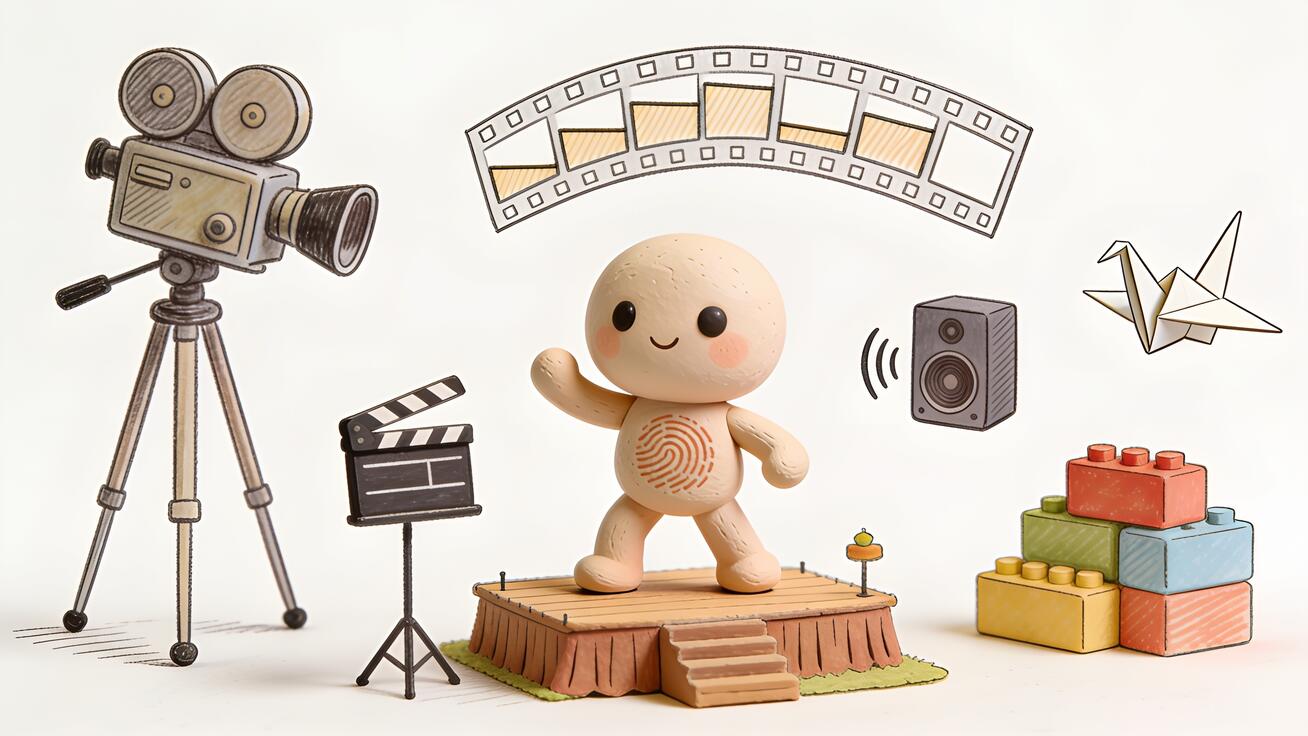
Stop motion is one of the most beloved looks in animation. Claymation shorts, LEGO brick films, paper-cutout fairy tales, felt puppets brought to life one frame at a time — there's a handmade warmth to it that polished CGI can never quite copy. The catch has always been the labor: traditional stop motion means building physical sets, sculpting puppets, and shooting hundreds of photographs to produce a few seconds of footage. A single Aardman-style minute can take a week.
Veo 3 changes the math. Because the model understands "stop motion," "claymation," and "frame-by-frame animation" as explicit style instructions — and because it generates native, synchronized audio alongside the picture — you can produce a convincing stop-motion clip from a single text prompt in minutes, no clay, armatures, or camera rig required. You're not really animating one frame at a time; you're describing the look of stop motion and letting Veo 3 render it.
This guide shows you exactly how to use Veo 3 as a stop motion video generator: what makes the style read as "handmade," the prompt formula that triggers it reliably, ten copy-paste prompts across the most popular stop-motion genres, how to add the signature stuttery frame cadence and foley sound, and how to fix the mistakes that make AI stop motion look like ordinary smooth video instead.
What "stop motion" actually means to Veo 3
Real stop motion is an illusion built from stillness. An animator moves a physical object a tiny amount, takes one photo, moves it again, takes another, and repeats. Play the photos back at 12 or 24 frames per second and the object appears to move on its own. The defining visual signatures are a slightly stepped, non-fluid motion (the "stutter"), tactile real-world materials (clay, paper, fabric, plastic), practical lighting with soft shadows, and tiny imperfections — fingerprints in the clay, a puppet that jitters a hair between frames.
Veo 3 recognizes the vocabulary of this craft. When you write "stop motion animation," "claymation," "stop-motion style," or "frame-by-frame puppet animation," the model shifts away from its default smooth, cinematic motion and toward the stepped cadence and tactile textures that define the format. It pulls on the enormous library of stop-motion film and reference imagery in its training data — think Wallace & Gromit, Coraline, Shaun the Sheep, brick films — and reproduces the aesthetic of those frames.
The important mental model: you are not asking Veo 3 to physically animate something one frame at a time. You're asking it to generate video that looks like it was made that way. That distinction shapes everything about how you prompt. You describe materials, motion quality, lighting, and the handmade feel — and the more specific you are, the more believable the result.
Why Veo 3 is a strong fit for stop motion
A few of Veo 3's core strengths line up unusually well with this style:
- Material rendering. Veo 3 is good at surfaces — the matte squish of plasticine, the fibrous nap of felt, the glossy click of plastic bricks, the soft edges of torn construction paper. Stop motion lives or dies on material believability, and that's exactly where the model is strong.
- Native synchronized audio. Classic stop motion is famous for its chunky foley: the squelch of clay, footsteps on a tiny wooden floor, a comedic "boing." Veo 3 generates sound in the same pass as the picture, so you can score the foley directly in the prompt instead of adding it later.
- Style obedience. "Stop motion" is a strong, well-understood style token. Unlike vague aesthetic requests, it reliably steers the whole render — motion, texture, and lighting together.
- Speed and iteration. A real claymation test takes hours. With Veo 3 you generate, watch, change one word, and regenerate in minutes — so you can dial in the exact look fast.
The Veo 3 stop-motion prompt formula
The most reliable stop-motion prompts follow a five-part structure. Each part pushes the model toward the handmade look and away from its smooth default.
- Style declaration — lead with the technique: "Stop motion animation," "Claymation style," "LEGO brick film," "paper cutout stop motion." Putting it first sets the frame for everything after.
- Subject and material — say what the thing is made of: "a small clay fox with visible fingerprints," "a felt puppet owl," "a plastic toy astronaut." Material is the soul of stop motion.
- Action — keep it simple and physical. Stop motion shines with deliberate, contained movement: "waddles across the table," "tilts its head and blinks," "stacks three wooden blocks."
- Set, lighting, and camera — describe the tiny practical world: "on a miniature handmade wooden set," "soft warm tabletop lighting," "shallow depth of field, locked-off camera." Practical lighting and a still camera sell the diorama feel.
- Motion cadence and audio — explicitly ask for the stutter and the foley: "slightly stepped 12fps stop-motion movement," "tactile clay squelch and soft tapping sounds."
Put together, a complete prompt looks like this:
Stop motion claymation. A small round clay fox with visible thumbprints and matte plasticine texture waddles across a miniature handmade forest set, then sits and blinks. Soft warm tabletop lighting, locked-off camera, shallow depth of field. Slightly stepped, stuttery 12fps stop-motion motion. Audio: gentle clay squelch, soft footsteps on moss, light woodland ambience.
That single paragraph hits all five slots, and it's the template you'll reuse for every prompt below — just swap the material, subject, and set.
10 copy-paste Veo 3 stop motion prompts
Drop any of these straight into Veo 3 and tweak the subject to taste. Each is built on the five-part formula.
1. Classic claymation character
Stop motion claymation, a chubby green clay monster with visible fingerprints squishes and stretches, then grins and waves. Miniature cardboard bedroom set, warm desk-lamp lighting, locked-off camera. Stepped 12fps stop-motion stutter. Audio: soft clay squelch, a tiny cheerful giggle.
2. LEGO brick film
LEGO stop motion brick film. A LEGO minifigure firefighter runs across a brick-built city street and climbs a red ladder. Bright even lighting, plastic gloss on every brick, shallow depth of field. Choppy minifigure walk cycle, classic brick-film cadence. Audio: clicky plastic footsteps, a small siren.
3. Paper cutout fairy tale
Paper cutout stop motion, layered construction-paper style. A flat paper princess with torn-paper edges walks past a paper castle as paper clouds slide by. Flat frontal lighting, slight paper shadow. Jerky 8fps cutout movement. Audio: soft paper rustle, gentle music-box melody.
4. Felt / needle-felted woodland scene
Stop motion with needle-felted wool puppets. A fuzzy felt hedgehog snuffles through tiny felt grass and finds a felt mushroom. Cozy soft window light, macro close-up, shallow focus. Slightly stepped stop-motion motion with tiny jitter. Audio: soft fabric shuffle, gentle sniffing, warm ambience.
5. Toy / action-figure stop motion
Stop motion with plastic action figures. A toy astronaut figure plants a tiny flag on a styrofoam moon surface and salutes. Hard side lighting casting long shadows, locked-off camera. Stiff, stepped toy movement. Audio: hollow plastic taps, a faint radio crackle.
6. Food stop motion (claymation food)
Stop motion claymation food scene. A clay strawberry hops onto a clay pancake stack while clay syrup drips down. Bright kitchen tabletop lighting, top-down then eye-level, shallow depth of field. Bouncy stepped stop-motion cadence. Audio: squishy clay plops, a satisfying drip.
7. Origami / folded-paper creature
Stop motion origami animation. A folded white paper crane flaps its angular wings and hops along a wooden desk. Clean soft lighting, crisp paper creases, macro lens. Sharp, stepped folding motion. Audio: crisp paper crinkle, soft wooden taps.
8. Halloween / spooky claymation
Stop motion claymation, spooky style. A lumpy purple clay ghost with crooked clay eyes floats and wobbles through a miniature haunted cardboard house. Moody blue-green lighting, deep shadows, locked-off camera. Wobbly stepped stop-motion motion. Audio: low spooky hum, soft clay wobble, a tiny "boo."
9. Brick-built robot
LEGO stop motion. A brick-built robot stomps forward, its arms swinging in stiff brick segments, head rotating. Dramatic single-source lighting, glossy plastic, shallow focus. Choppy mechanical brick-film walk. Audio: clicky servo taps, heavy plastic stomps, a small electronic beep.
10. Mixed-media handmade title card
Stop motion mixed media. Hand-cut felt letters spelling "HELLO" assemble themselves one by one on a wooden tabletop, pushed by tiny clay hands. Warm crafty lighting, top-down camera, shallow depth of field. Stepped stop-motion assembly. Audio: soft fabric and clay shuffles, a cheerful final chime.
How to nail the signature stop-motion "stutter"
The single biggest tell of fake stop motion is motion that's too smooth. Real stop motion runs at a low effective frame rate — often "on twos," meaning each pose is held for two frames, giving roughly 12 distinct poses per second. That produces the slightly jerky, stepped quality your eye reads as "handmade."
To push Veo 3 toward that cadence, use explicit language: "stepped 12fps stop-motion motion," "animated on twos," "choppy frame-by-frame movement," or "slightly jerky stutter." Pair it with deliberate, contained action. Stop motion looks best when movement is simple — a waddle, a head tilt, a single hop — because complex fast motion fights the stepped look and can smooth out. If a generation comes back too fluid, add a stronger cadence cue and slow the described action down ("slowly waddles" rather than "runs").
Camera discipline matters too. Classic stop motion is shot on a locked-off (completely still) camera so the only thing moving is the puppet. Asking for "locked-off camera, no camera movement" reinforces the diorama illusion. If you want a camera move, keep it small and mechanical — a slow push-in reads as a motion-control rig, which is period-accurate for the format.
Adding synchronized foley sound
Sound is half of what makes stop motion charming, and it's where Veo 3's native audio gives you a real edge. Instead of hunting for sound effects afterward, you score the foley right in the prompt. Anchor each sound to its material and action so the model syncs it to the picture:
- Clay: "soft squelch," "squishy plops," "sticky peeling."
- Plastic/LEGO: "clicky plastic taps," "hard brick clicks."
- Paper: "crisp paper crinkle," "soft paper rustle."
- Felt/fabric: "muffled fabric shuffle," "soft fuzzy thumps."
Layer three tiers the same way you would for any Veo 3 clip: a key foley sound tied to the main action, a secondary texture (footsteps, ambient room tone), and an optional musical sting (a music-box melody, a comedic boing, a cheerful chime). Keeping the audio playful and slightly exaggerated matches the handmade, storybook tone audiences expect from the genre. For a deeper breakdown of layering audio, see our Veo 3 native audio prompt guide.
Common mistakes and how to fix them
Problem: the motion is too smooth and looks like normal video. This is the most frequent failure. Fix it by strengthening the cadence cue ("animated on twos, stepped 12fps stutter"), simplifying and slowing the action, and removing any words that imply fluid motion like "smoothly" or "gliding." Regenerate — run-to-run variation is normal, and a second pass often lands the stutter.
Problem: the materials look like CGI plastic, not handmade clay. Add tactile imperfection cues: "visible fingerprints," "matte plasticine texture," "tiny lumps and seams," "handmade imperfections." Practical, soft tabletop lighting helps too — harsh perfect lighting reads as render, while a warm desk lamp reads as a real set.
Problem: the camera drifts or swoops cinematically. Stop motion almost never has free-flying camera moves. Add "locked-off camera, static tripod, no camera movement." If you want motion, specify "slow mechanical motion-control push-in" so it stays believable.
Problem: the scene is too busy and the stop-motion look collapses. Crowded scenes with lots of fast motion smooth out and lose the stutter. Keep one or two subjects, one clear action, and a simple miniature set. Stop motion is intimate by nature — lean into the small diorama feel rather than epic spectacle.
Problem: the character changes between clips. For a multi-shot short, keep the same material, color, and proportions in every prompt ("the same chubby green clay monster, same fingerprints, same set"). Consistency cues carry a character across a stitched sequence — the same principle covered in our character consistency guide.
Stop-motion style cheat sheet
Different sub-styles need slightly different trigger words. Use this as a quick reference:
- Claymation — "claymation, plasticine, visible fingerprints, matte clay texture, squash and stretch." Best for charming characters and comedy.
- LEGO / brick film — "LEGO stop motion, brick-built, minifigure, glossy plastic, choppy brick-film cadence." Best for action and builds.
- Paper cutout — "paper cutout stop motion, layered construction paper, torn edges, flat frontal lighting." Best for storybook and fairy tales.
- Needle felt — "needle-felted wool puppet, fuzzy fabric, cozy soft light, macro." Best for warm, gentle woodland scenes.
- Toy / object — "object animation, plastic figures, stiff toy movement, hard shadows." Best for nostalgic, playful clips.
- Origami — "origami stop motion, folded paper, crisp creases, sharp stepped folds." Best for elegant, minimal motion.
Mixing materials ("clay character on a paper set") is fine and often produces a distinctive handmade collage look — just name each material clearly so the model keeps them visually separate.
A simple workflow: from idea to finished stop-motion short
You don't have to nail everything in one clip. The fastest way to a polished stop-motion piece is to break it into beats and stitch them.
- Pick a style and lock your character. Decide claymation vs. LEGO vs. paper, then write a tight description of your hero (material, color, proportions). Reuse that exact description in every prompt.
- Storyboard 3–5 simple beats. Each beat is one contained action — "character enters," "character reacts," "character does the thing." Simple beats hold the stutter better than one complex shot.
- Generate each beat as a separate clip. A single Veo 3 generation runs up to about 8 seconds, which is plenty for one stop-motion beat. Score the foley in each prompt.
- Iterate on the weak beats only. Watch the set, find the one clip that looks too smooth or off-model, change one variable, and regenerate. Don't re-roll the ones that already work.
- Stitch and extend. Edit the beats together in any editor, or use Veo 3.1's extend feature to chain shots. For longer continuous motion, see our guide on extending Veo videos beyond 8 seconds. If you want a perfect loop for social, the seamless looping guide shows how to make the first and last frames match.
That beat-by-beat approach mirrors how real stop motion is shot — one deliberate move at a time — and it gives you the most control over the final look. If you also want to bring a flat illustration into the style, our walkthrough on turning a drawing into video pairs well with the cutout and paper approaches, and fans of other hand-drawn looks should check the Veo 3 anime guide.
Frequently asked questions
Can Veo 3 really make stop motion, or is it just smooth video with a filter? Veo 3 generates video that reproduces the look of stop motion — stepped motion, tactile materials, practical lighting — rather than literally photographing one frame at a time. With the right cadence and material cues, the result reads as genuine stop motion to most viewers. It's an aesthetic the model renders, not a physical process it performs.
What's the best prompt word to trigger the stop-motion look? Lead with the technique: "stop motion," "claymation," or "LEGO brick film." Then reinforce the cadence with "stepped 12fps motion" or "animated on twos." Those two layers — style plus cadence — are what reliably break the model out of its smooth default.
Why does my clip look too smooth? Your motion cadence cue is probably too weak, or the action is too fast. Strengthen it ("choppy, stepped stop-motion stutter"), slow the action down, and remove any words implying fluidity. Regenerate — variation between runs is normal and a second pass often fixes it.
How do I get the clay or felt to look handmade instead of CGI? Add imperfection cues: "visible fingerprints," "matte plasticine," "tiny seams," "handmade imperfections," and use soft practical lighting. Perfect, glossy, evenly lit surfaces read as CGI; small flaws and warm lamp light read as a real tabletop set.
Can I add my own sound, or does Veo 3 generate it? Veo 3 generates synchronized audio in the same pass, so you can score the foley directly in the prompt — clay squelches, plastic clicks, paper rustles. You can always replace or layer additional sound in an editor afterward, but the native audio is usually enough for a charming stop-motion clip.
How long can a stop-motion clip be? A single generation runs up to about 8 seconds. For a longer short, generate several beats and stitch them, or use Veo 3.1's extend feature to chain scenes while keeping your character consistent.
Which stop-motion style is easiest to get right? Claymation and LEGO are the most forgiving because the model has the most reference material for them and the materials are visually distinctive. Paper cutout and needle felt also work well; very intricate mixed-media scenes are the hardest to keep consistent.
Start animating, one frame at a time — without the frames
Stop motion has always rewarded patience over budget, and that's exactly why AI fits it so naturally: Veo 3 lets you skip the weeks of physical shooting and jump straight to the charming, handmade result. Name the technique, describe the material, keep the action simple, ask for the stepped stutter, and score the foley — that's the whole recipe. Start with one of the ten prompts above, swap in your own clay creature or brick hero, and generate. Watch it, change one word, and generate again. In an afternoon you can have a full stop-motion short that looks like it took a week to shoot — because for everyone else, it would have.
Related Articles
Continue with more blog posts in the same locale.

How to Make Sports Highlight Videos with Veo 3 AI (2026)
Create stunning sports highlight videos with Veo 3 AI. Generate dynamic action shots, slow-motion sequences, and dramatic replays using AI prompts.
Read article
How to Make a Short Film with Veo 3 AI (2026 Guide)
Learn how to create professional short films using Veo 3 AI. Step-by-step guide with prompts, workflow tips, and cinematic techniques.
Read article
How to Make Documentary Videos with Veo 3 AI (2026 Guide)
Create compelling documentary videos with Veo 3 AI. Learn prompting techniques, narrative structure, realistic footage generation, and post-production tips.
Read article